

Manage Content Status Labels #
The Manage Content Status Labels area lets admins manage the pill categories and values used throughout Advanced Status Labels.
With the introduction of global and space pills, pill management is now split into two levels:
- Global pills are available across your entire Confluence site
- Space pills are only available within a single space
All existing pills are now treated as global pills, which means they are automatically available in all spaces and on all pages.
Global and space pills #
Every space inherits all global pill categories and values by default.
This means you can maintain a consistent set of categories across your Confluence site, while still allowing individual spaces to create their own space-specific pills when needed.
Global pills #
Global pills are shared across all spaces. Use these for categories and values that should stay consistent across your organisation, such as:
- Status
- Priority
- Team
- Approval Stage
Space pills #
Space pills only exist within the space where they were created. Use these when a specific team or space needs its own labels that should not appear elsewhere.
For example, one team may want its own project-specific workflow values without affecting the rest of the site.
Global Pill Manager #
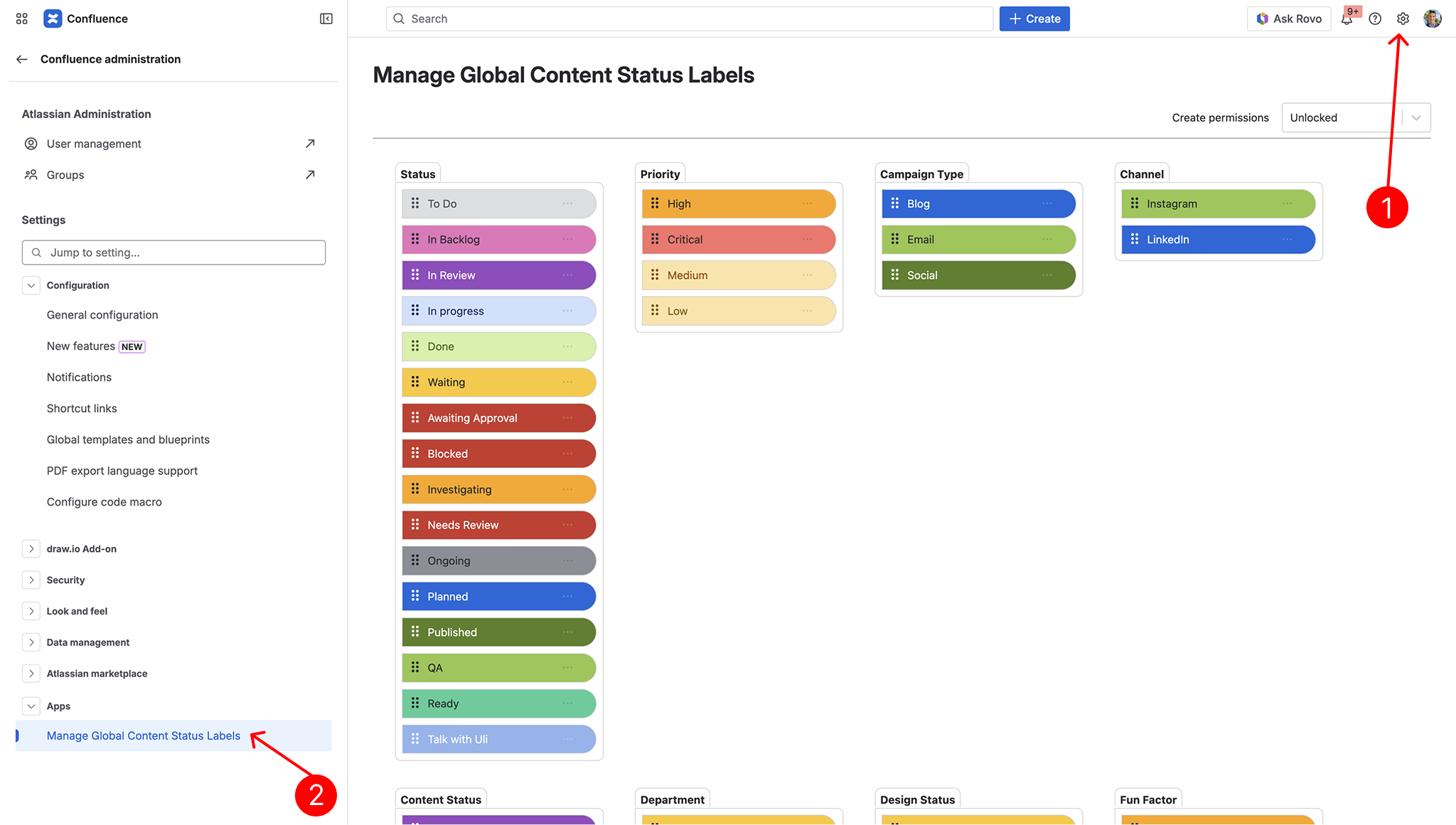
The Global Pill Manager is used by Site Admins / Confluence Admins to manage global pill taxonomy across the entire site.
From the Global Pill Manager, admins can:
- Update global pill values
- Delete global pill values
- Change the order of global pill values
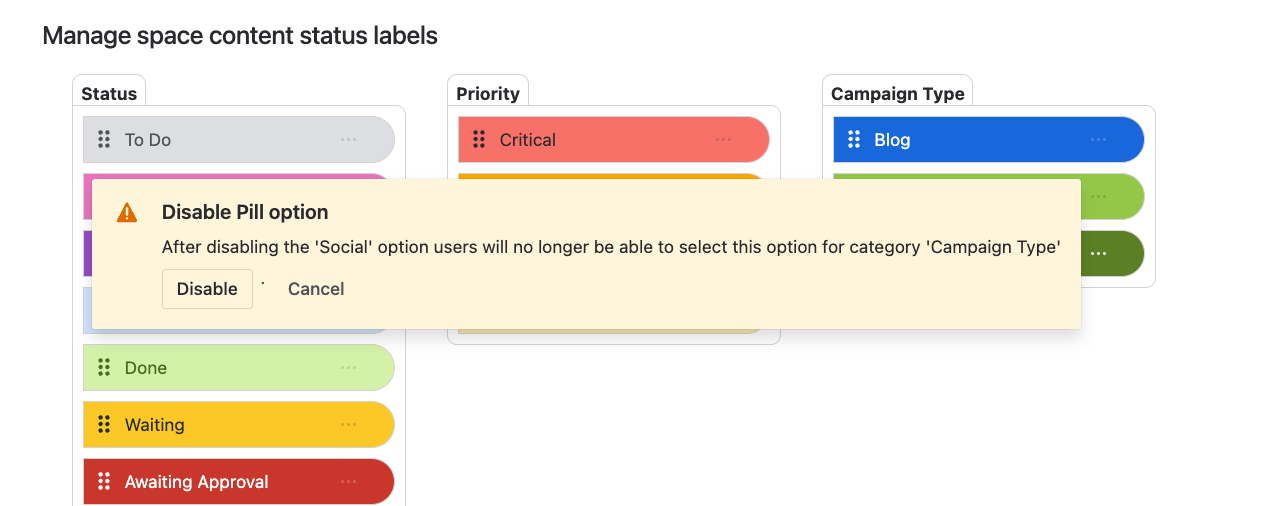
- Disable global pill values
This gives admins tighter control over the categories and values that are available across all spaces.
Space Pill Manager #
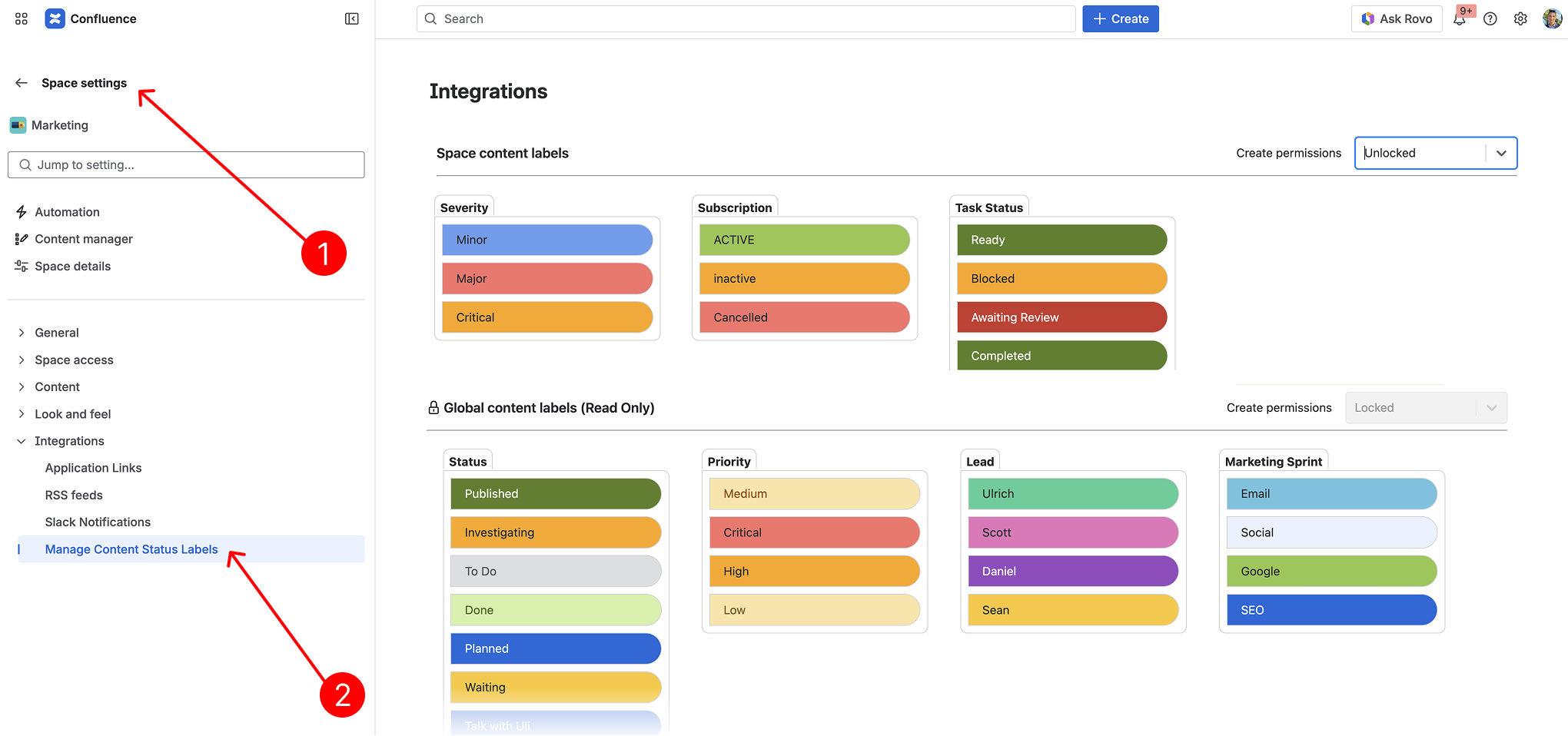
The Space Pill Manager is used by Space Admins to manage space-level pills within their own space.
How the Space Pill Manager behaves depends on your global creation settings.
When global pill creation is unlocked #
If global pill creation is unlocked:
- Space admins can view all inherited global pill categories and values
- Users can create new global categories and values from the page editor
In this case, spaces still inherit the global taxonomy, and new globally-created pills become available more broadly.
When global pill creation is locked #
If global pill creation is locked:
- Spaces still inherit all existing global pills
- Space admins can update, disable and delete space pill values
This allows each space to extend the inherited global taxonomy locally, without changing the global structure for the rest of the site.
User creation permissions #
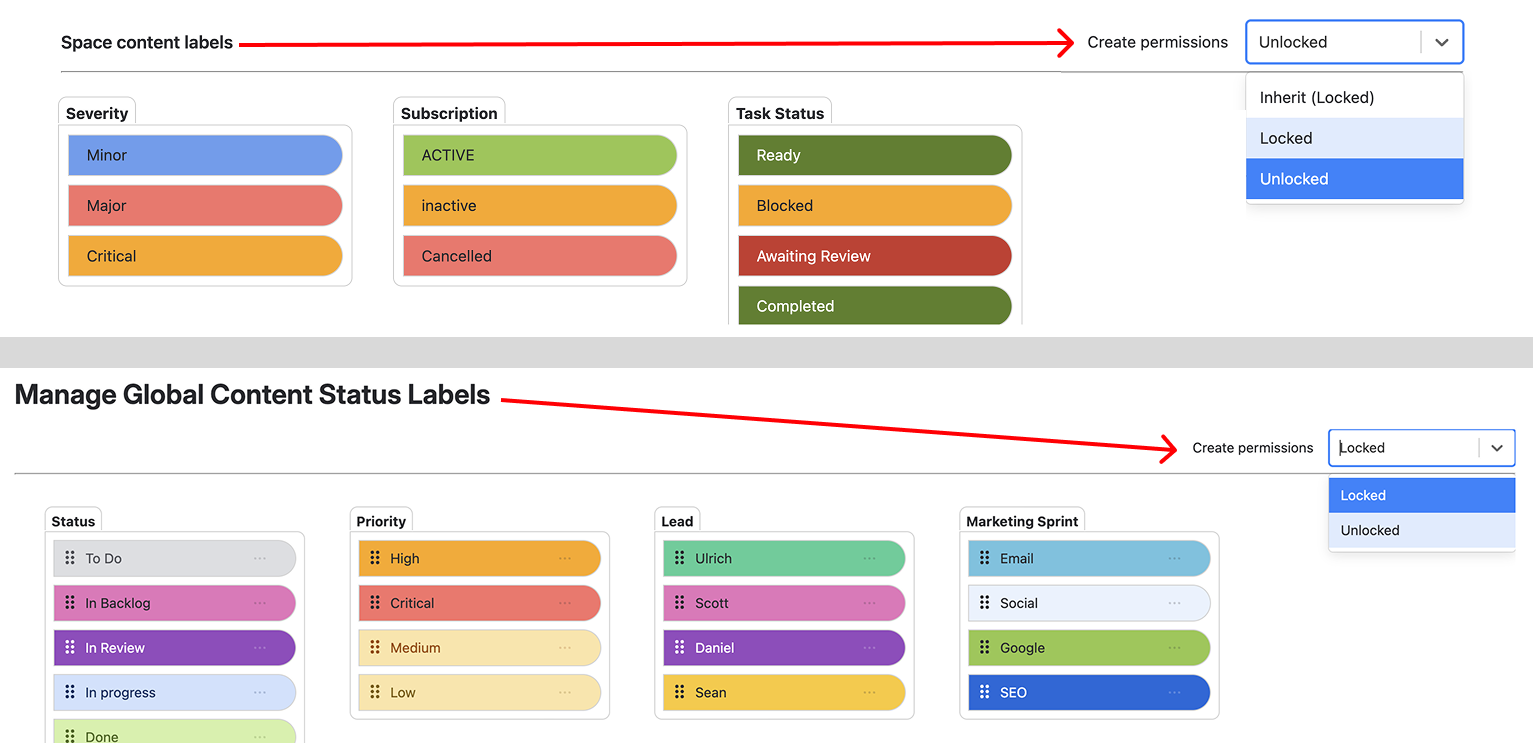
Admins can control whether users are allowed to create new pill categories and values while editing pages.
If global pill creation is unlocked #
Users can create new global pill categories and values from anywhere in Confluence.
If global pill creation is locked but space pill creation is unlocked #
Users can still create new categories and values, but they will be created as space pills only and will only be available within that space.
If both global and space pill creation are locked #
Users cannot create new pill categories or values.
They can still select and use all existing global and space pills that are already available to them.
Editing pill values #
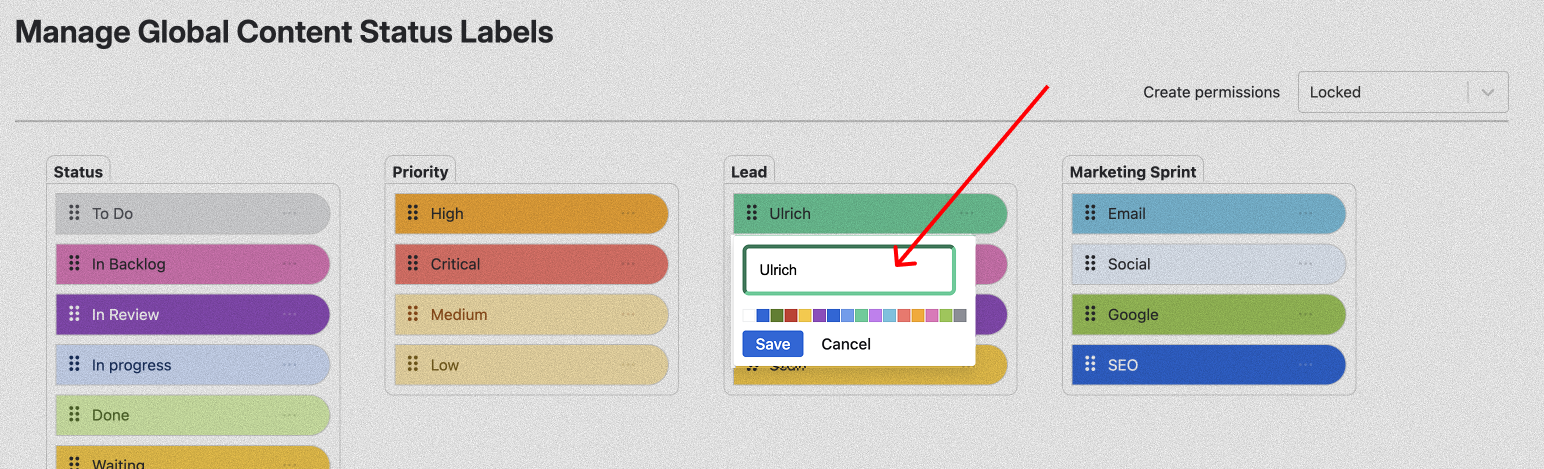
Depending on your permissions and whether you are working with global or space pills, admins can update existing values as needed.
This includes tasks such as:
- Renaming values
- Updating value colours
- Cleaning up unused categories and values
- Maintaining the order of values where supported
Keeping categories and values well organised helps ensure a cleaner, more consistent editing experience for your users.
Deleting pill values #
Admins can delete pill values that are no longer needed.
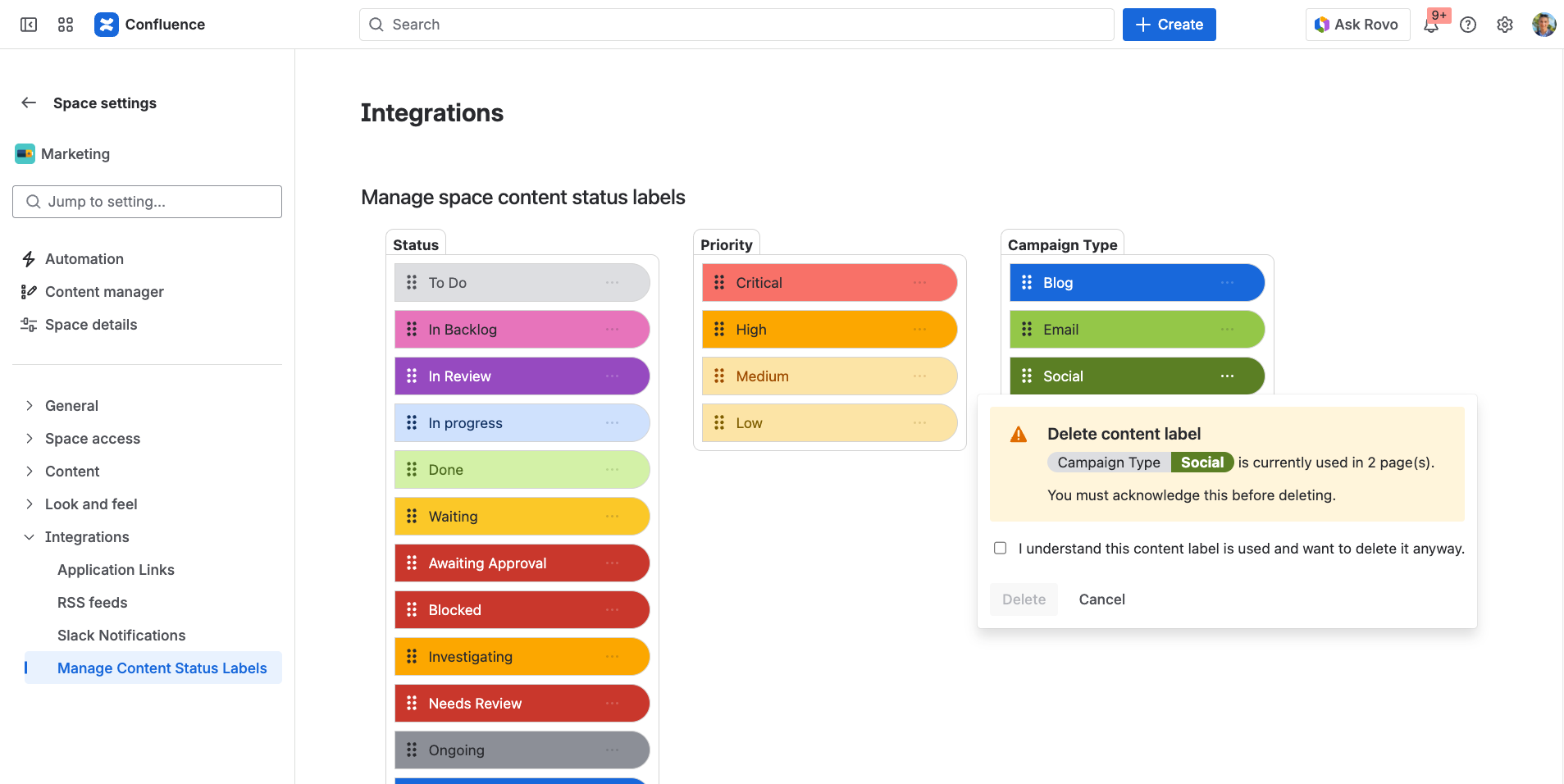
If you attempt to delete a value that is already being used on one or more pages, a warning and confirmation message will appear before the deletion is completed.
Important: deleting a value cannot be undone.
For this reason, we recommend reviewing where a value is being used before removing it.
#
Best practice
For the best balance of governance and flexibility:
- Use global pills for organisation-wide categories and values
- Use space pills for team-specific workflows or local naming conventions
- Restrict global creation if you want tighter control over shared taxonomy
- Allow space-level creation where teams need some flexibility without affecting other spaces
This approach helps keep your Confluence instance consistent at a global level, while still giving individual teams room to work in the way that suits them best.