
Once Advanced Status Labels is installed in your Confluence workspace, there are two main ways users will interact with the app:
- Using pills on Confluence pages
- Managing pill categories and values through the admin interfaces
With the introduction of global and space pills, navigation is now split across two levels of management.
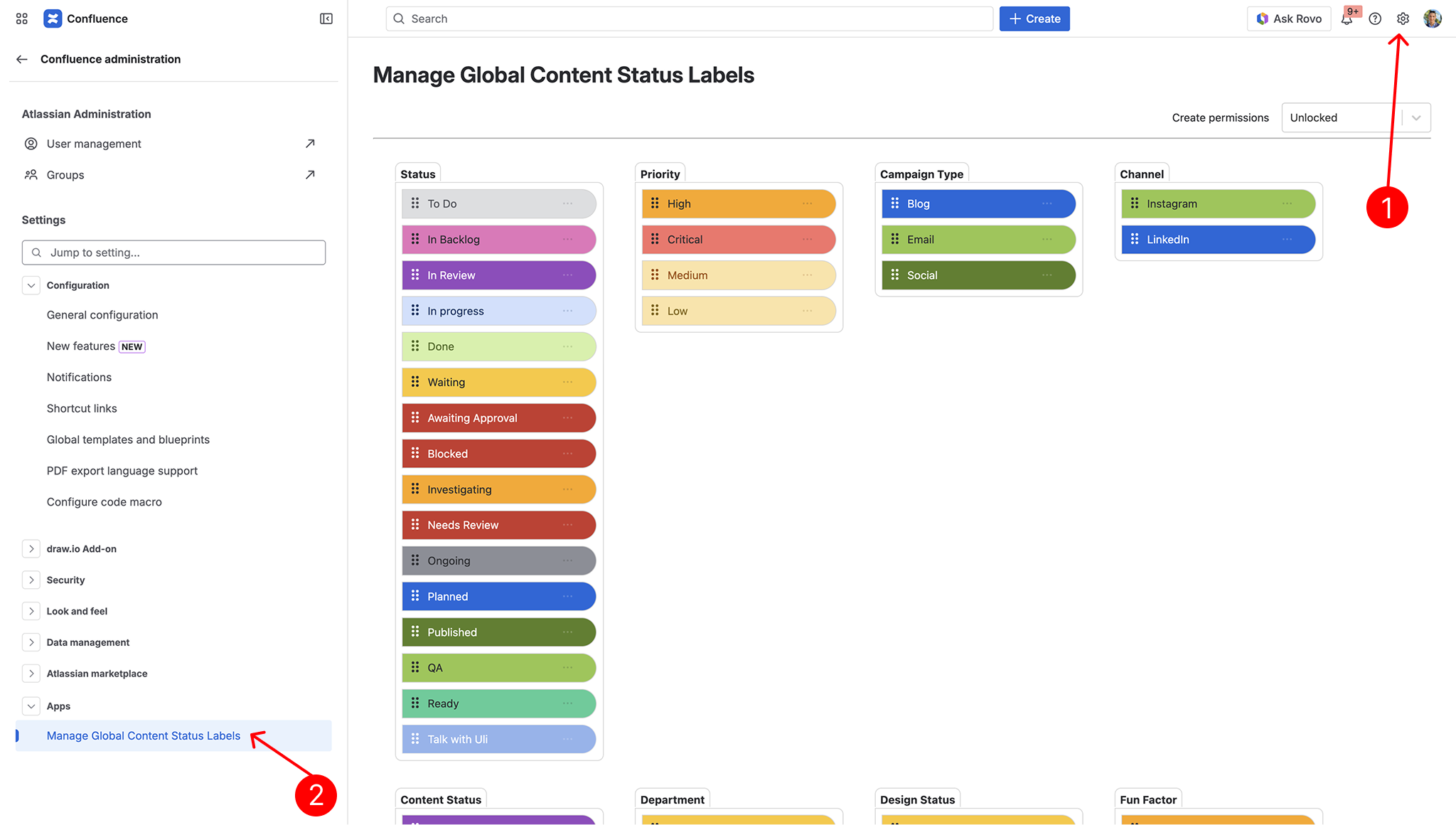
Global Pill Manager #
The Global Pill Manager is used by Site Admins / Confluence Admins to manage pill categories and values that should be available across the entire Confluence site.
Space Pill Manager #
The Space Pill Manager is used by Space Admins to manage pills within a single Confluence space.
Space admins can use this area to manage local space-level categories and values when space-level creation is allowed.
This is useful when a space needs more flexibility for team-specific workflows, project stages, or naming conventions.
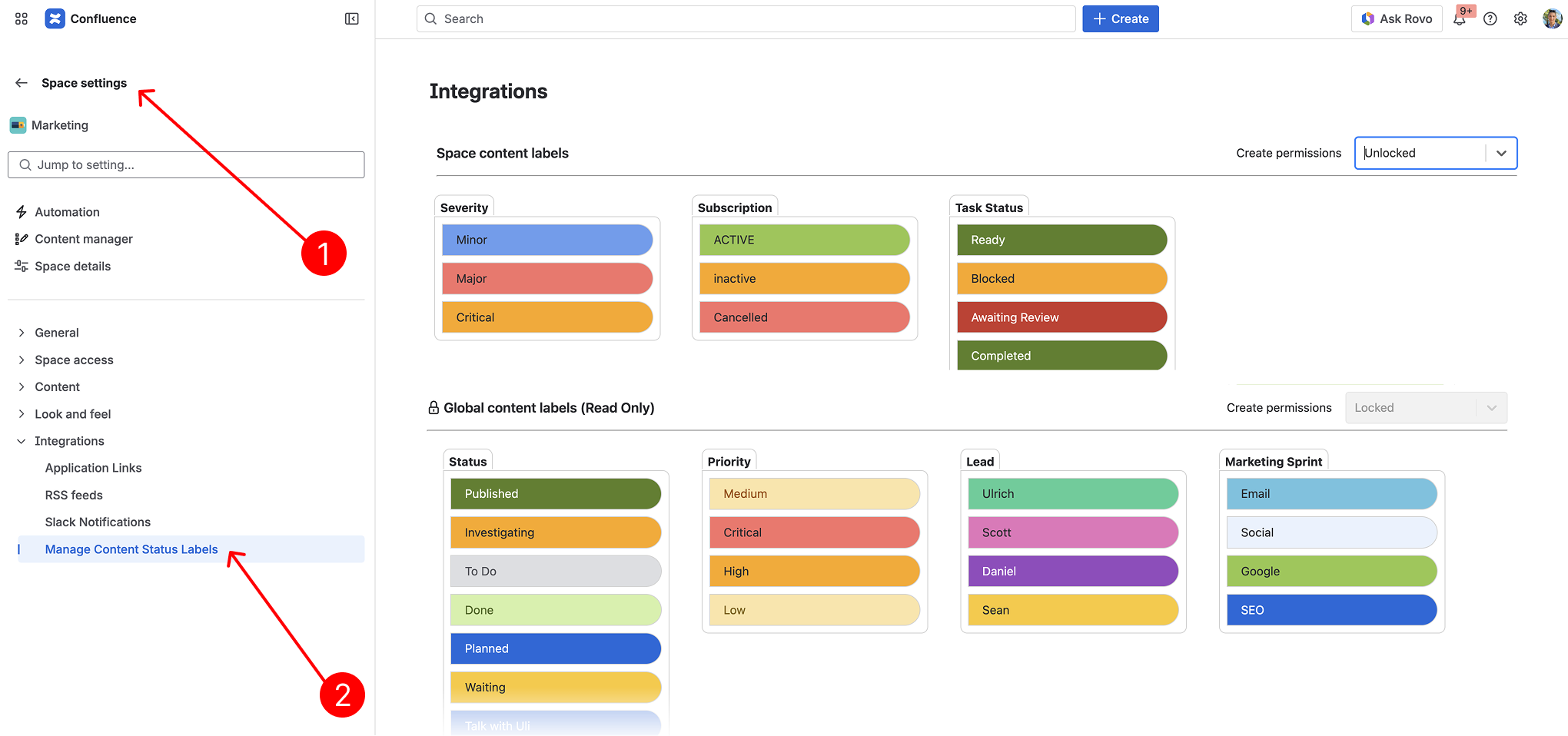
To learn more about the two Manage Labels pages seen above, please refer to this Global & Space Pill Management page in the documentation space.
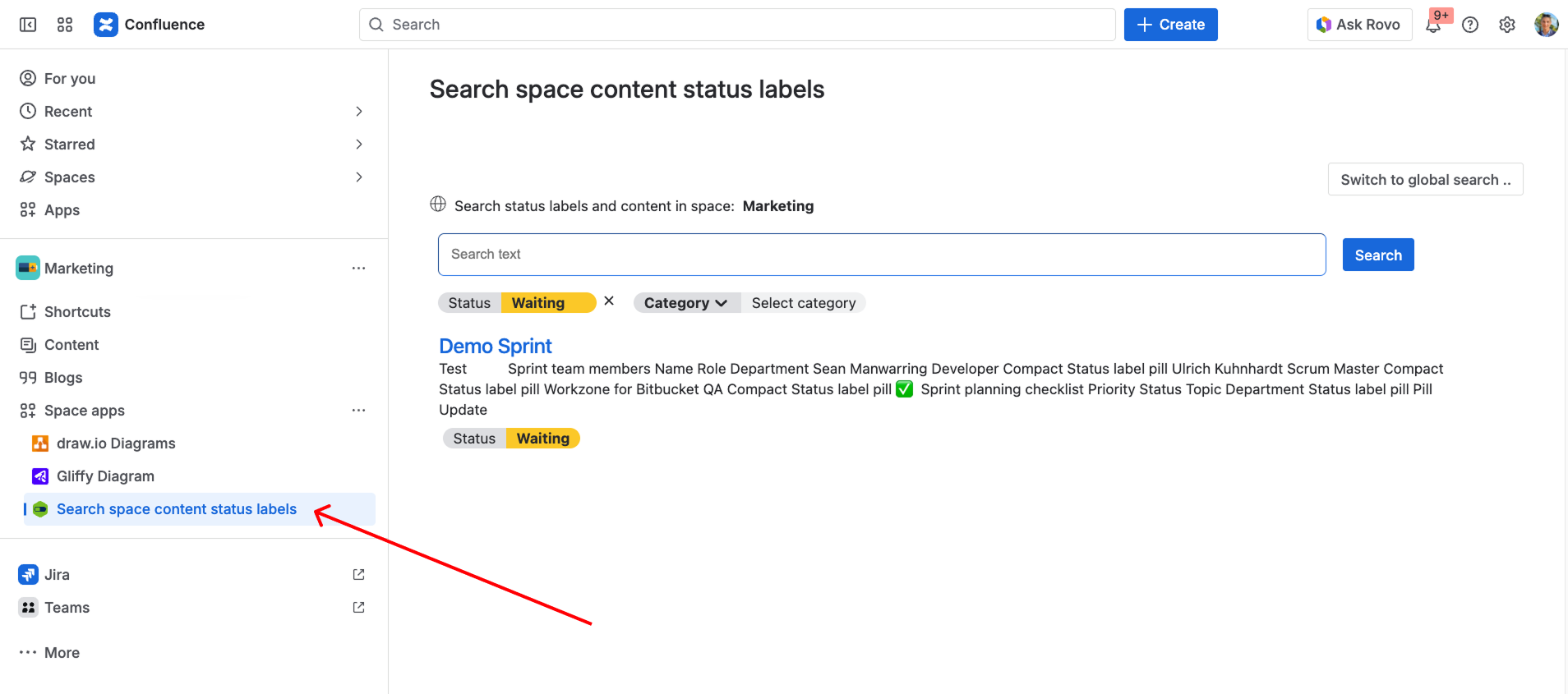
Search Space Content Status Labels #
To access the search page, where you can view all pages containing a specific category and/or value – click the “Advanced Status Labels Search” button also found on the left-hand side under “Space Apps”