
Introducing the Organizr Label Manager for Bitbucket Data Center
Introducing the Organizr Label Manager for Bitbucket Data Center
In February 2024, we introduced the Label Manager in Organizr for Bitbucket Data Center to give teams more control over how pull request labels are created, managed and reused across their Bitbucket instance.
The core idea was simple: pull request labels are useful, but without governance they can quickly become inconsistent. URGENT, Urgent, High Priority and Priority-1 may all end up describing the same thing.
The Label Manager added a central way to manage those labels at Global, Project and Repository scope while still allowing teams to decide how much local flexibility they need.
2026 update: the Label Manager remains a current Organizr feature. Organizr is a Bitbucket Data Center app, and labels can now also be added while creating a pull request and used in Organizr’s instance-wide pull request filtering.
What the Label Manager Introduced
1. Global, Project and Repository Label Management
The Label Manager supports three configuration scopes:
- Global — labels and settings that can apply across the Bitbucket instance;
- Project — configuration for repositories within a Bitbucket project;
- Repository — configuration for an individual repository.
Project settings can inherit from Global configuration, and Repository settings can inherit from Project configuration.
This lets organisations create shared labels where consistency matters while still allowing more specific configuration lower in the hierarchy.
2. Create and Manage Pull Request Labels
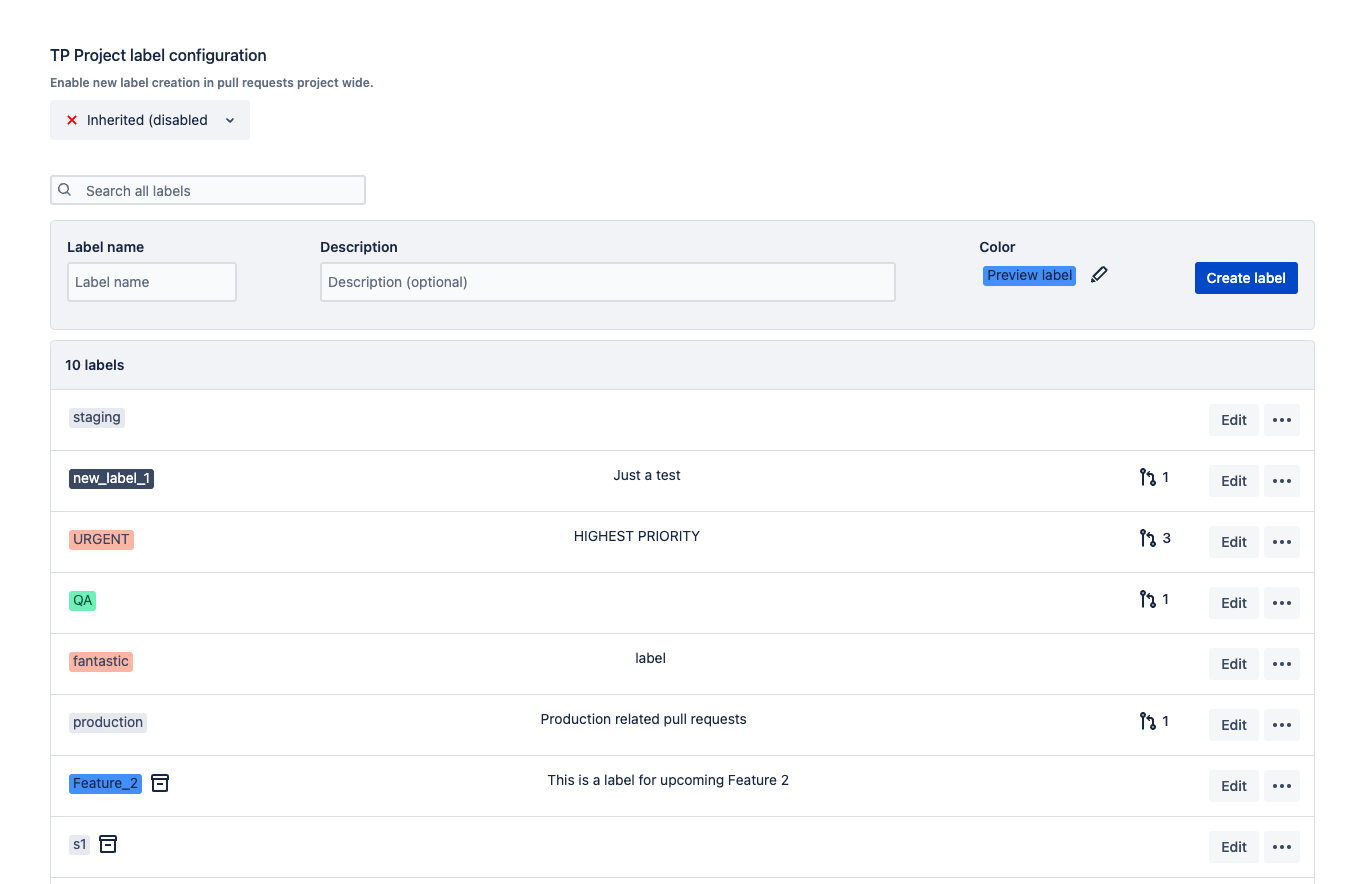
Administrators can use the Label Manager to:
- create new labels;
- add an optional description;
- assign a colour;
- search existing labels;
- see how many pull requests currently use a label;
- edit labels;
- archive labels;
- delete labels.
Colours can also be aligned with conventions already used elsewhere in the organisation—for example, Jira priorities or internal release classifications.
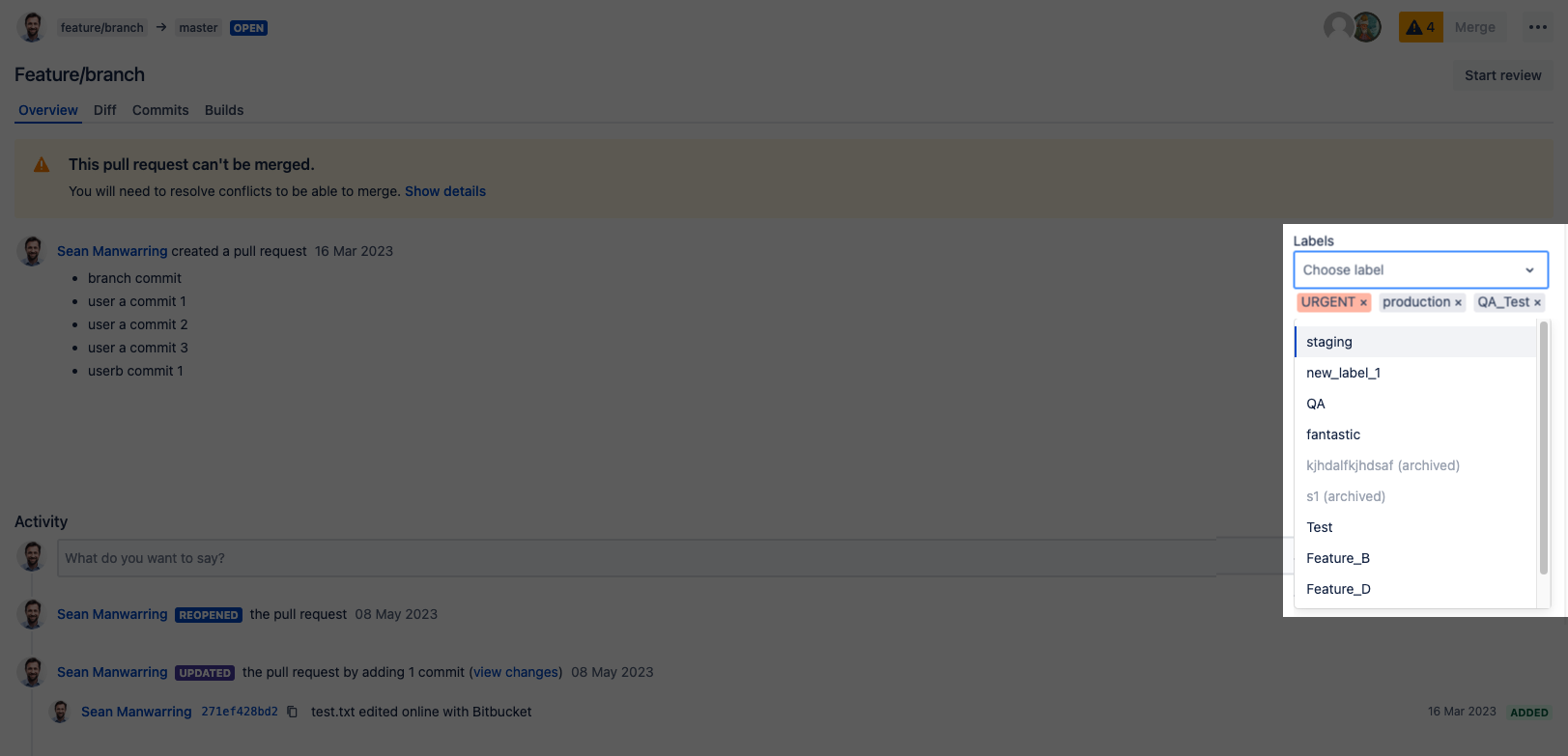
3. Control Who Can Create New Labels
One of the main reasons we built the Label Manager was to avoid uncontrolled label growth.
At each relevant scope, administrators can control whether users are allowed to create new labels directly from pull requests or whether they must select from the labels that have already been defined.
That makes it possible to choose between two different models:
- Flexible: users can create labels when they need them;
- Governed: users select from an approved label set maintained by administrators.
Different projects and repositories can use the model that makes sense for them rather than forcing the entire Bitbucket instance into one approach.
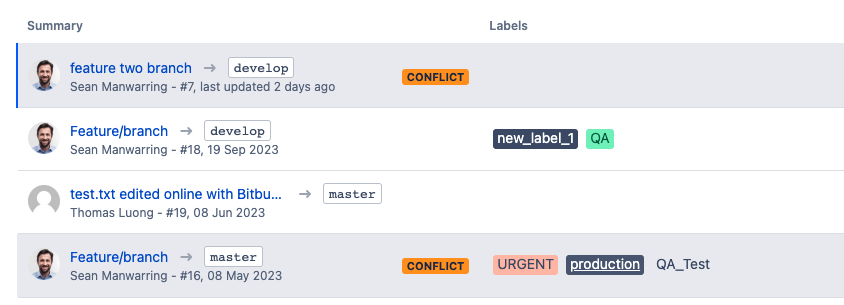
4. Archive Labels Without Immediately Removing Their History
Not every old label should remain available forever.
The Label Manager can archive a label so it no longer appears as an active option on the pull request page while remaining visible in Label Manager with its archived state.
This makes it easier to retire labels that are no longer part of the current workflow without leaving an ever-growing active list.
Why We Added the Label Manager
Labels become more valuable as the number of repositories and pull requests grows—but only if people understand what the labels mean.
For a small team, the main benefit may simply be having a clean, reusable list such as:
- URGENT;
- BUGFIX;
- QA;
- READY_TO_MERGE.
For a larger Bitbucket Data Center environment, the governance becomes more important. Global labels can establish shared terminology while project and repository scopes preserve flexibility where teams genuinely need different classifications.
The Label Manager was designed to provide that balance between consistency and local control.
What Has Changed Since the 2024 Launch?
The Label Manager itself still follows the same core model introduced in this announcement, but the surrounding Organizr workflow has expanded.
Since this post was first published:
- labels and due dates can be added directly while creating a pull request, rather than only afterwards;
- Organizr’s instance-wide pull request search can filter PRs by labels alongside criteria such as due date, author, reviewer, state, project and text;
- the current search interface includes an interactive query builder for supported filter criteria.
That means the labels governed through Label Manager can now serve a broader purpose: not only classifying an individual pull request, but also helping teams build focused PR views across the Bitbucket instance.
For a more detailed example of that workflow, see How to Use Labels and Due Dates for Bitbucket Pull Requests.
Label Manager Today
If you are evaluating the feature now rather than reading this as a historical announcement, the maintained documentation is the best source for the current UI and configuration steps.
See the Organizr Label Manager documentation for the current walkthrough.
You can also explore Organizr for Bitbucket Data Center on the Atlassian Marketplace.
By Sean Manwarring, Head of Marketing at Izymes
Published 12 February 2024 · Updated 13 October 2026