
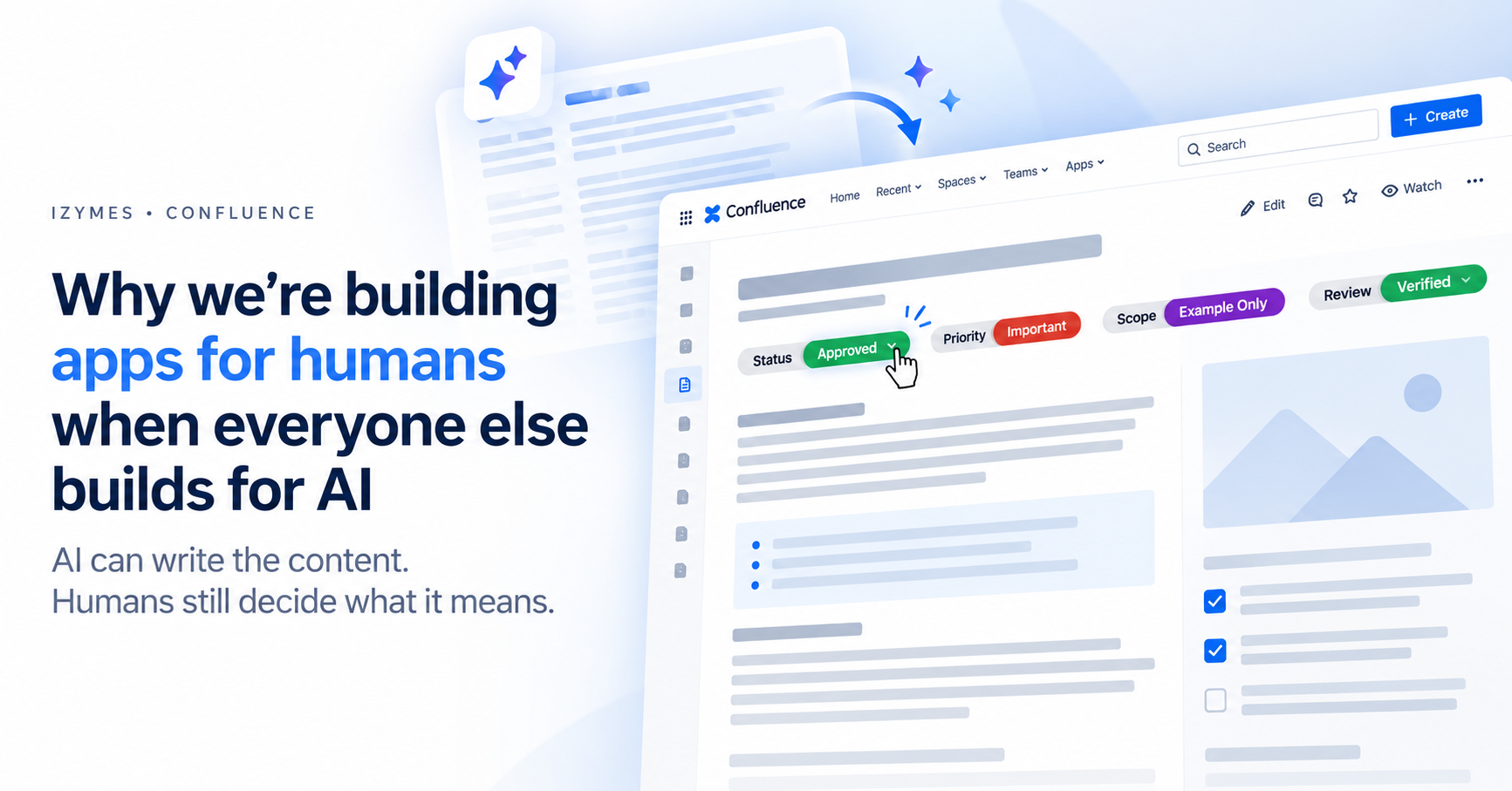
Why we are building apps for humans when everyone else builds for AI
How human-added status labels turn AI-generated Confluence content into trusted, navigable work
Rovo is changing the economics of creating content in Confluence dramatically.
A rough idea can become a structured project brief. Meeting notes can become a polished summary. An agent can create a new Confluence page, refine existing writing or help a team produce consistently formatted documentation. Atlassian’s Create with Rovo experience makes that process increasingly accessible.
This is unquestionably useful.
But it also creates a new problem:
When producing a professional-looking page becomes easy, the appearance of completeness does no longer tell us whether the content is actually meaningful, complete and free of AI slop from a truly human POV.
A polished document might still be:
- an early draft;
- an AI-generated starting point;
- waiting for an expert review;
- limited to a particular project or scenario;
- important but not urgent;
- approved for discussion but not implementation;
- or no longer relevant at all.
The words on the page cannot always communicate that context by themselves.
AI can generate valuable content, however, someone, preferably a human, still needs to make a judgement and tell the organisation what state this content is currently in.
That human judgement layer is becoming one of the most important parts of managing knowledge in Confluence.
Teams need quick and effective ways to annotate Confluence content pieces, in a visible, usable and easily modifiable way in real time.
Problem solved? Confluence Status Labels … ! But wait, do they let you
- Change the status with a click? ( A: No )
- Change the status on a published page? ( A: No )
- Organize them into different categories? ( A: No )
- Enforce your company’s GRC guidelines for the label taxonomie? ( A: No )
The modern status label macro that is AI-content ready
Convenience, speed, structure, readability, interactivity and real-time action matter when annotating and updating large amounts of individual AI generated pieces of content in Confluence.
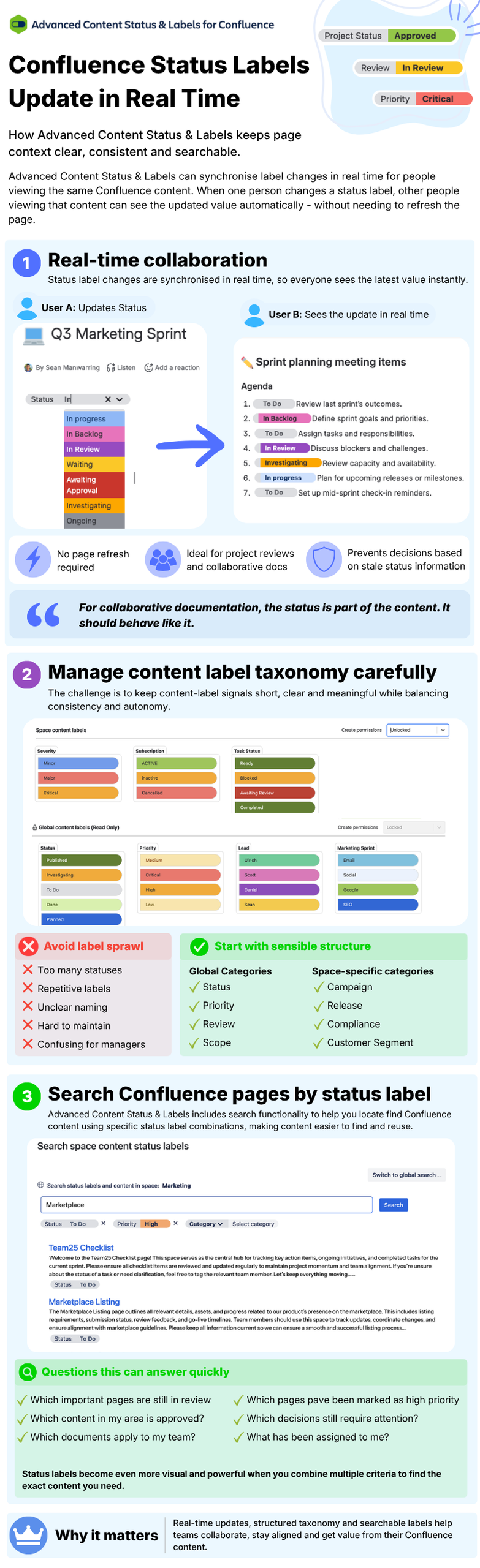
With Advanced Content Status & Labels for Confluence, teams can create custom label categories and values, update them directly on Confluence content with a single click, search pages using those values and keep status changes synchronised in real time for people viewing the same content.
In other words, the content is about the what, while its status labels help explain how it should be understood or acted upon.
The next Confluence problem is not writing more content
For years, the challenge was getting knowledge out of people’s heads and into a shared workspace.
Someone had to find time to write the project update, document the process, summarise the meeting or turn an informal decision into something the rest of the organisation could reference.
AI reduces much of that friction, but its verbosity can produce chunky content, easy to consume by an AI, harder for humans.
The next challenge is therefore unlikely to be a lack of content. The challenge is now to help humans quickly understand and navigate larger, more verbose amounts of content at a glance..
Imagine opening two pages titled:
- Customer Onboarding Process
- Customer Onboarding Process — Updated
Both are well written. Both look authoritative. Both contain detailed instructions.
But which one should you follow? What is the status of the content?
Was the first page approved by Operations? Is the second one merely a proposed change? Is either page suitable for all customers? Has someone with the necessary expertise verified the AI-generated recommendations?
A reader should not have to inspect the page history, search through comments or message the author to answer those questions.
The page needs visible markers.
Before investing time and reading closely, we look for signals.
People do not read workplace documentation like essays
Most people do not arrive on a Confluence page intending to study every word from beginning to end.
They are trying to answer something:
- Is this relevant to me?
- Can I rely on it?
- Is this still current?
- Does something need my attention?
- Where am I expected to contribute?
- Is this an example, a proposal or an approved process?
Before investing time and reading closely, we look for signals.
Headings, colours, callouts, warnings and labels help us create a mental map of the page. They let us decide where to focus and how to interpret what follows.
This is why a small label can sometimes communicate more operational value than another paragraph of explanation.
Consider the difference between a page that begins immediately with several hundreds of words of AI-assisted content and one that begins with:
Status: Awaiting Review
Priority: Important
Scope: Example Only
Owner: Customer Success
Before reading a sentence, the reader understands how to approach the page.
The labels have not replaced the content. They have made the content easier to use, they are sending a signal to the reader.
Labels surface human judgement
There is a temptation to treat labels as decoration: a coloured element that makes a page look more organised.
Their real value is much deeper.
A useful label represents a decision someone has made about the content.
When a person adds Review: Verified, they are taking responsibility for its review state.
When they add Scope: Australia Only, they are defining where the information applies.
When they add Priority: Important, they are directing limited attention towards it.
When they add Action: Decision Required, they are turning passive documentation into an active request.
This is the personal mark that AI-generated content desparately needs.
It does not need to mean, “I wrote every word manually.”
It means:
“A real person has considered how this information should be used.”
That distinction matters.
The objective should not be to disguise the use of AI or pretend every page was written from scratch.
The objective should be to make the page’s organisational relevance explicit and upfront.
The human role is not disappearing. It is moving.
Before AI, much of the human effort went into producing the first draft and iterating over and over.
Content Status Labels provide collaborators with a simple method to make the human part of that collaborative process visible.
Now, more of that effort can be directed towards higher-value questions connected to the content:
- Is this accurate?
- Is it complete?
- Who should use it?
- Where does it apply?
- What decision does it support?
- What action should follow?
- Who is willing to stand behind it?
These are not formatting questions – they are questions of judgement, accountability and organisational understanding (wisdom if you like).
Rovo can help teams generate, review and refine content. Atlassian itself recommends treating Rovo as a collaborative partner rather than a magic solution.
Content Status Labels provide collaborators with a simple method to make the human part of that collaborative process visible.
A practical status label system for AI-assisted Confluence pages
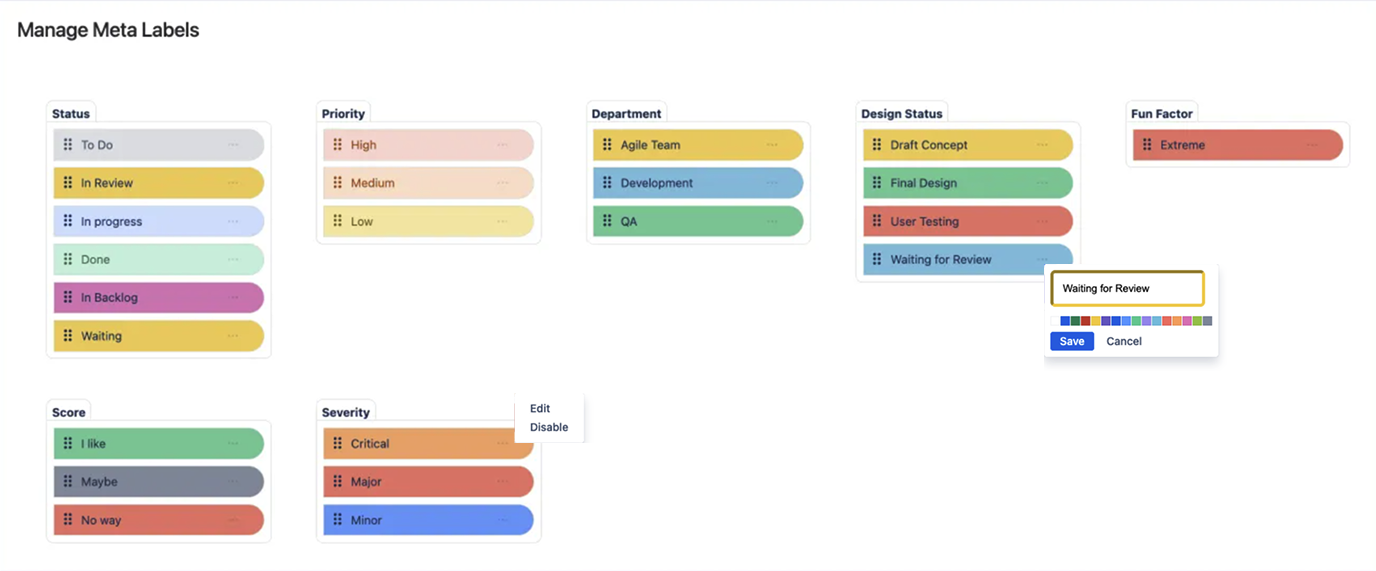
Build your own taxonomy
Teams do not need dozens of categories and hundreds of values to achieve this.
A small, consistent system can answer most of the questions readers have.
| Reader’s question | Label category | Example values (and an image of the pill) |
|---|---|---|
| Can I rely on this? | Review | Unreviewed, Expert Reviewed, Verified |
| How mature is it? | Status | Draft, In Review, Approved, Superseded |
| Where does it apply? | Scope | Example Only, Internal, Australia, Global |
| How much attention does it need? | Priority | Low, Normal, Important, Critical |
| What happens next? | Action | Feedback Needed, Decision Required, No Action |
| Who is responsible? | Owner | Marketing, Operations, Security, Project Alpha |
These categories should reflect genuine decisions your organisation needs to communicate. They should not become a collection of vague tags added simply because they are available.
For example, Status: In Review is useful because it changes how someone should use the content.
A label such as Document: Information, however, may add very little. The reader already knows they are looking at a document containing information.
A useful test is:
Would removing this label make it easier for someone to misunderstand the page?
When the answer is yes, the label is probably doing meaningful work.
Teams can create their own categories, values and colours with Advanced Content Status & Labels. The Advanced Content Status & Labels setup guide explains how custom categories and values can be configured.
Keep signals short and concise
[The difference between a status label and a disclaimer]
It would be possible to type a sentence at the top of every page:
This page is an AI-assisted draft that has not yet been reviewed and only applies to the current example project.
But prose is difficult to standardise.
One person writes “Draft.” Another writes “Work in progress.” A third writes “Probably ready but check with Sarah.”
Convey meaning with a short signal
These statements may mean roughly the same thing, but they cannot be scanned, filtered or managed consistently.
Structured status labels turn repeated context into a shared language.
Advanced Content Status & Labels for Confluence allows teams to create pill-shaped labels with categories such as Status, Priority or Department, assign custom values and colours, and update those values directly from a dropdown.
Those labels can also be searched by category and value using Advanced Status Labels Search, helping teams locate relevant content across Confluence rather than burying important context inside individual pages.
Instead of writing the meaning into a sentence every time, convey the meaning with short signal that is visible, consistent and reusable.
Encourage participation
If change is easy, participation and contribution is guaranteed. We measured what it takes to change the native Confluence status macro (7 clicks and 13 keystrokes). Not ideal to encourage participation. How about 2 clicks?
Advanced Content Status & Labels for Confluence not only bring content to life, they make content stay alive because it is so easy to interact with content.
Keep signals meaningful (avoid clutter)
A labelling system becomes less useful when every page contains a wall of coloured pills (that’s how we call content-status-labels internally).
The goal is not to attach every piece of metadata imaginable.
It is to expose the context that materially affects how the page should be understood or acted upon.
Three principles help keep the system useful.
1. Label for the reader, not the author
Do not ask:
“What labels could we add?”
Ask:
“What could a reader misunderstand?”
A label should remove ambiguity for the person consuming the information.
2. Use categories that influence behaviour
Approval: Pending affects whether someone should implement a proposal.
Priority: Critical affects where they direct their attention.
Scope: Example Only prevents someone from treating a demonstration as an organisation-wide process.
These labels change behaviour.
That is what makes them useful.
3. Keep the shared vocabulary small
Begin with a few categories that solve recurring communication problems.
Add another only when there is a clear reason.
Advanced Content Status & Labels also provides Compact Pills for Confluence for situations where teams want the visual signal without displaying the full category name throughout the page.
Clarity should not become clutter.
Teams looking for inspiration can also explore examples of Advanced Content Status & Labels in use before designing their own taxonomy.
Visit Advanced Content Status & Labels on the Marketplace here
Happy organising,
Sean Manwarring
Izymes Team
Updated: September 2026