


Why AI-Generated Content in Confluence Still Needs Human Signals
Why AI-Generated Content in Confluence Still Needs Human Signals AI-generated content in Confluence is becoming dramatically easier to create. But a polished AI-generated page does not tell readers whether the information is accurate, reviewed, current, in scope or ready to act
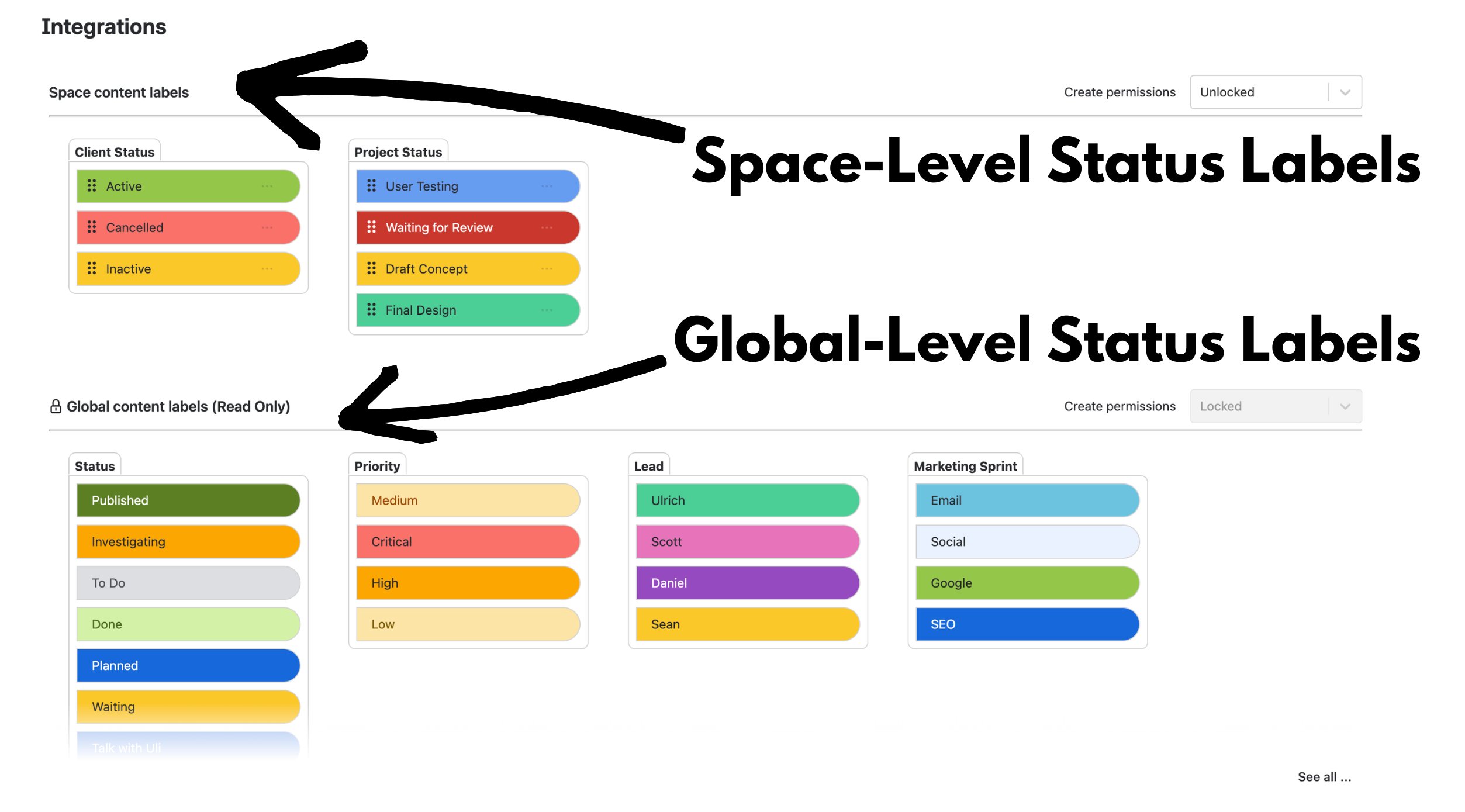
How to Manage Status Labels in Confluence: Global Standards, Local Flexibility
How to Manage Status Labels in Confluence: Global Standards, Local Flexibility To manage status labels in Confluence at enterprise scale, standardise the categories and values that need a shared meaning across the organisation, keep team-specific workflows local to individual spaces, and
Advanced Status Labels for Confluence is moving to a paid subscription (effective 28 January 2026)
Advanced Status Labels for Confluence has been free up to now, and we’re genuinely grateful for everyone who’s installed it, shared feedback, and helped shape what it’s become. To keep the app healthy long-term (and to keep improving it), we’re introducing
Advanced Status Labels for Confluence: Small Team and Enterprise Use Cases
Advanced Status Labels for Confluence: Small Team and Enterprise Use Cases Confluence status label use cases can look very different depending on the size of the organisation. A small team might use a few simple categories such as Status and Priority
How to Search Confluence Pages by Status Labels
How to Search Confluence Pages by Status Labels To search Confluence by status labels, Advanced Content Status & Labels lets you find pages containing particular structured categories and values—for example Status = In Progress, Priority = High or Approval Stage =

How Many Clicks Does It Take to Change a Confluence Status Macro?
How Many Clicks Does It Take to Change a Confluence Status Macro? In our last test, changing one native Confluence Status macro from “TODO” to “IN PROGRESS” took 7 clicks and 13 keystrokes. The exact click count may differ in the