

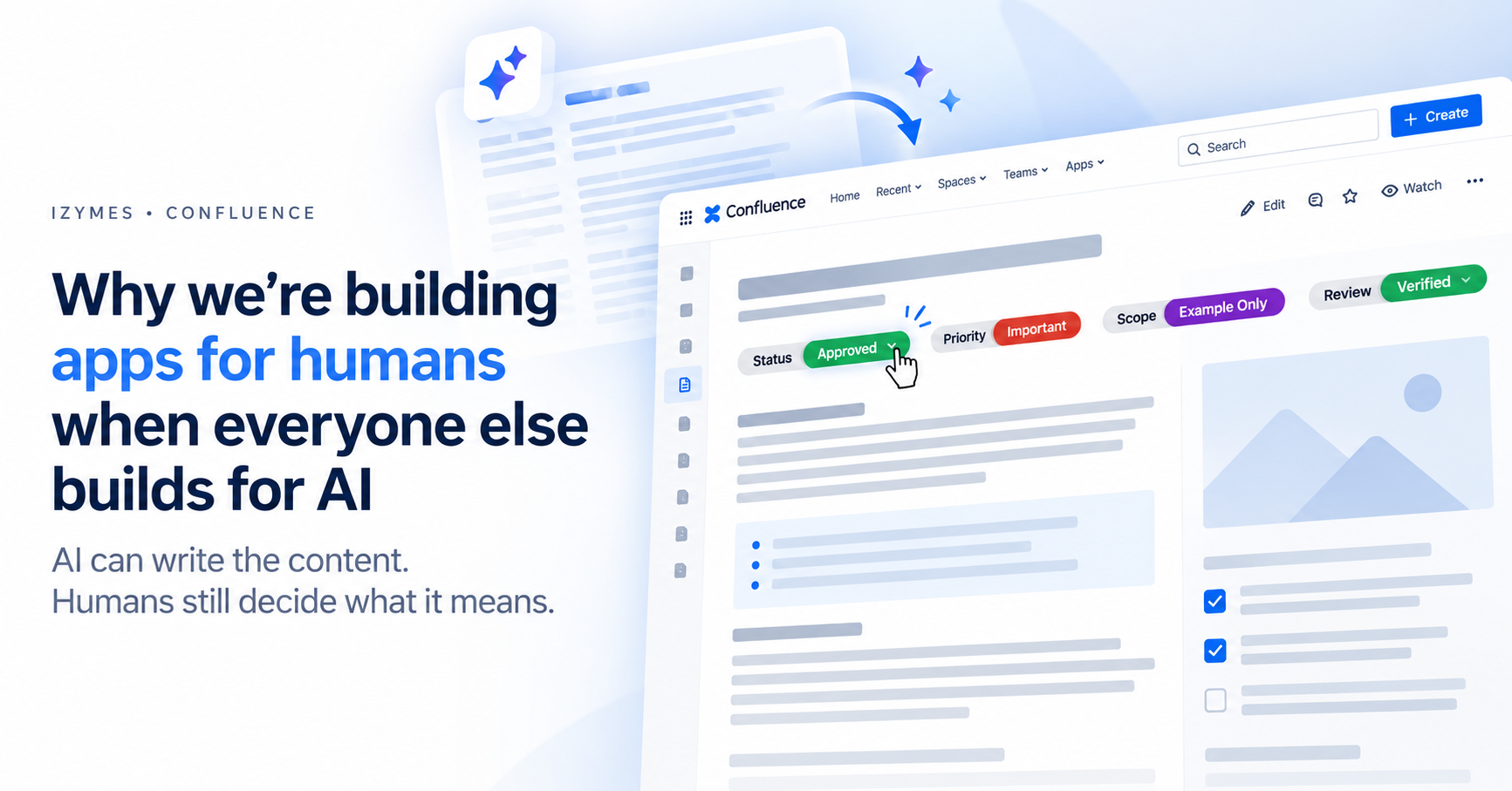
Why AI-Generated Content in Confluence Still Needs Human Signals
Why AI-Generated Content in Confluence Still Needs Human Signals
AI-generated content in Confluence is becoming dramatically easier to create. But a polished AI-generated page does not tell readers whether the information is accurate, reviewed, current, in scope or ready to act on.
A practical way to solve that problem is to pair AI-assisted content with clear human signals—such as Review, Status, Scope, Priority, Action and Owner—so readers can quickly understand how the information should be trusted and used.
Human signals are structured cues that communicate how a piece of content should be interpreted or acted upon—for example, whether it has been reviewed, where it applies, how important it is and what action is expected.
With Create with Rovo, a rough prompt can become a structured draft, meeting notes can become a polished summary, and existing content can be rewritten or expanded in seconds.
That is useful. But it shifts the problem.
When producing a professional-looking page becomes easy, appearance alone tells us less about whether the content is accurate, reviewed, current, applicable or ready to act on.
A polished page might still be:
- an early draft;
- an AI-generated starting point;
- waiting for expert review;
- limited to a particular project, country or scenario;
- important but not urgent;
- approved for discussion but not implementation;
- or already superseded.
Atlassian recommends reviewing AI-generated content for accuracy before making it publicly accessible. The human role therefore does not disappear when Rovo helps create the page. It moves from producing every word towards judging how that information should be trusted, interpreted and used.
That is why, while much of the software industry is focused on building more AI, we are still interested in building tools for humans.
Key Takeaways
- Rovo can reduce the effort required to create Confluence content, but human judgement is still needed to communicate whether that content is reviewed, current, relevant and ready to use.
- Native Confluence content statuses are useful for communicating a page-level lifecycle state, and Premium/Enterprise approvals can provide formal sign-off.
- Advanced Content Status & Labels adds multiple categorized signals such as Review, Scope, Priority, Action and Owner directly within Confluence content.
- Structured signals are most useful when they change how a reader interprets or acts on the page; adding more labels is not automatically better.
- A status label can communicate human judgement, but it should not be confused with a formal approval record when evidence of sign-off is required.
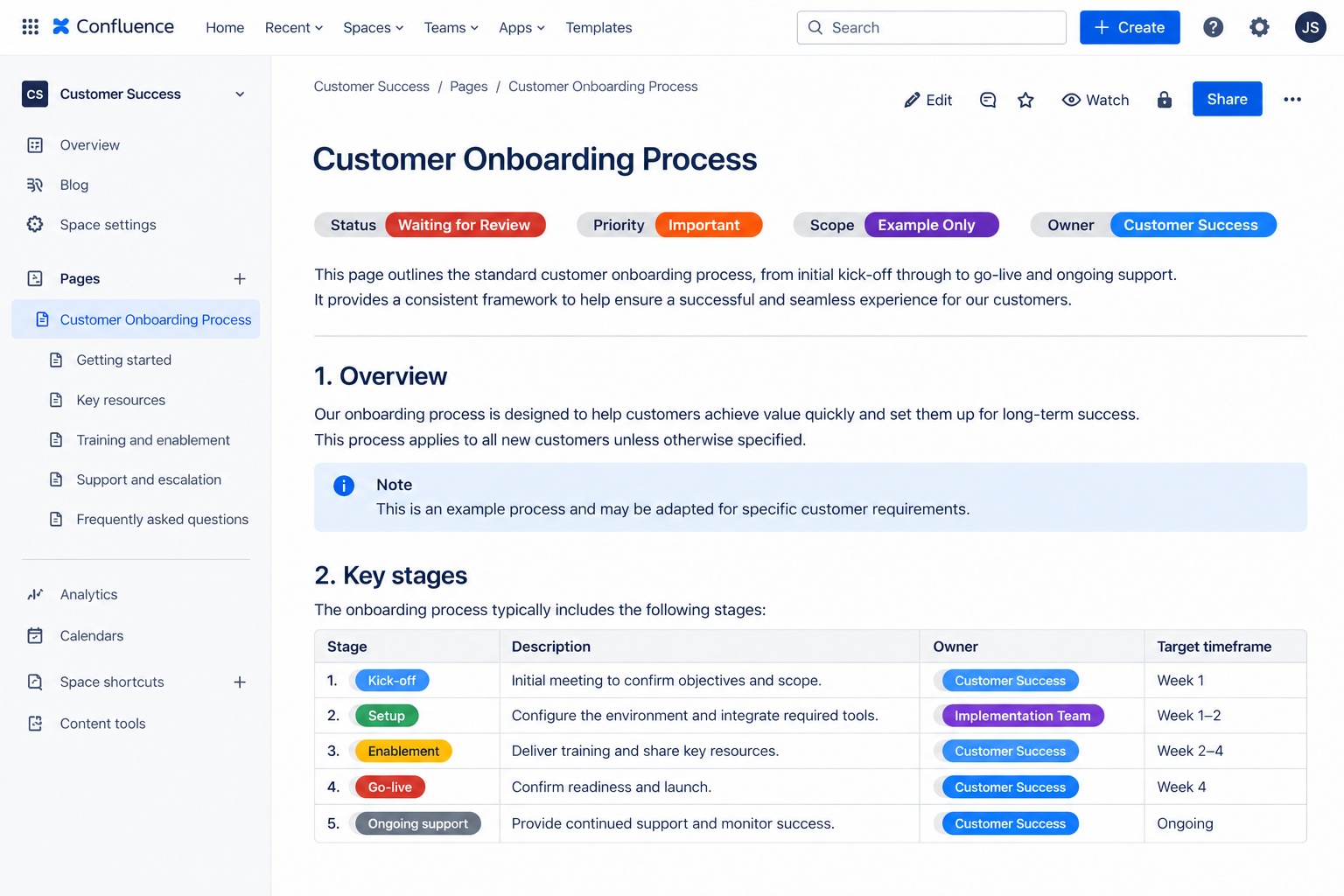
The Next Confluence Problem Is Not Writing More Content
For years, one of the hardest parts of knowledge management was getting information out of people’s heads and into a shared workspace.
Someone had to find time to write the project update, document the process, summarise the meeting or turn an informal decision into something the rest of the organisation could reference.
Rovo changes that equation. Atlassian’s Create with Rovo can generate draft pages and other Confluence content from a prompt and supporting context, which users can then review and edit before adding to a space.
As the cost of producing content falls, the bottleneck moves downstream.
The next challenge is not simply:
How do we create more documentation?
It becomes:
How do humans quickly understand which documentation they can trust, where it applies and what they should do with it?
That problem becomes more important as AI-generated and AI-assisted content increases the amount of information people need to navigate.
AI-Generated Content Can Look Finished Before It Is Ready
Imagine opening two Confluence pages titled:
- Customer Onboarding Process
- Customer Onboarding Process — Updated
Both are well written. Both look authoritative. Both contain detailed instructions.
But which one should you follow?
Was the first page reviewed by Operations? Is the second merely a proposed change? Does either page apply to every customer? Has someone with the necessary expertise checked the AI-assisted recommendations?
A reader should not have to inspect page history, search through comments or message the author simply to understand how a page should be used.
Before investing time and reading closely, people look for signals.
A page that begins with:
- Review: Expert Reviewed
- Status: In Review
- Scope: Australia Only
- Priority: Important
- Action: Feedback Needed
communicates something the body copy alone may not.
The labels have not replaced the content. They have given the reader a faster way to understand how to approach it.
How Status Labels Add Human Context to AI-Generated Content in Confluence
The most useful labels are not decoration. They represent a judgement about the content.
When someone changes Review: Unreviewed to Review: Expert Reviewed, they are signalling that a human review step has occurred.
When someone adds Scope: Australia Only, they are making a judgement about where the information applies.
When someone sets Priority: Critical, they are directing limited human attention towards it.
When someone adds Action: Decision Required, they are making clear that the page is not merely informational.
This is the human layer that AI-generated content in Confluence increasingly needs.
It does not mean:
“A human wrote every word on this page.”
It means something more useful:
“A person has considered how this information should be understood or acted upon.”
That distinction matters. The objective is not to disguise the use of AI. It is to make the organisational context surrounding the content explicit.
A Practical Status-Label Taxonomy for AI-Assisted Confluence Pages
Teams do not need dozens of categories and hundreds of values to achieve this.
A small, consistent taxonomy can answer most of the questions a reader has before deciding how much trust or attention to give a page.
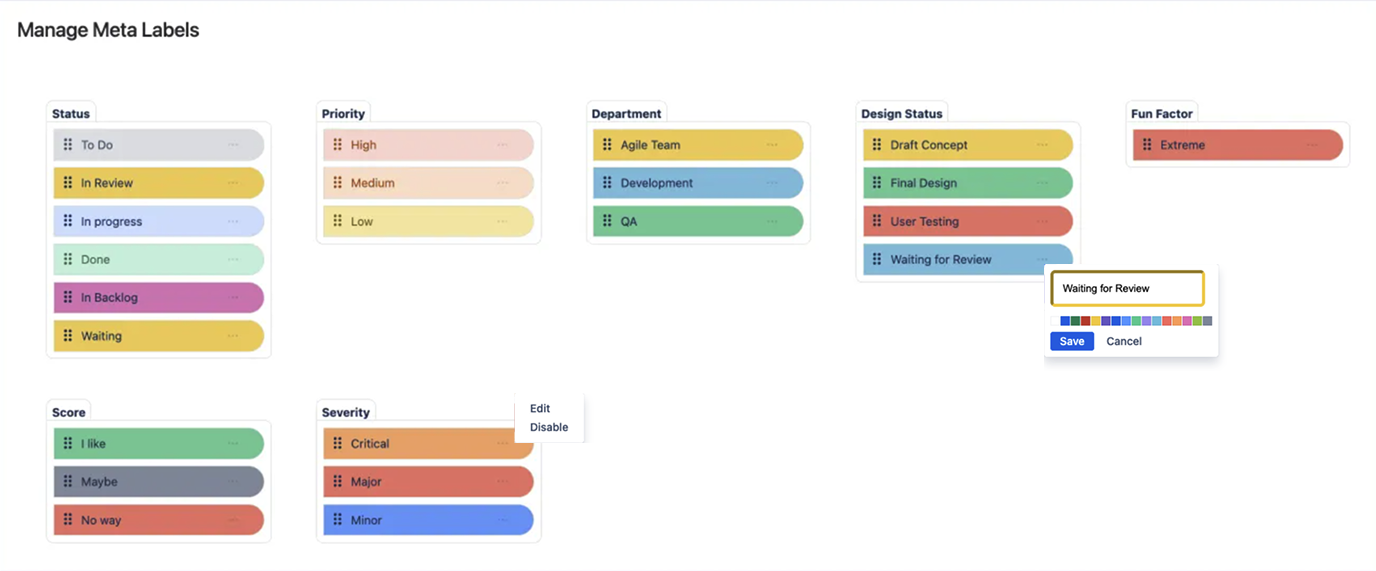
| Reader’s question | Label category | Example values |
|---|---|---|
| Can I rely on this? | Review | Unreviewed, Expert Reviewed, Verified |
| How mature is it? | Status | Draft, In Review, Approved, Superseded |
| Where does it apply? | Scope | Example Only, Internal, Australia, Global |
| How much attention does it need? | Priority | Low, Normal, Important, Critical |
| What happens next? | Action | Feedback Needed, Decision Required, No Action |
| Who is responsible? | Owner | Marketing, Operations, Security, Project Alpha |
These categories should reflect genuine decisions your organisation needs to communicate. They should not become a collection of vague metadata simply because another field can be added.
For example, Status: In Review is useful because it changes how someone should use the content.
A label such as Document: Information may add very little. The reader already knows they are looking at a document containing information.
A useful test is:
Would removing this label make it easier for someone to misunderstand the page?
If the answer is yes, the label is probably doing meaningful work.
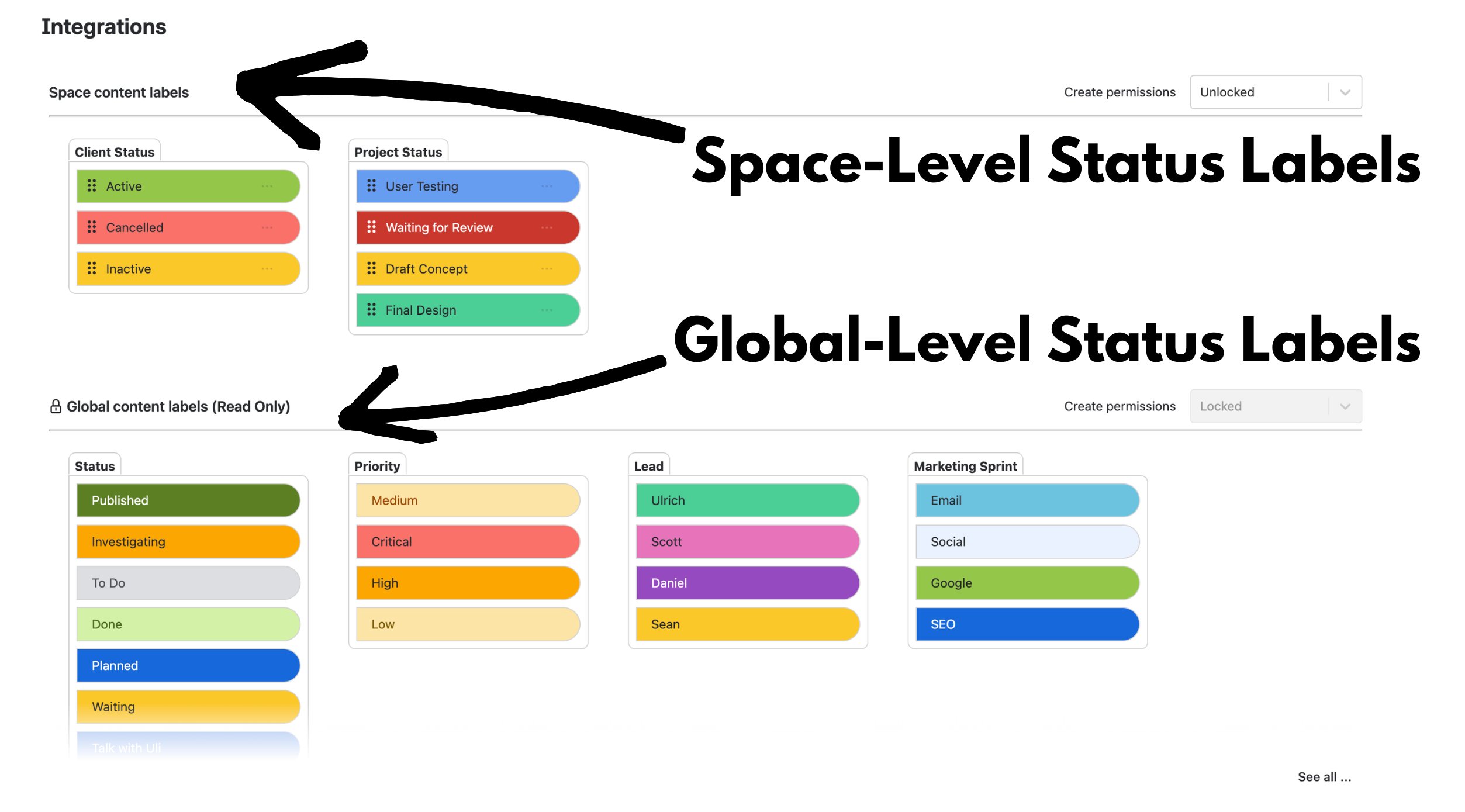
With Advanced Content Status & Labels, teams can create categories and values with their own colours. For larger organisations, global and space pill management can keep shared terminology consistent while still allowing local team workflows.
If you are designing a site-wide taxonomy, our guide on how to manage status labels in Confluence goes deeper into that governance model.
Short Signals Work Better Than Repeating Disclaimers
You could write a sentence at the top of every page:
This page is an AI-assisted draft that has not yet been reviewed and only applies to the current example project.
But prose is difficult to standardise.
One person writes “Draft.” Another writes “Work in progress.” A third writes “Probably ready but check with Sarah.”
These statements may mean roughly the same thing, but they are harder to scan, reuse and search consistently.
Structured status labels turn repeated context into a shared vocabulary:
- Review: Unreviewed
- Status: Draft
- Scope: Example Only
That signal can be understood before someone reads the underlying page in detail.
Advanced Status Labels Search also lets teams search by category and value, helping them find pages that share the same structured context rather than leaving that information buried in prose.
Interaction Cost Matters if You Want People to Keep Signals Current
A status system only works while people trust that the values are current.
This is where seemingly small interaction details start to matter.
In an Izymes usability test of changing an existing inline Confluence Status macro, we counted 7 clicks and 13 keystrokes. Changing an existing Advanced Status Label takes 2 clicks.
That is not a reason on its own to install an app. But when people are expected to update statuses repeatedly across a large volume of content, the amount of friction involved influences whether they actually do it.
Advanced Content Status & Labels lets users change a value directly from its dropdown without opening the page editor. Status changes can also synchronise in real time for other people viewing the same Confluence content.
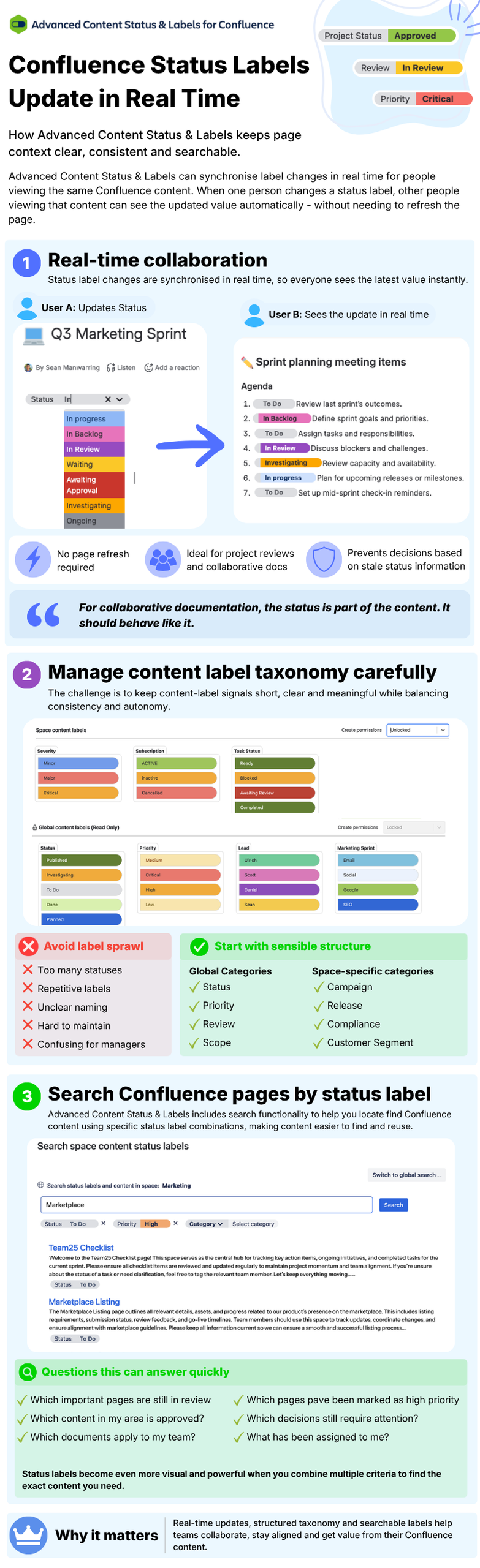
Native Confluence Statuses, Approvals and Advanced Status Labels Solve Different Problems
Confluence itself already provides useful human signals, and it is important not to overstate where an app is necessary.
Native Confluence content statuses provide a page-level status at the top of a page, live doc or blog. Space admins can define suggested statuses and control whether users can create custom ones.
For teams that need formal sign-off, Confluence Premium and Enterprise also provide page approvals, including approval history and space-level approval controls.
The inline Confluence Status macro provides another option for displaying a coloured status inside page content, but it is edited through the page editor rather than acting as a managed category/value taxonomy.
Advanced Content Status & Labels is most useful when you want multiple structured signals throughout the content and want those signals to behave as reusable, searchable metadata.
| Requirement | Native content status | Native Status macro | Advanced Content Status & Labels |
|---|---|---|---|
| Communicate one page-level lifecycle status | Yes | Possible inline | Yes |
| Change status on published content without editing the page body | Yes, for page content status | No — edit the page/macro | Yes — dropdown update |
| Use multiple categories such as Review, Scope, Priority, Action and Owner | No — one content-status field | Multiple independent macros are possible, but there is no managed category/value model | Yes |
| Maintain a global taxonomy with optional space-level extensions | Statuses are configured per space | No | Yes |
| Search by combinations of structured categories and values | Not the same multi-category model | No equivalent structured search | Yes |
| Provide formal approval history and controlled sign-off | Yes, with Confluence approvals on Premium/Enterprise | No | No — a status label should be treated as a signal, not formal approval evidence |
The important point is that these are not identical tools.
If one page-level lifecycle status is enough, native Confluence may already solve the problem.
If you need a formal approval record, use a formal approval workflow.
If you need several visible, categorized signals that can sit alongside the content, be changed quickly and searched across Confluence, Advanced Status Labels becomes more relevant.
A Status Label Is a Signal, Not Proof of Approval
This distinction is especially important when discussing AI-generated documentation.
A label such as Review: Expert Reviewed can tell a reader what review state the team intends to communicate. It should not automatically be treated as evidence that a particular person completed a controlled approval at a particular time.
If your process requires a formal record of who approved a page, when they approved it and whether publication was blocked until sign-off, use Confluence approvals or another workflow designed to capture that evidence.
Status labels are strongest as a human-readable context layer: they help people quickly understand what a page means and how they should interact with it.
Three Rules for Keeping Human Signals Useful
1. Label for the Reader, Not the Author
Do not ask:
“What labels could we add?”
Ask:
“What could a reader misunderstand?”
A label should remove ambiguity for the person consuming the information.
2. Use Categories That Influence Behaviour
Review: Unreviewed changes how confidently someone should rely on a page.
Priority: Critical changes where they direct their attention.
Scope: Example Only prevents someone from treating a demonstration as an organisation-wide process.
Action: Decision Required tells the reader they are expected to do something.
These labels are useful because they change behaviour.
3. Keep the Shared Vocabulary Small
A labelling system becomes less useful when every paragraph is surrounded by a wall of coloured pills.
Start with a small number of categories that solve recurring communication problems. Add another only when there is a clear reason.
For places where the category is already obvious, Compact Pills can reduce visual clutter while retaining the status value.
Teams looking for inspiration can also browse Advanced Status Labels examples before designing their own taxonomy.
Why We Are Still Building Apps for Humans
AI changes where human effort creates the most value.
Before tools like Rovo, much of that effort went into producing the first draft and repeatedly refining it.
As AI takes on more of that work, human attention can move towards higher-value questions:
- Is this accurate?
- Is it complete?
- Who should use it?
- Where does it apply?
- Is it ready to act on?
- What decision does it support?
- Who is accountable for what happens next?
That is why we do not think the future of Confluence is simply more AI producing more content.
The useful future is one where AI makes knowledge easier to create and humans can make its meaning, maturity and relevance easier to understand.
For AI-generated content in Confluence, a small human-added signal can sometimes be more valuable than another AI-generated paragraph.
Want to Add Structured Human Signals to Confluence Content?
Start with the Advanced Status Labels setup guide to see how categories and values work, or explore Advanced Status Labels examples for ideas.
If you need reusable, searchable status labels that can be updated directly on Confluence content, try Advanced Content Status & Labels for Confluence on the Atlassian Marketplace.
By Sean Manwarring, Head of Marketing at Izymes
Published 29 September 2026 · Updated 12 October 2026
Pingback: Manage Status Labels in Confluence at Scale | Izymes
October 12, 2026Pingback: Confluence Status Label Use Cases: Small Team vs Enterprise | Izymes
October 13, 2026