

Important: Changes to the Workzone Repository level settings will override the Workzone Workspace level settings. The following examples include screenshots within the Repository settings.
Branch and branch pattern definition #
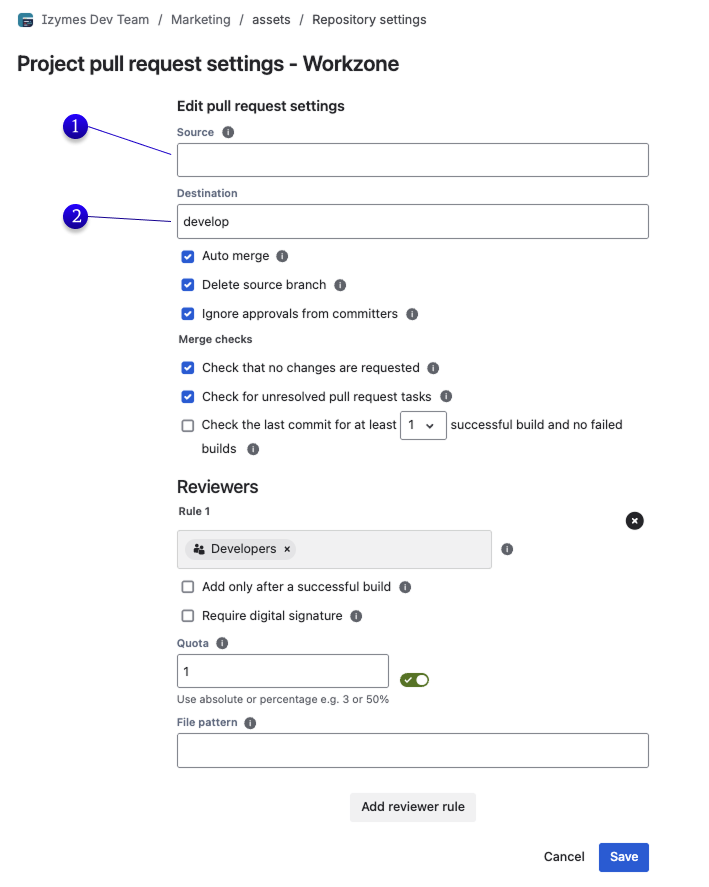
When a pull request is created Workzone will match it against available branch configurations. There can be multiple sets of branch configurations that are determined by
(1) Source branch (optional): the pull request source ref name or pattern, for example “feature/*”
(2) Destination branch (required): the pull request destination ref name or pattern, for example “develop” or “release/*”
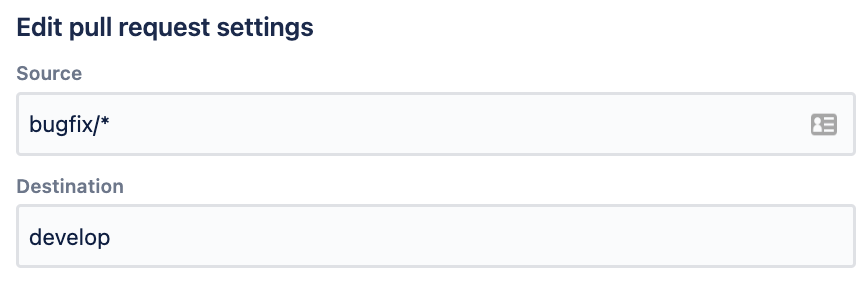
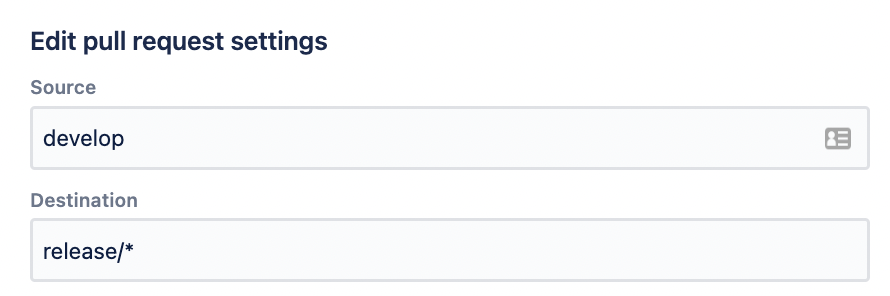
Example: A small team contributes to the shared ‘develop’ branch through ‘bugfix’ or ‘feature’ branches via pull request. The release manager merges ‘develop’ to ‘release’ for each release cycle. The following 2 branch definitions represent the 2 types of pull requests.
(i) Development pull request branch definition: Source: ‘*’, Destination: ‘develop’
(ii) Release pull request branch definition: Source: ‘develop’, Destination: ‘release/*’
Branch properties #
Workzone branch properties define how and when a pull request will be merged by Workzone.
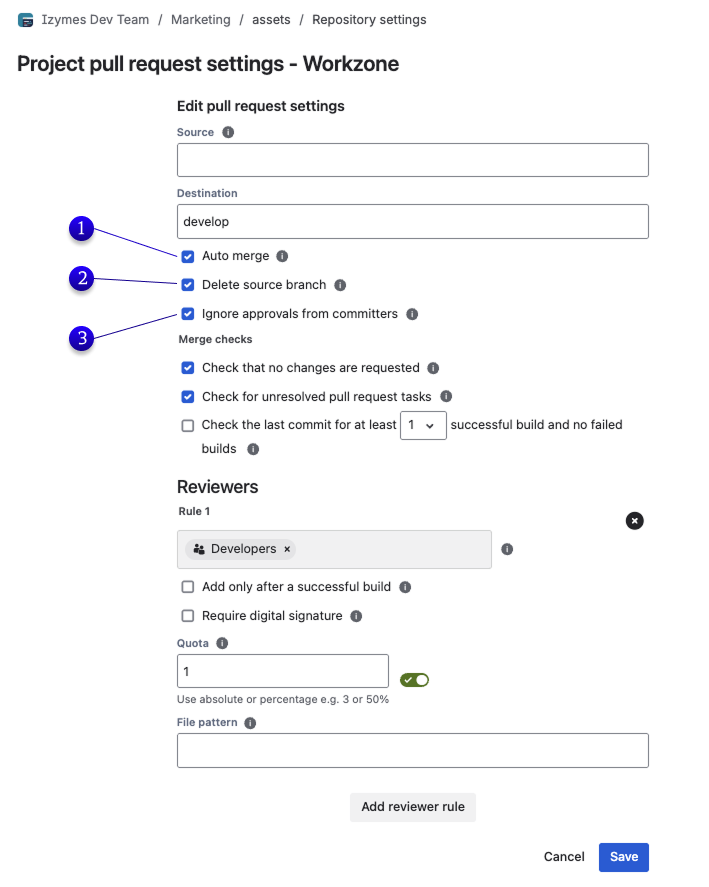
(1) Auto-merge: Workzone can automatically trigger a pull request merge when
- A successful build result has been received for the pull request source branch
- The pull request has been approved by a reviewer
- A task has been completed.
Un-check if pull requests need to be merged manually via Workzone manual merge control.
(2) Delete source branch (optional): Workzone can delete the source branch after the pull request has been merged.
(3) Ignore approvals from committers: Workzone can ignore approvals from reviewers who have contributed commits to the pull request.
When this option is enabled, approvals from users who contributed to the pull request are not counted towards the configured Workzone approval quota. The approval remains visible in Bitbucket, but Workzone excludes it when evaluating whether the pull request has enough valid approvals to be merged.
This helps enforce independent review for compliance-sensitive workflows where a reviewer should not be able to approve changes they also contributed.
Example: A reviewer approves a pull request and later commits changes to the same pull request branch. Workzone will keep the approval visible in Bitbucket, but the approval will no longer count towards the Workzone approval quota.
Merge checks #
Workzone provides branch-wide merge-checks that will block pull requests from being merged.
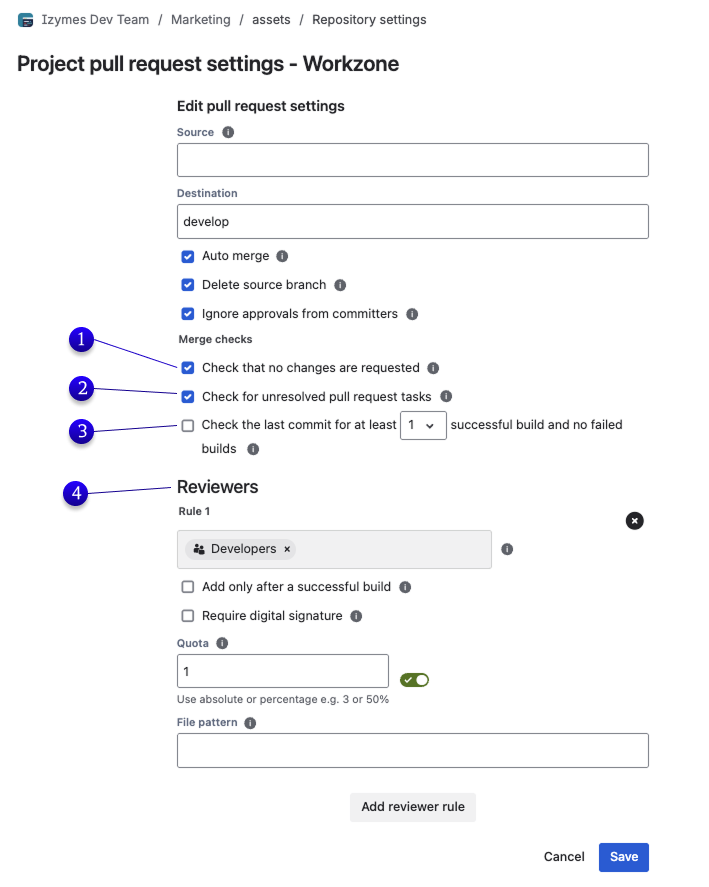
Merge-checks include:
(1) No changes requested: All requested changes must be addressed before the pull request can be merged
(2) No unresolved tasks: All tasks associated with the pull request must be completed before the pull request can be merged
(3) Successful builds: The latest commit on the pull request source branch must have at least <N> successful and no failed builds
(4) Reviewer approvals: Fine-grained reviewer configuration including reviewer groups, specific files and module reviewers, approval quotas, digital signatures and ignored committer approvals make sure each pull request has been reviewed and approved by the right people before it can be merged. See Reviewer and approval configuration for detailed guidance.