
Advanced Status Labels for Confluence: Small Team and Enterprise Use Cases
Advanced Status Labels for Confluence: Small Team and Enterprise Use Cases
Confluence status label use cases can look very different depending on the size of the organisation. A small team might use a few simple categories such as Status and Priority to make project pages easier to scan, while a large enterprise may need global standards, space-specific workflows and structured search across many teams.
Advanced Content Status & Labels for Confluence is most useful when one page needs more than a single lifecycle status—for example Status = In Review, Priority = High and Team = Design at the same time.
The two scenarios below are illustrative use cases, not customer case studies. They show how the same app can be configured differently for a 10-person creative agency and a large global organisation.
Key Takeaways
- Small teams usually benefit from a small, easy-to-understand label set rather than a complex taxonomy.
- Large organisations benefit more from shared global categories combined with space-specific extensions.
- Structured search becomes increasingly valuable as the number of pages, teams and labels grows.
- Status labels can support compliance or review workflows, but a label does not itself prove that an approval or regulatory requirement has been satisfied.
- If native Confluence content status is all you need, keep the workflow simple and use the native feature.
Use Case 1: A 10-Person Creative Agency
Imagine a creative agency with 10 people working across web design, branding and digital marketing. The team uses Confluence for project planning, client deliverables and campaign documentation.
The main problem is not enterprise governance. It is clarity.
The team wants to answer three questions quickly when someone opens a project page:
- What stage is this work at?
- How urgent is it?
- Which part of the team owns it?
The Challenge
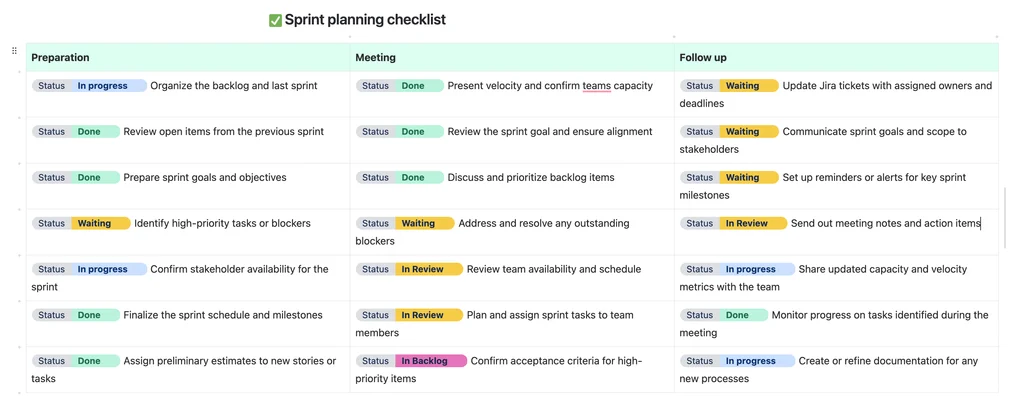
Without a consistent structure, people start typing different words into pages:
- “In Progress” on one page and “Working On It” on another;
- “Urgent” in one project and “High Priority” in another;
- department names buried in headings or prose instead of being visible at a glance.
That works while the team is very small, but it becomes harder to scan projects consistently as client work grows.
A Simple Status-Label Setup
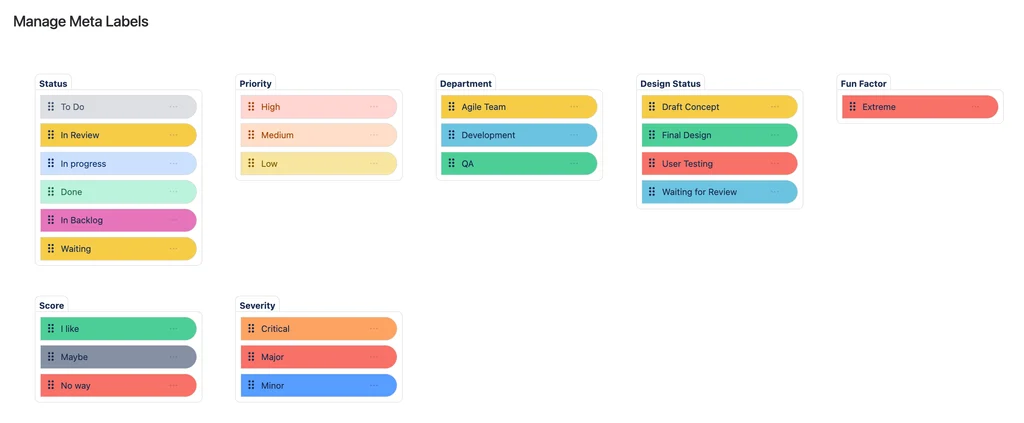
The agency could start with just three categories:
| Category | Example values | What it communicates |
|---|---|---|
| Status | To Do, In Progress, Under Review, Completed | Where the work is in its lifecycle |
| Priority | Low, Medium, High | How urgently the team should treat it |
| Team | Design, Marketing, Development | Who primarily owns the work |
With Advanced Status Labels, those values can be selected and changed from a dropdown rather than being manually typed into every page.
The important thing is not the number of labels. It is that everyone uses the same words for the same meaning.
How Search Becomes Useful
Once those categories are used consistently, the team can use Advanced Status Labels Search to find pages with particular category/value combinations.
For example:
- Status = Under Review — find client work waiting for feedback;
- Priority = High — find urgent deliverables;
- Team = Design + Status = In Progress — find active design work.
That turns the labels from visual decoration into something the team can use to find and manage work across multiple pages.
What the Agency Gains
- clearer project status at a glance;
- more consistent terminology across client work;
- simpler prioritisation;
- less time manually scanning pages to find work in a particular state.
For a 10-person team, that may be enough. There is no reason to build an enterprise taxonomy if a small shared vocabulary solves the problem.
Use Case 2: A Large Global Technology Company
Now imagine a 2,000-person technology company using Confluence across engineering, marketing, compliance, support and other teams.
The problem changes completely.
The organisation still needs clear statuses, but now it also needs to decide:
- which terminology should mean the same thing everywhere;
- which teams need their own local workflow categories;
- who is allowed to create new shared values;
- how managers can find relevant pages across many spaces.
Use Global Labels for Shared Meaning
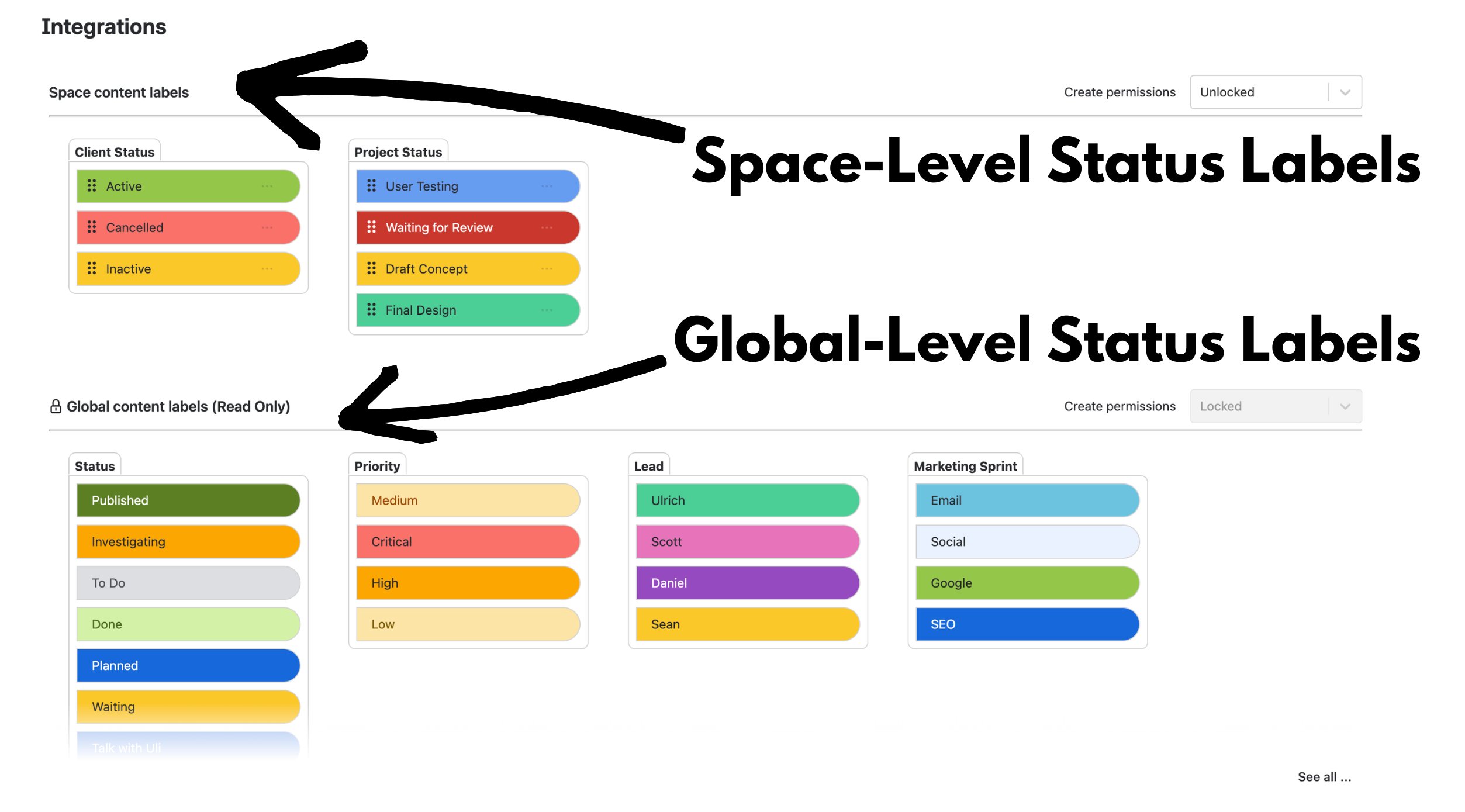
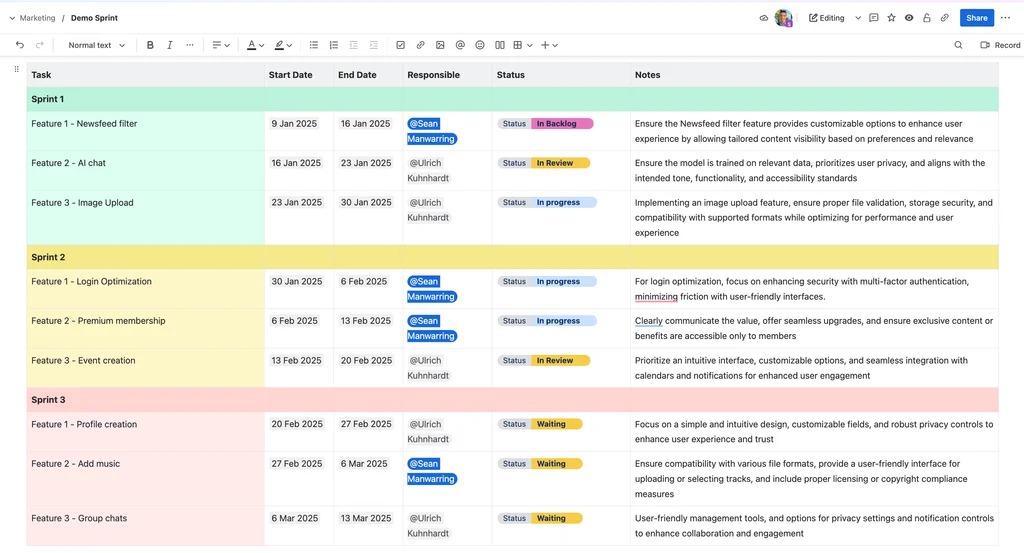
With Global & Space Pill Management, the organisation can create global categories that are inherited across Confluence spaces.
For example:
| Global category | Example values | Why it should be shared |
|---|---|---|
| Status | Planned, In Progress, Blocked, Done | Everyone should interpret project state consistently. |
| Priority | Low, Medium, High, Critical | Urgency should mean the same thing across teams. |
| Department | Engineering, Marketing, Compliance, Support | Provides a consistent ownership/classification field. |
| Approval Stage | Pending, Under Review, Approved | Provides a shared way to communicate review state. |
Site administrators can maintain those global categories while individual spaces inherit them automatically.
Use Space Labels for Local Workflows
Not every workflow should be forced into a global taxonomy.
Space-level pills let individual teams add categories that only matter locally.
For example:
- Engineering: Component = Frontend, Backend, API, Infrastructure
- Marketing: Campaign Stage = Briefing, Production, Review, Scheduled, Live
- Compliance: Review Type = Legal, Security, Risk
- Support: Escalation Stage = Investigating, Awaiting Customer, Resolved
This gives the organisation a common language where it matters without making every department use the same workflow.
For a deeper explanation of this model, see How to Manage Status Labels in Confluence: Global Standards, Local Flexibility.
Use Search to Find Work Across Pages
At enterprise scale, search becomes one of the most important parts of the system.
Structured categories and values let users ask questions such as:
- Which pages are Status = Blocked?
- Which items are Priority = Critical?
- Which compliance pages are Approval Stage = Pending?
- Which Engineering pages are both Status = In Progress and Priority = High?
Advanced Status Labels Search supports category/value filtering and combinations, allowing the same labels used on individual pages to become useful across a larger Confluence environment.
For a more focused example, see Cross-Team Project Tracking in Confluence with Labels.
Use Labels to Support Compliance Workflows—Not Replace Them
Compliance teams might use categories such as:
- Review Type — Legal, Security, Risk;
- Approval Stage — Pending, Under Review, Approved;
- Scope — Internal, External, Regulated;
- Owner — Compliance, Security, Legal.
These labels can make review state and ownership easier to see and search.
But an Approval Stage = Approved label is still a communication signal. It is not, by itself, proof that a formal approval control, audit requirement or regulatory obligation has been satisfied.
That distinction is important in regulated environments: use labels to make the state of work clear, while keeping the actual approval evidence in the system or process that is responsible for that control.
What the Enterprise Gains
- a shared vocabulary across many teams and spaces;
- space-level flexibility without uncontrolled global label sprawl;
- clearer cross-team ownership and status visibility;
- structured search for high-priority, blocked or pending work;
- a taxonomy that administrators can maintain over time.
Small Team vs Enterprise: The Main Difference
| Need | Small creative agency | Large enterprise |
|---|---|---|
| Taxonomy size | Keep it small and simple | Use a governed global taxonomy plus local extensions |
| Typical categories | Status, Priority, Team | Status, Priority, Department, Approval Stage plus team-specific categories |
| Governance | Lightweight | Control who can create global vs space-level categories and values |
| Search | Useful for finding active or high-priority client work | Important for finding structured information across many pages and teams |
| Main goal | Clarity and speed | Consistency, flexibility and cross-team visibility |
The app does not need to be configured the same way for both organisations.
That is the point.
A useful status-label system should reflect the complexity of the organisation using it rather than forcing a small team into enterprise governance or allowing a large enterprise to grow an uncontrolled list of labels.
When Native Confluence Statuses May Be Enough
Not every scenario needs Advanced Content Status & Labels.
Native Confluence content statuses may be enough if you only need one simple page-level lifecycle status such as Draft, In Progress or Ready for Review.
Advanced Content Status & Labels becomes more relevant when you need several reusable categories at once, such as Status, Priority, Department, Approval Stage, Scope or Owner.
It also becomes more useful when those categories need to be governed across spaces or searched in combination.
Choosing the Right Confluence Status Labels
Whether you are a 10-person agency or a 2,000-person enterprise, start with the decisions people actually need to make when they read the page.
Do not ask:
“How many labels can we add?”
Ask:
“What information would be easy to misunderstand if this label were missing?”
If Status = Under Review changes how somebody should use a page, it is probably useful.
If Priority = Critical changes where somebody directs attention, it is probably useful.
If a label adds information that nobody acts on, it is probably clutter.
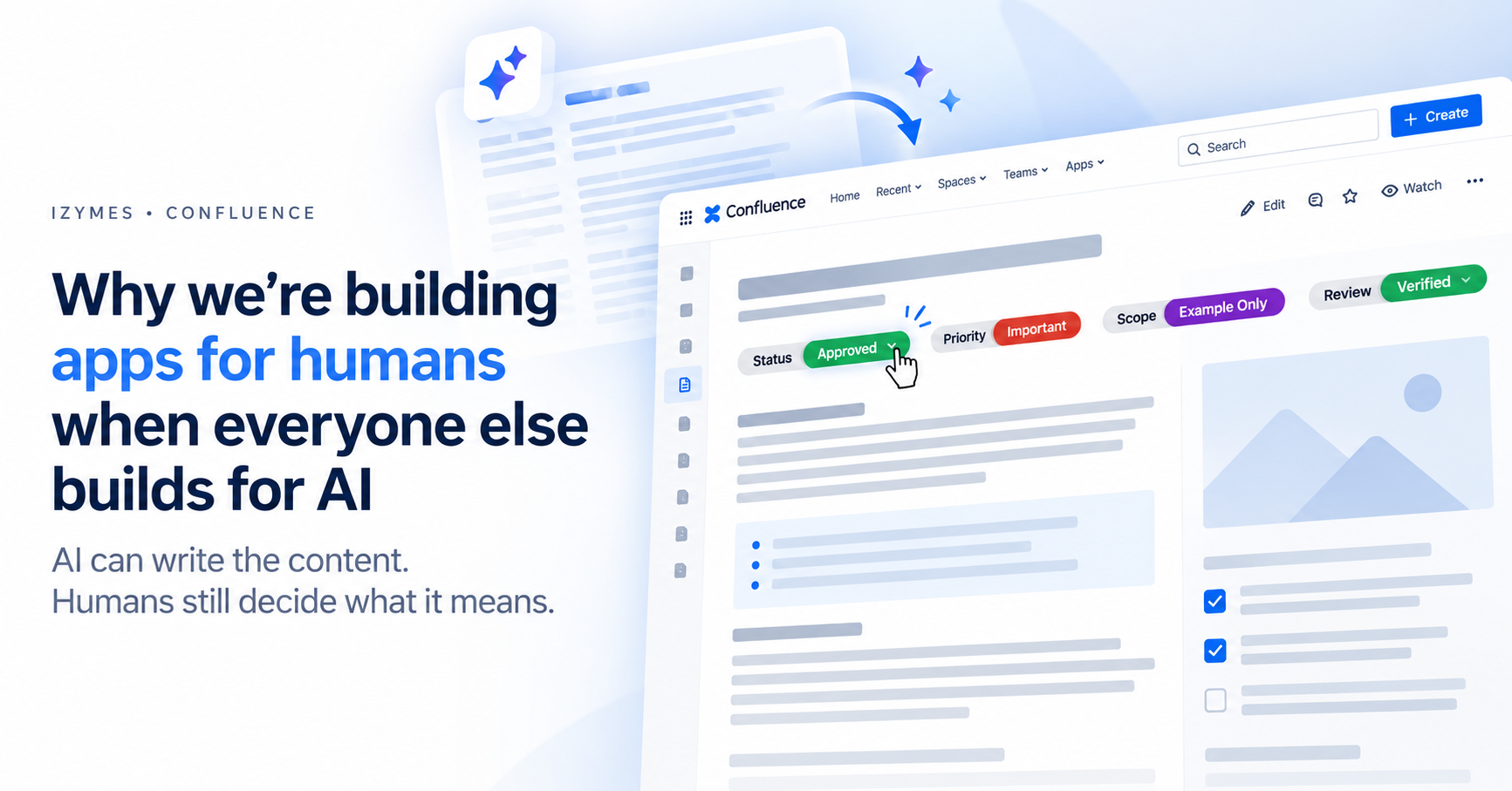
For more examples of structured human-readable signals, see Why AI-Generated Content in Confluence Still Needs Human Signals.
Want to Try These Status-Label Use Cases in Confluence?
Explore the Advanced Status Labels examples and Global & Space Pill Management guide for configuration ideas.
If you need multiple categorized, searchable status labels rather than a single native page status, try Advanced Content Status & Labels for Confluence on the Atlassian Marketplace.
By Sean Manwarring, Head of Marketing at Izymes
Published 22 June 2025 · Updated 13 October 2026