
How to Search Confluence Pages by Status Labels
How to Search Confluence Pages by Status Labels
To search Confluence by status labels, Advanced Content Status & Labels lets you find pages containing particular structured categories and values—for example Status = In Progress, Priority = High or Approval Stage = Pending. You can also combine multiple category/value criteria in the same search.
This is useful once status labels appear across enough pages that opening each page individually is no longer practical.
Advanced Status Labels Search is purpose-built for the structured pill data created by the app. Instead of searching only for words that happen to appear somewhere on a page, you can search using the meaning of the pill itself: its category and selected value.
Key Takeaways
- Advanced Status Labels Search finds pages containing specific pill categories and values.
- You can combine multiple category/value criteria in one search.
- The current Izymes navigation documentation shows the search page under Space Apps, making it easy to search the content status labels used in that Confluence space.
- Consistent categories such as Status, Priority, Team and Approval Stage make search much more useful than an uncontrolled collection of labels.
- Native Confluence search still has an important role; Advanced Status Labels Search is specifically for querying the app’s structured status-label data.
Why Status Labels Become More Useful When You Can Search Them
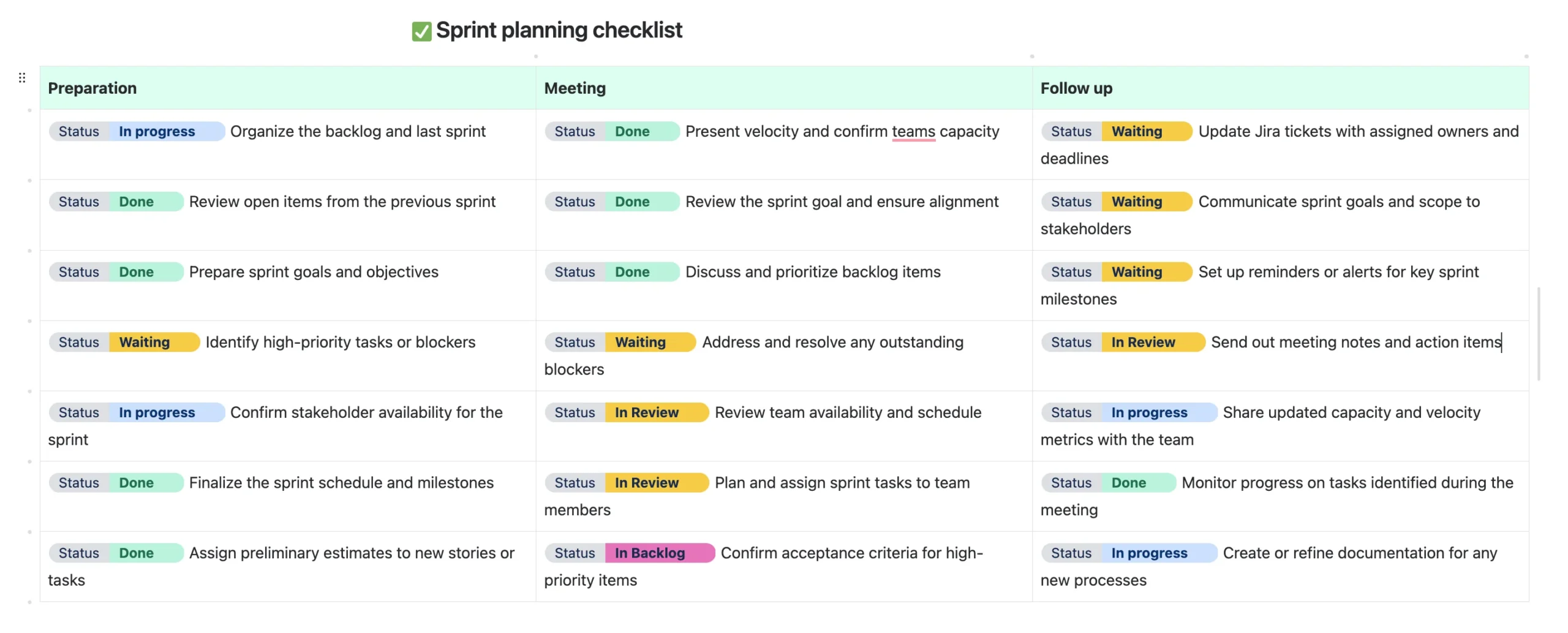
A status pill is useful on an individual page because it gives readers immediate context.
But once a team has dozens or hundreds of pages, a more useful question becomes:
“Which pages currently have this status?”
For example, a project manager might want to find every page with:
- Status = In Progress;
- Status = Blocked;
- Priority = Critical;
- Approval Stage = Pending.
Without structured search, that information can be spread across many individual pages. With Advanced Status Labels Search, the labels become useful not only for displaying state, but also for locating content based on that state.
How Advanced Status Labels Search Works
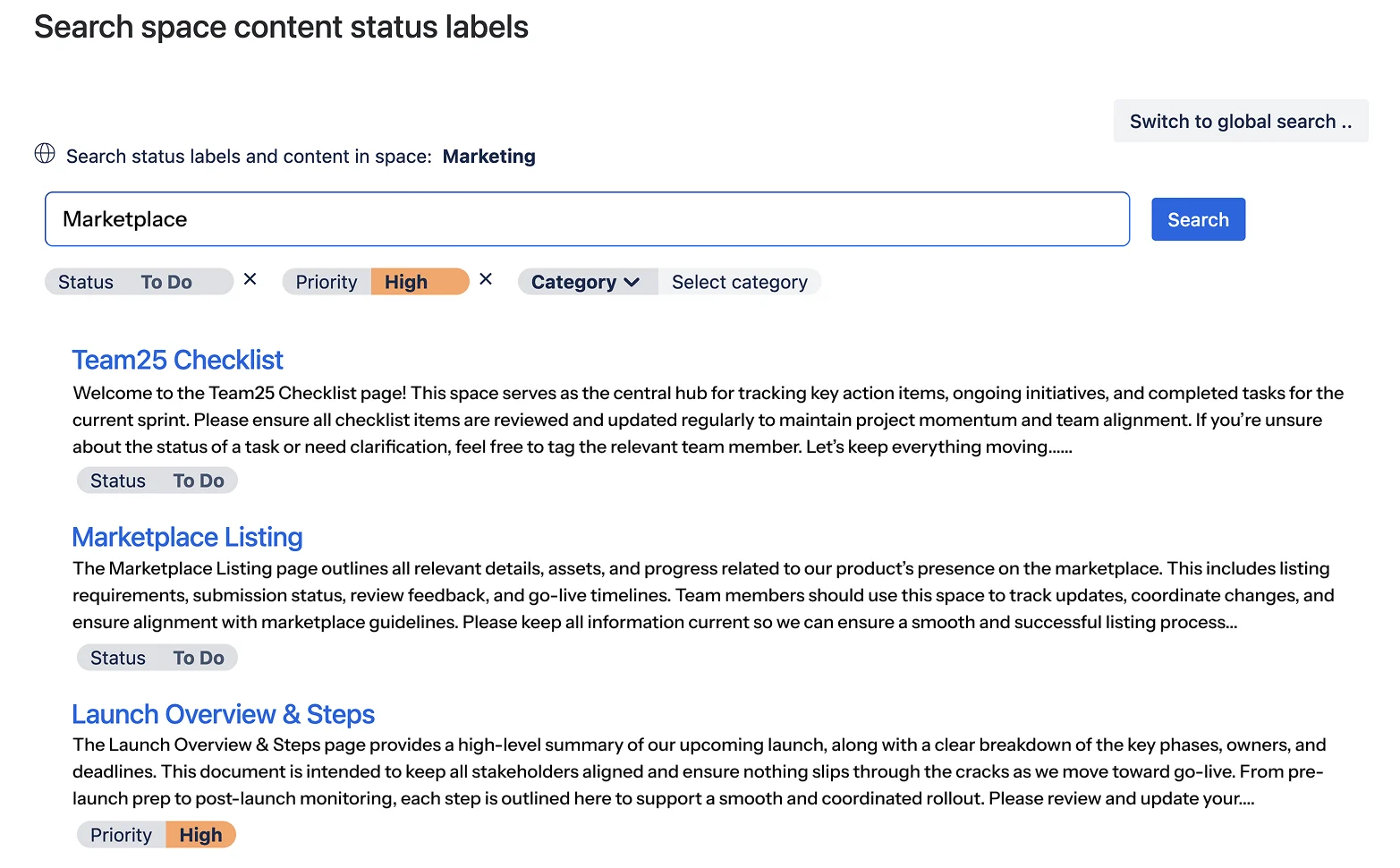
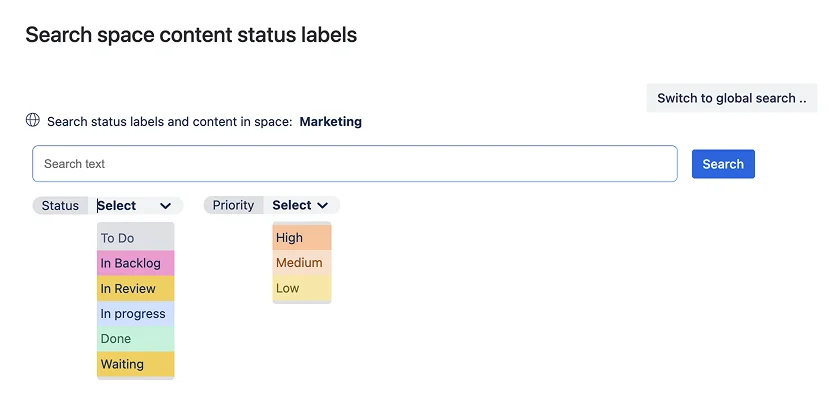
The current Advanced Status Labels documentation describes the search page as a way to find pages containing a specific category and/or value.
Examples include:
| Search criteria | What you are trying to find |
|---|---|
| Status = In Progress | Pages containing work that is currently active |
| Priority = High | Pages containing high-priority work |
| Approval Stage = Pending | Pages that still show a pending review state |
| Team = Design + Status = In Progress | Active work associated with the Design team |
The search also supports multiple categories and values at once, which becomes increasingly useful as teams start using several dimensions of status on the same content.
According to the current navigation documentation, users access the search page from Space Apps → Advanced Status Labels Search.
A Practical Example: Tracking a Product Launch
Imagine a product-launch space containing pages for development, design, marketing, QA and legal review.
Each page uses structured categories such as:
- Status — To Do, In Progress, Blocked, Complete;
- Priority — Low, Medium, High, Critical;
- Team — Development, Design, Marketing, QA;
- Approval Stage — Pending, Under Review, Approved.
Instead of opening pages one by one, the team can search for the state it needs to investigate.
For example:
- Status = Blocked to identify work that needs intervention;
- Priority = Critical to locate the most urgent pages;
- Approval Stage = Pending to find content still waiting for review;
- Team = QA + Status = In Progress to focus on active QA work.
The benefit is not that search creates a new workflow. It makes the status information already present on your Confluence pages easier to use as the volume of content grows.
Good Search Depends on a Good Label Taxonomy
Search becomes less useful if every team uses a different word for the same thing.
If one team uses In Review, another uses Reviewing and another uses Awaiting Check, finding all content in the same logical state becomes harder.
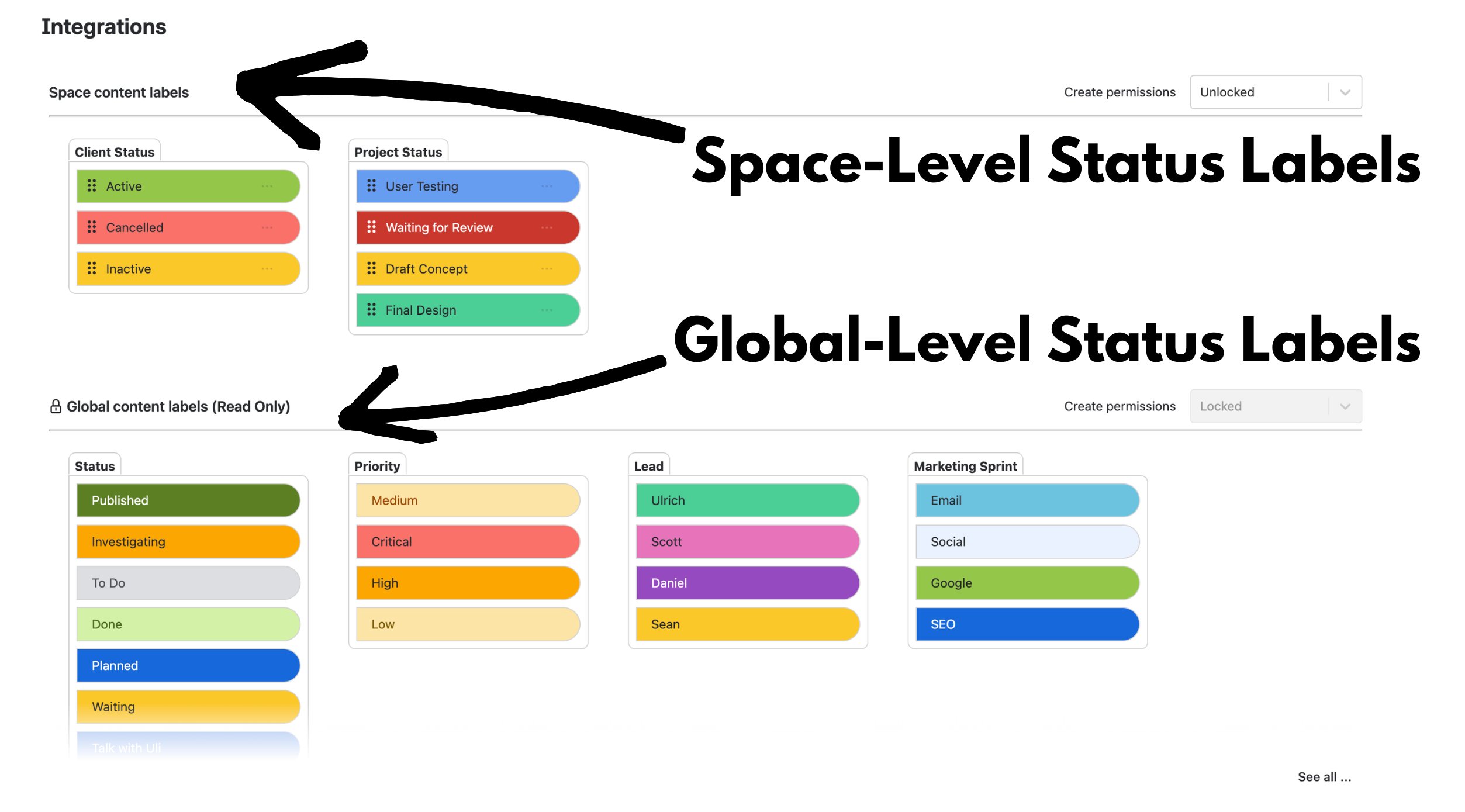
This is why Advanced Status Labels now separates global and space-level pills.
Global categories can provide shared terminology such as:
- Status;
- Priority;
- Department;
- Approval Stage.
Space-level categories can then handle workflows that genuinely need local terminology.
That gives search a cleaner underlying taxonomy: standardise the information that needs a shared meaning, while keeping team-specific information local.
For a deeper explanation, see How to Manage Status Labels in Confluence: Global Standards, Local Flexibility.
How Is This Different From Normal Confluence Search?
Confluence already has powerful native search for finding pages, posts, attachments and other content. It also supports normal Confluence labels and search/reporting macros.
Advanced Status Labels Search solves a narrower problem.
It searches the structured category/value data created by Advanced Content Status & Labels.
That means the choice is not “Confluence search or Advanced Status Labels Search.” They are useful for different questions:
| If you want to find… | Useful starting point |
|---|---|
| A page containing a phrase, title or topic | Native Confluence search |
| Content using a normal Confluence label | Native Confluence label/search features |
| Pages where an Advanced Status Label has Status = Blocked | Advanced Status Labels Search |
| Pages matching several Advanced Status Label categories/values | Advanced Status Labels Search |
If native Confluence search already answers the question you are asking, use it. Advanced Status Labels Search becomes valuable when the workflow information itself is what you need to query.
Useful Search Patterns for Different Teams
Project managers might search for Status = Blocked or Priority = Critical before a project review.
Marketing teams might search for Campaign Stage = Under Review to see which campaign pages still need feedback.
Compliance teams might search for Approval Stage = Pending to identify documents whose visible review state still requires attention.
Operations teams might combine Priority = High with a team or workflow category to focus on the pages that need action first.
A status label is still only a status signal. For example, an Approval Stage = Approved pill should not be treated as formal proof that a regulatory approval control occurred unless the underlying process separately provides that evidence.
When Advanced Status Labels Search Is Most Useful
The search feature becomes especially valuable when:
- the same structured categories appear on many pages;
- teams need to find work by current state rather than by page title;
- several categories need to be combined to narrow the result set;
- the organisation has established consistent terminology for status and priority;
- opening individual pages to check their current state no longer scales.
For a small space with only a handful of pages, search may not add much. The value grows as the amount of structured status information grows.
Turn Status Labels Into Findable Information
Advanced Status Labels are most useful when they do more than make a page look organised.
A category such as Status, Priority or Approval Stage becomes much more valuable when teams can later use that same structured information to find the pages that need attention.
That is the practical benefit of being able to search Confluence by status labels: the status data becomes reusable across the workflow rather than remaining isolated on the page where it was added.
Want to Try Advanced Status Labels Search?
See the Advanced Status Labels Search documentation for the current feature behaviour and the Advanced Status Labels examples for ideas on useful categories and values.
If you need categorized, searchable status information in Confluence, try Advanced Content Status & Labels for Confluence on the Atlassian Marketplace.
By Sean Manwarring, Head of Marketing at Izymes
Published 31 March 2025 · Updated 13 October 2026