
Managing Commit History Like a Pro: Tips and Techniques for Streamlined Code History
Managing Commit History Like a Pro: Tips and Techniques for Streamlined Code History
Sometimes we all have a hard time keeping track of our commit history, not to mention making sense of our development timeline.
The simplest way to manage Git commit history is to make meaningful commits, clean up your own work before sharing it, and avoid rewriting commits other developers may depend on. Rebase, interactive rebase, squash and merge are useful tools—but the safest choice depends on whether your branch is private or already shared.
Understand the difference: private and public (shared) branches
“Private” and “public” are useful workflow terms, but Git does not have separate private and public branch types. A local branch may be used only by you; once you push it, create a pull request or colleagues start working from it, other people may depend on its commit history.
For your own local, unpublished branch, you can:
- Use a descriptive name that makes the purpose of the work clear.
- Commit regularly with messages that explain why a change was made.
- Amend, reorder or squash commits before sharing them.
- Delete the temporary branch after the work has been integrated, when it is no longer needed.
For a shared branch, the priorities change:
- Avoid rewriting commits other people have based work on.
- Use pull requests, reviews and your repository’s merge checks for protected branches.
- If a published change needs to be undone, consider
git revertrather than rewriting shared history.
To see the history you are working with, a useful starting point is:
git log --oneline --graph --decorate --allRebasing: keep your feature branch up to date with main
Rebasing is like saying, “I want to base my changes on what everybody has already done.”
git rebase replays your branch’s commits onto a different base, creating new commits with new IDs. It can keep a feature branch’s history linear without extra merge commits created solely to catch up with main.
For a branch you own and are free to rewrite:
git switch feature
git fetch origin
git rebase origin/main
If Git stops at a conflict, resolve it, stage the corrected file and continue with git rebase --continue. For a fuller explanation, see our guide to Git rebase vs cherry-pick.
Before rebase
        A---B---C  feature
       /
D---E---F---G    main
After rebase
D---E---F---G---A'---B'---C'  feature
            ^
           main
A’, B’ and C’ are new commits. The main branch still points to G; rebasing the feature branch does not rewrite main.
Beware: repeated conflicts when you rebase
The original concern still stands: regularly rebasing a long-running branch can mean encountering similar conflicts more than once.
If your team wants to preserve the existing commit IDs on a shared feature branch, merging main into the feature branch may be more practical. It records the integration rather than rewriting the feature’s published commits, although future changes can still produce new conflicts.
If you prefer rebase, Git’s rerere feature can remember a conflict resolution and reuse it when an equivalent conflict occurs again:
git config --global rerere.enabled trueAlways inspect and test any reused resolution. We cover the wider conflict-resolution workflow in Advanced Git Merge Conflict Resolution Techniques.
The golden rule: don’t casually rewrite shared history
The important rule is not “never rebase anything that has been pushed.” It is:
Do not rebase commits other people may already depend on unless the team has explicitly agreed to the history rewrite.
An individual developer may be able to rebase their own published feature branch safely if nobody else is building work on it and the team understands how the pull request will be updated. But rewriting main, a release branch or a colleague’s shared branch can cause serious disruption.
The following graph shows what happens if a published feature branch is rebased onto a newer main:
        A---B---C           old published feature commits
       /
D---E---F---G---A'---B'---C'  rebased feature
            ^
           main
Anyone holding A, B or C may need to reconcile their work with the replacement commits A’, B’ and C’. main itself has not been rewritten.
Interactive Git rebase: clean up commits before sharing
Interactive rebase is particularly helpful when your feature branch has several small “fix typo”, “fix tests” or “address feedback” commits that would be clearer as one or two meaningful changes.
For example, to review the last three commits on your own branch:
git rebase -i HEAD~3Git opens an editor where you can reorder commits and choose operations such as:
pick— retain a commit;reword— change its message;squash— combine it with the previous commit and edit the combined message;fixup— combine it with the previous commit, usually keeping the previous message;drop— remove a commit.
For small fixes, a convenient workflow is to create a fixup commit targeting an earlier commit and autosquash it:
git commit --fixup=<commit-id>
git rebase -i --autosquash <base-commit>
If you only need to correct your most recent unpublished commit, git commit --amend is often simpler.
A clean history is not necessarily one giant commit. Keep separate commits where they tell a useful story, make changes easier to review or allow a specific change to be reverted independently.
Handle force-pushing with care
If you rewrite commits that have already been pushed, an ordinary push may be rejected because the new history does not extend the old history.
For an owned feature branch, and only when your team’s workflow allows history rewriting, --force-with-lease offers more protection than plain --force:
git push --force-with-lease origin featureIt checks the remote branch against the expected state before updating it. It is not a guarantee against overwriting someone else’s work, particularly when background tools automatically fetch remote changes. Confirm that nobody else has pushed work you are about to replace, and avoid this on protected or shared integration branches.
Do not surprise reviewers after opening a pull request
The original article advised never rebasing after opening a pull request. That is a sensible default, but not an absolute Git rule.
Once reviewers have started examining commits, rewriting the branch can make earlier review context harder to follow. Prefer making follow-up commits when a PR is already under active review, unless your team’s agreed workflow allows a cleanup rebase.
When you do rewrite a PR branch, communicate the change and allow relevant checks or reviews to run again as required. Repository settings may also restrict who can force-push.
Merge pull requests using the right history strategy
For shared branches such as main, the priority should be reviewed, tested integration—not insisting that every team use rebase.
Bitbucket Cloud and Bitbucket Data Center support different pull-request merge strategies, including merge commits, squash and rebase-based strategies, with administrators able to configure the available options. For the current choices, consult the Bitbucket Cloud merge documentation or Bitbucket Data Center merge-strategy documentation.
| If your team wants to… | Consider… |
|---|---|
| Preserve the branch relationship and complete integration history | Merge commit |
Keep a concise main history with one commit per PR | Squash merge |
| Keep the commits from a feature but produce a more linear target history | Rebase-based PR merge |
A useful detail: Bitbucket’s rebase-based pull-request merge strategies create rebased commits on the target side without changing the source PR branch itself. That is different from a developer manually rebasing and force-pushing their feature branch.
In conclusion: clean history means useful history
Prefer a clean linear history? Rebase your own work before sharing it, or choose an appropriate PR merge strategy.
Prefer to preserve branch topology and the original sequence of integration? Use a merge commit.
Neither is universally more professional. The goal is a history that developers can read, investigate and safely collaborate on—not simply the fewest possible commits.
Next up: Find bugs and regressions faster
Continue with Advanced Git Bisect and Blame Techniques for Tracking Down Bugs and Regressions to see how a well-managed Git history helps track down the commit that introduced a bug.
Make your Bitbucket pull request controls work as well as your Git history
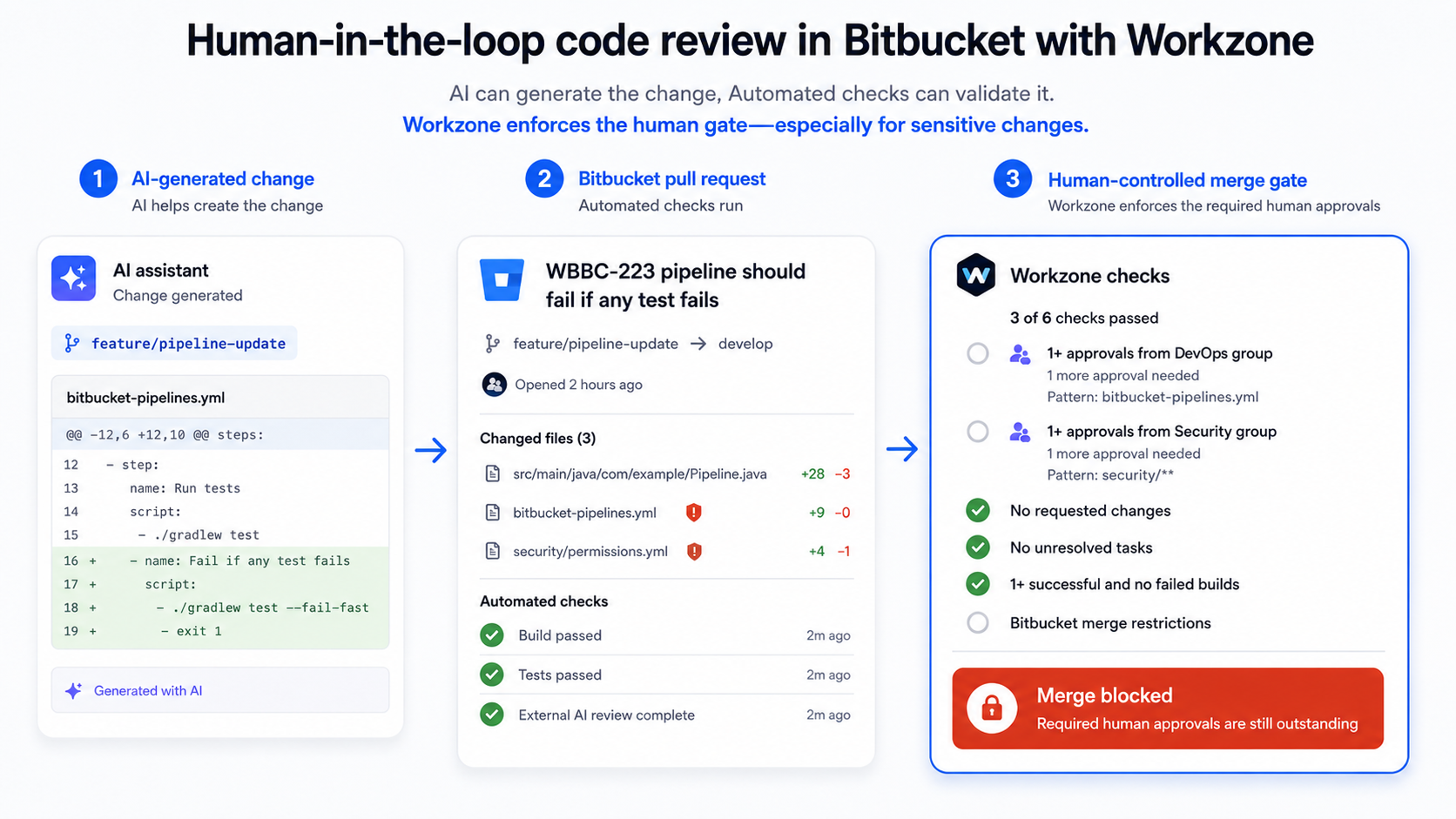
Keeping a clear commit history makes changes easier to understand. Workzone helps with a different part of the process: automatically assigning appropriate reviewers and enforcing approval and merge rules for Bitbucket pull requests. Explore Workzone for Bitbucket on the Atlassian Marketplace to see whether its review controls fit your team’s workflow.
By Sean Manwarring, Head of Marketing at Izymes
Published 24 May 2023 · Updated 19 October 2026