

How to Use Labels and Due Dates for Bitbucket Pull Requests
How to Use Labels and Due Dates for Bitbucket Pull Requests
Bitbucket pull request labels and due dates give teams a simple way to add business context to pull requests: which PR is urgent, which belongs to an upcoming release, which needs QA, and which is approaching a deadline.
Bitbucket Data Center does not natively provide custom pull-request labels or due dates. Organizr for Bitbucket Data Center adds both, along with instance-wide filtering so teams can use that metadata to find and prioritise pull requests across repositories and projects.
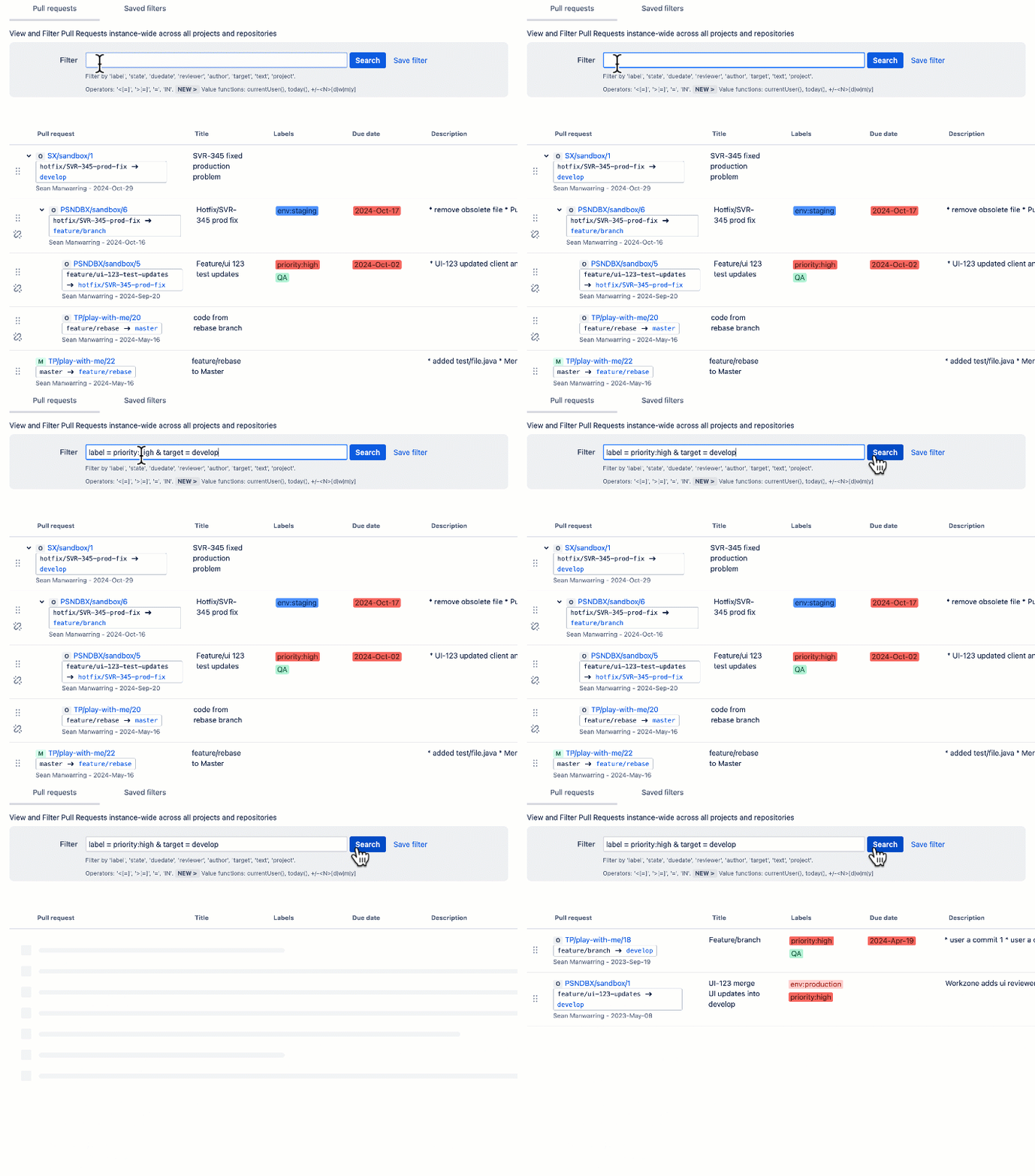
Labels and due dates can be added when a pull request is created or later from the pull-request overview page.
Key Takeaways
- Use labels to describe priority, release, workflow stage or type.
- Use due dates to make time-sensitive pull requests easier to identify and follow up.
- Organizr can filter pull requests across the entire Bitbucket Data Center instance by label, due date, author, reviewer, state, project, text and other criteria.
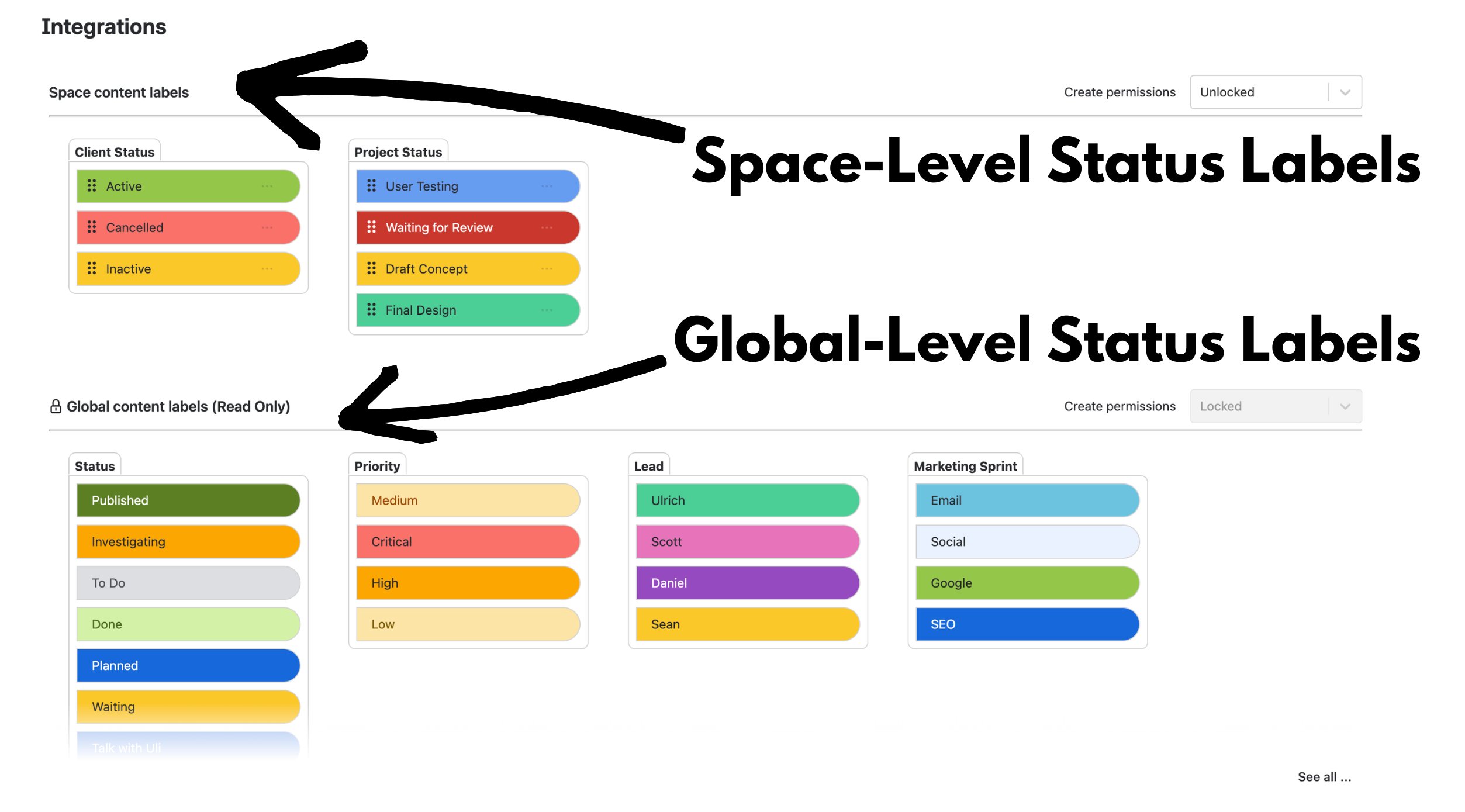
- The Label Manager provides global, project and repository scopes so teams can control how labels are created and reused.
- Merge dependencies are a separate Organizr capability for cases where related pull requests must merge in a specific order.
Why Add Labels and Due Dates to Bitbucket Pull Requests?
A pull request already tells you what code is changing and who is reviewing it. What it often does not tell you is the broader operational context.
For example:
- Is this an urgent production fix?
- Does it belong to the next release?
- Is it waiting for QA?
- Does it need to be completed by Friday?
- Which open PRs should a release manager look at first?
Organizr adds labels and due dates directly to the pull-request workflow so that context can travel with the PR rather than living in a spreadsheet, chat message or separate checklist.
Use Labels to Categorise and Prioritise Pull Requests
Labels are most useful when they communicate information people actually act on.
Common examples include:
| Label type | Example labels | Useful for |
|---|---|---|
| Priority | URGENT, HIGH_PRIORITY | Highlighting work that needs attention first |
| Release | RELEASE_2.4, NEXT_RELEASE | Grouping PRs that belong to the same release |
| Type | BUGFIX, FEATURE, SECURITY_FIX | Separating different kinds of work |
| Workflow stage | QA_PENDING, READY_TO_MERGE | Making the current process state visible |
A small, consistent label vocabulary is usually more useful than allowing every user to invent a slightly different label for the same concept.
Manage Labels at Global, Project and Repository Scope
Organizr’s Label Manager supports three levels:
- Global — labels available across the Bitbucket instance;
- Project — labels governed for repositories within a particular project;
- Repository — labels configured for an individual repository.
Configuration can be inherited between scopes, and administrators can control whether users are allowed to create new labels directly from a pull request or must choose from an existing managed set.
The Label Manager also lets administrators create, edit, archive and delete labels, assign colours, and see how many pull requests currently use a label.

Use Due Dates to Surface Time-Sensitive Pull Requests
Labels describe what kind of pull request this is.
A due date answers a different question:
“When does this pull request need attention?”
Due dates can help teams identify:
- pull requests needed for an upcoming release;
- reviews that are approaching a deadline;
- overdue work that may be blocking another team;
- time-sensitive fixes that should not disappear into a long PR queue.
Organizr lets users add a due date when creating the pull request or add/change it later from the pull-request overview page.
Turn Pull Request Metadata Into an Instance-Wide Work Queue
The real value of adding metadata appears when you can query it across more than one repository.
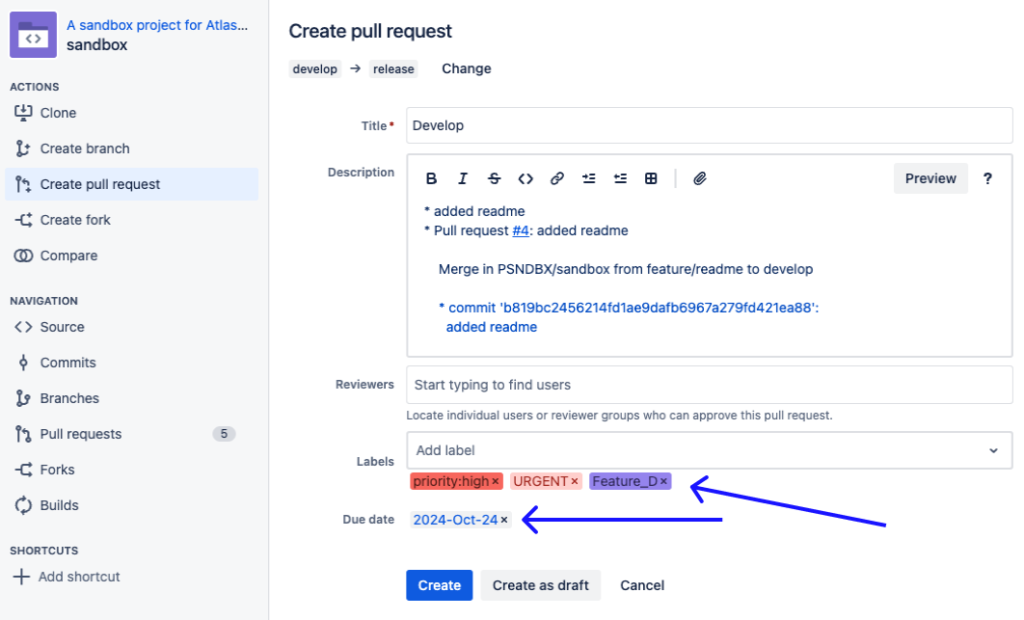
Organizr’s global pull-request filtering can search across the Bitbucket instance using criteria including:
- label;
- due date;
- author;
- reviewer;
- state;
- project;
- target branch;
- text.
For example, a release manager could look for pull requests carrying an URGENT or RELEASE label, or identify PRs that are due within a particular timeframe.
Organizr also supports reusable query values such as currentUser() and relative due-date expressions, so saved filters can remain useful as the user and date change.
Since Organizr 9.4, the search interface also includes an interactive query builder, so supported search terms can be selected from the UI rather than requiring every user to write the query syntax manually.
This turns labels and due dates into more than visual metadata: they become criteria for building focused pull-request queues.
A Practical Release Example
Imagine a release manager preparing version 2.4 across several repositories.
The team uses:
- RELEASE_2.4 to identify PRs intended for that release;
- SECURITY_FIX for changes that need extra attention;
- due dates to show which PRs must be reviewed before the release cutoff.
Instead of opening each repository individually, the release manager can use Organizr’s global view to find the relevant pull requests across the Bitbucket instance and focus attention on the items that are urgent or approaching their due date.
That is the main benefit of combining metadata with global filtering:
the team can organise pull requests according to delivery priorities, not just repository boundaries.
What About Merge Dependencies?
Labels and due dates help teams decide what needs attention and when.
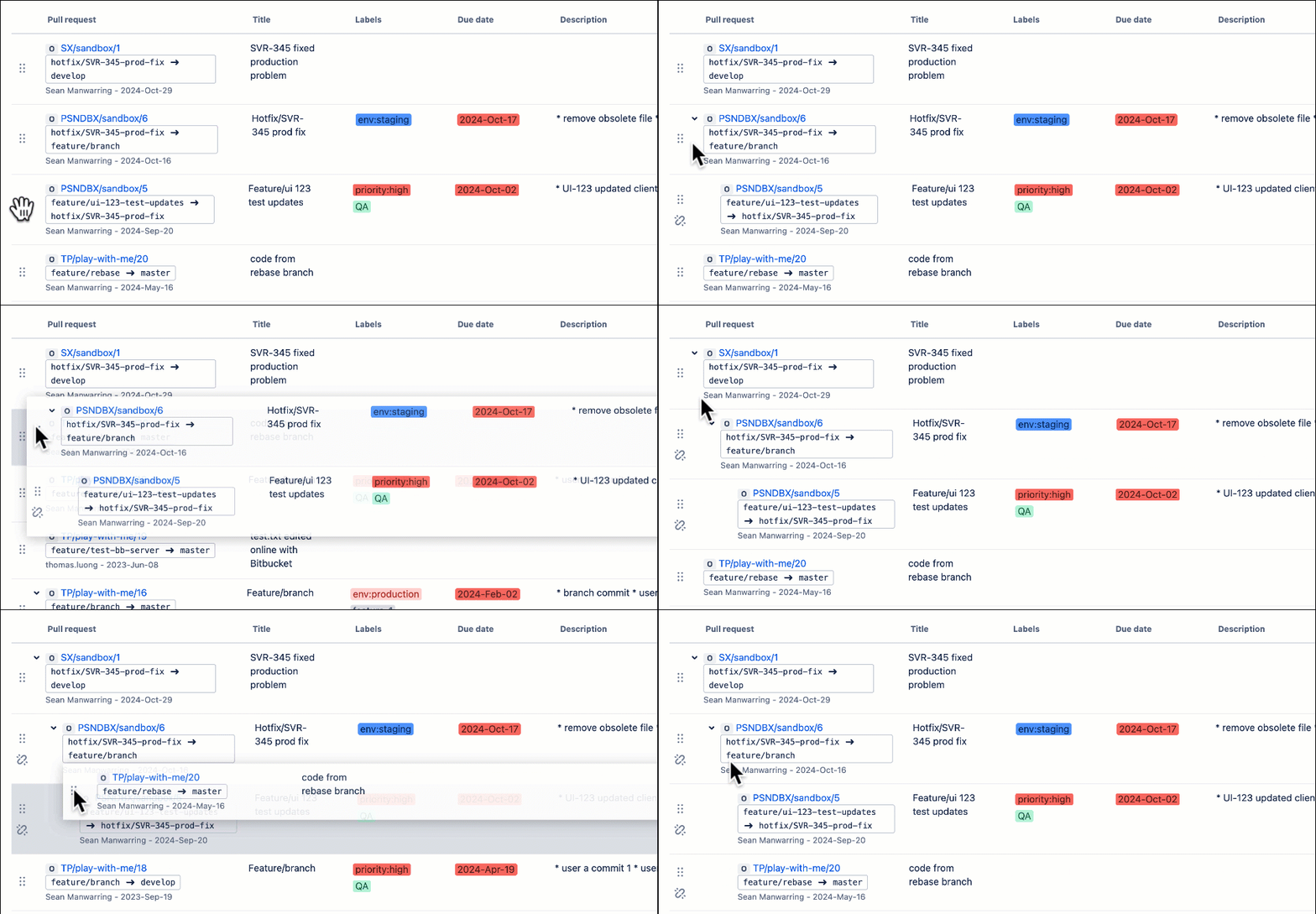
If several related pull requests must actually merge in a specific sequence, Organizr provides a separate pull-request merge dependency feature.
For example, a PR merging a feature into develop might need to complete before a later PR can merge develop into a release branch. Organizr can enforce that dependency, including across repositories.
When You May Not Need Organizr
Organizr is most useful when labels, deadlines and pull-request visibility need to work across multiple repositories or projects.
You may not need it if:
- your team works in only one or two repositories and the native PR lists already provide enough visibility;
- you do not need custom pull-request labels or due dates;
- Jira already acts as the single source of truth for all prioritisation and deadline management and duplicating that metadata on the PR would add no value.
The reason to add metadata to Bitbucket should be that it helps people make decisions where they are already reviewing and merging code—not simply because more metadata is available.
Use Labels and Due Dates as Actionable Signals
The most useful labels are the ones that change what somebody does next.
URGENT should mean “look at this first.”
SECURITY_FIX should communicate something different from an ordinary feature.
A due date should tell the team when delay becomes a problem.
When those signals are consistent and searchable across the Bitbucket instance, pull requests become easier to triage without forcing engineering managers or release teams to build a separate manual tracking system.
Want to Try Pull Request Labels and Due Dates?
See the Organizr labels and due-dates documentation and the Label Manager guide.
You can also try Organizr for Bitbucket Data Center on the Atlassian Marketplace.
By Sean Manwarring, Head of Marketing at Izymes
Published 28 October 2024 · Updated 13 October 2026
Pingback: Organizr Label Manager for Bitbucket Data Center | Izymes
October 13, 2026