Izymes builds easy-to-use apps for Atlassian applications that boost your productivity, free you from performing repetitive tasks inside Confluence, Jira and Bitbucket and enable you to use your time for what you do best – YOUR job.
Interested in a 1-on-1 demonstration of Izymes’s products?
Here we will walk you through;
• All features and benefits of the product you are interested in trying.
• How to set up the account and configure the settings.
• Other tips, tricks and best practices.
It will also give us time to answer any questions you may have, or perhaps you just want to have a chat, we love a good chat.
You can schedule a time on the Calendly link below. Talk soon!
How to Manage Status Labels in Confluence: Global Standards, Local Flexibility
How to Manage Status Labels in Confluence: Global Standards, Local Flexibility
To manage status labels in Confluence at enterprise scale, standardise the categories and values that need a shared meaning across the organisation, keep team-specific workflows local to individual spaces, and control who is allowed to create new global or space-level values.
That gives administrators consistency without forcing every team into the same process.
A status-label taxonomy is the governed set of categories and allowed values used to describe and track Confluence content—for example Status = In Review, Priority = Critical or Department = Compliance. A useful enterprise taxonomy defines which of those labels should be global and which should exist only inside a particular space.
Advanced Content Status & Labels for Confluence is designed around that model, with global and space-level pills, configurable creation permissions, categorized values, dropdown updates and structured search.
Key Takeaways
The most practical way to manage status labels in Confluence at scale is usually to combine shared global standards with local space-level flexibility.
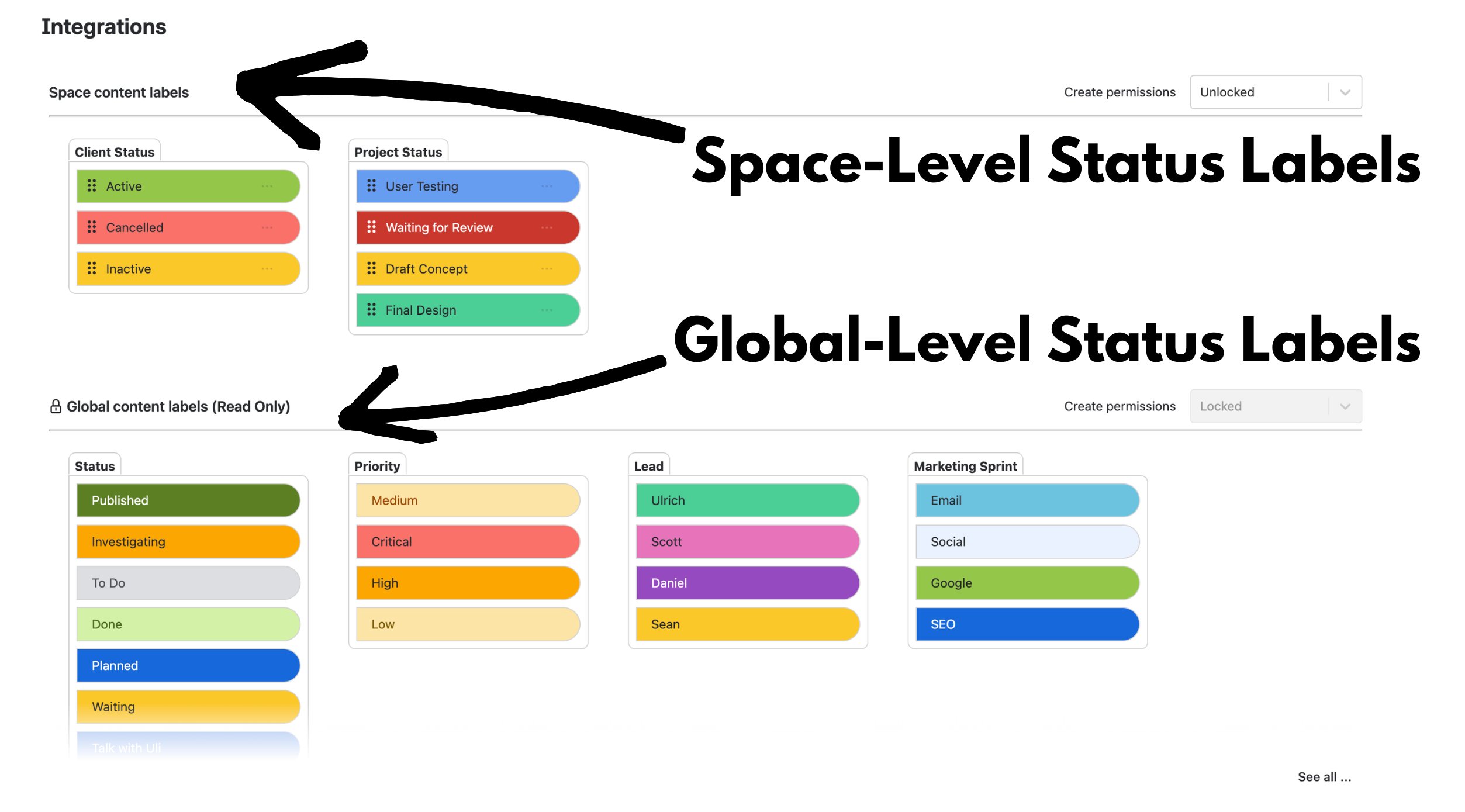
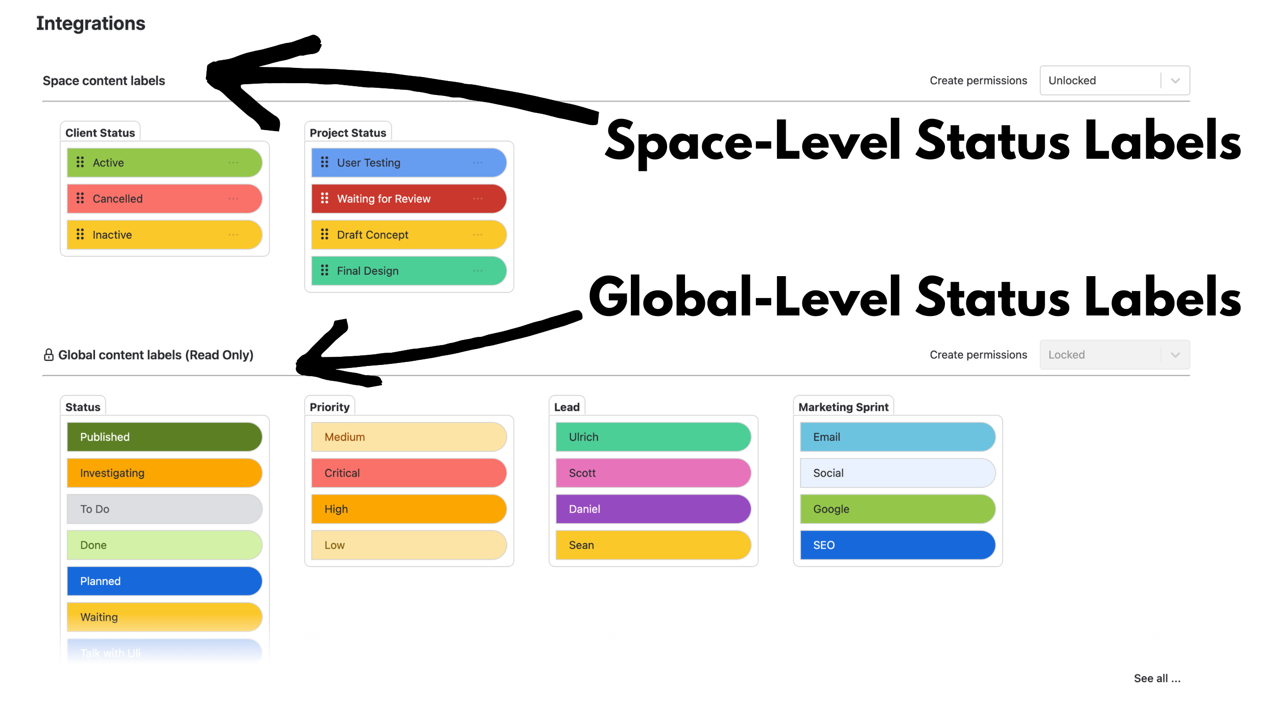
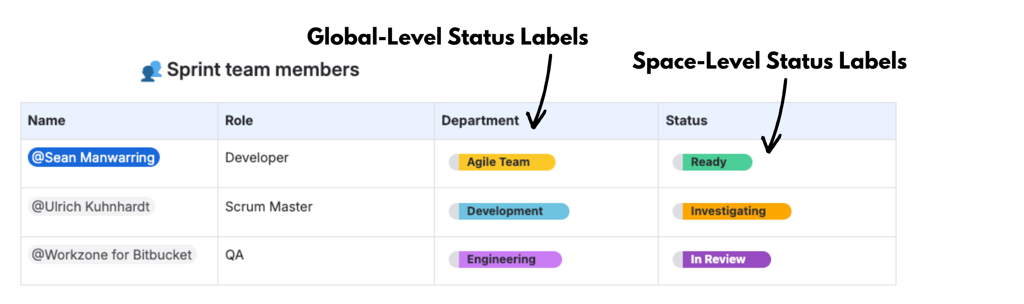
Global pills are inherited across the Confluence site, while space pills remain local to the space where they are created.
Admins can lock global creation while still allowing space-level creation, so teams can extend the taxonomy without changing it for everyone else.
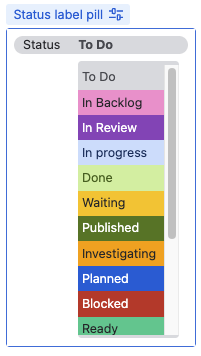
Users can update Advanced Status Label values directly from a dropdown without opening the page editor.
Advanced Status Labels Search can find pages by specific category/value combinations, turning the taxonomy into something useful across many pages rather than only on one page.
Why Status Labels Become Harder to Manage as Confluence Grows
Confluence is flexible by design, and that is one of its biggest strengths.
Project teams use it for planning. Marketing teams coordinate campaigns. Compliance teams manage policies, reviews and controlled documentation. IT teams document incidents, changes and internal procedures.
But flexibility also means teams naturally develop their own language.
One space might use:
Status: Draft, In Review, Approved
Priority: Low, Medium, High
Another might use:
Stage: Writing, Checking, Signed Off
Urgency: Normal, Important, Critical
Neither approach is inherently wrong. The problem appears when different terms are being used to describe the same thing—or when the same term means something different depending on the space.
As the site grows, those small inconsistencies make cross-space search, onboarding, reporting and interpretation harder. People start asking whether In Review and Awaiting Review mean the same thing, which value they should use, or how to find all content at a particular stage.
That creates the real governance question:
Which terminology needs to be shared across the organisation, and which terminology should remain local to a team?
As more teams and spaces are added, small differences in status terminology can make Confluence harder to manage consistently.
How to Manage Status Labels in Confluence Without Losing Local Flexibility
A useful enterprise model separates the taxonomy into two layers:
Global standards for categories and values that should mean the same thing everywhere.
Space-level extensions for workflows or terminology that only matter within a particular team or space.
These are useful global categories because people benefit from interpreting them consistently wherever they encounter them.
Space pills then allow a team to extend the inherited taxonomy without changing the structure for everybody else.
For example:
A marketing space might add Campaign Stage.
A compliance space might add Review Type.
An IT space might add Incident Stage or Change Type.
The aim is not to eliminate local variation. It is to make the distinction between organisation-wide terminology and team-specific terminology deliberate.
A Practical Governance Model for Global and Space-Level Labels
The global-versus-space model becomes much more useful when creation permissions are governed as well.
Advanced Status Labels supports different behaviours depending on whether global and space-level creation are locked or unlocked. That gives administrators three practical governance models:
Governance goal
Suggested configuration
What happens
Strict central governance
Lock global creation and space-level creation
Users can select existing global and space pills, but cannot create new categories or values from the editor.
Global standards + local flexibility
Lock global creation, allow space-level creation
The shared global taxonomy stays controlled. New categories or values created by users remain local to that space.
Open global contribution
Allow global creation
Users can create new global categories and values that become available more broadly across Confluence.
For many larger organisations, the middle option is the most useful starting point: lock global creation and allow controlled space-level creation.
every space still inherits the approved global taxonomy;
teams can create local terminology where their workflow genuinely differs;
one team’s local experiment does not automatically change the vocabulary available across the whole site.
This is also the model recommended in the Izymes Global & Space Pill Management documentation: use global pills for organisation-wide concepts, space pills for local workflows, restrict global creation where tighter governance is needed, and allow space-level creation where teams need flexibility.
Global pills provide a shared taxonomy across Confluence, while space pills allow teams to extend that structure locally.
Taxonomy Governance Also Means Maintaining It Over Time
A taxonomy is not finished when the initial categories have been created.
As workflows change, administrators may need to rename values, change colours, reorder options, disable values or remove terminology that is no longer useful. Advanced Status Labels provides those controls through the Global and Space Pill Managers.
There is one practical limitation worth understanding: deleting a pill value cannot be undone. If a value is already being used on one or more pages, Advanced Status Labels displays a warning before deletion.
That means a sensible cleanup process is:
Identify the category or value that may no longer be needed.
Check where it is currently being used.
Rename or disable it instead if existing usage still matters.
Delete it only when you are comfortable removing it permanently.
This may sound like a small administrative detail, but it is part of what separates a governed taxonomy from an ever-growing list of labels that nobody wants to touch.
Native Confluence Statuses vs Structured Status Labels
Confluence Cloud already includes useful native status functionality, so it is important to distinguish what Atlassian provides from the problem Advanced Status Labels is designed to solve.
Native Confluence content statuses provide a lifecycle status at the top of a page, live doc or blog. Space admins can turn them on or off, define up to five suggested statuses, and decide whether editors can create their own custom statuses.
Confluence also includes the inline Status macro, which displays a coloured lozenge with custom text inside page content.
Those native options may be all you need if your requirement is simply to show one page-level lifecycle state or add a few visual statuses inside a page.
Advanced Content Status & Labels becomes more relevant when you need multiple reusable categories and values that can be governed across spaces and searched as structured information.
Requirement
Native Confluence content status
Native Status macro
Advanced Content Status & Labels
Show a simple status on a page
Yes
Yes
Yes
Suggested lifecycle statuses controlled per space
Yes, up to five suggested statuses
No shared taxonomy
Yes, through global and space pill management
Use multiple reusable categories such as Status, Priority, Department and Approval Stage
No — one content-status dimension
Independent macros, but no managed category/value taxonomy
Yes
Maintain one global taxonomy inherited across spaces
No site-wide shared content-status taxonomy
No
Yes
Extend the global taxonomy with space-specific categories and values
Statuses can differ by space, but are not local extensions of one global taxonomy
No
Yes
Control whether users can create new global or local values
Custom content-status creation can be allowed or prevented per space
No central taxonomy governance
Yes
Update the structured value without editing the page body
Yes, for the page-level content status
No — edit the page/macro
Yes — via dropdown
Search using combinations of structured categories and values
Not the same multi-category taxonomy model
No equivalent structured category/value search
Yes
The point is not that native Confluence statuses are inadequate. They solve a simpler problem.
If all you need is Draft / In Progress / Ready for Review at the page level, native content statuses may already be enough.
If you need Status + Priority + Department + Approval Stage to behave as reusable, governed information across a larger Confluence environment, a structured status-label taxonomy becomes much more useful.
Why Easy Status Updates Matter
Governance only works if people actually keep the information current.
If changing a status requires opening the editor, locating the relevant element, changing it and republishing the page, users have more reason to postpone the update or skip it altogether.
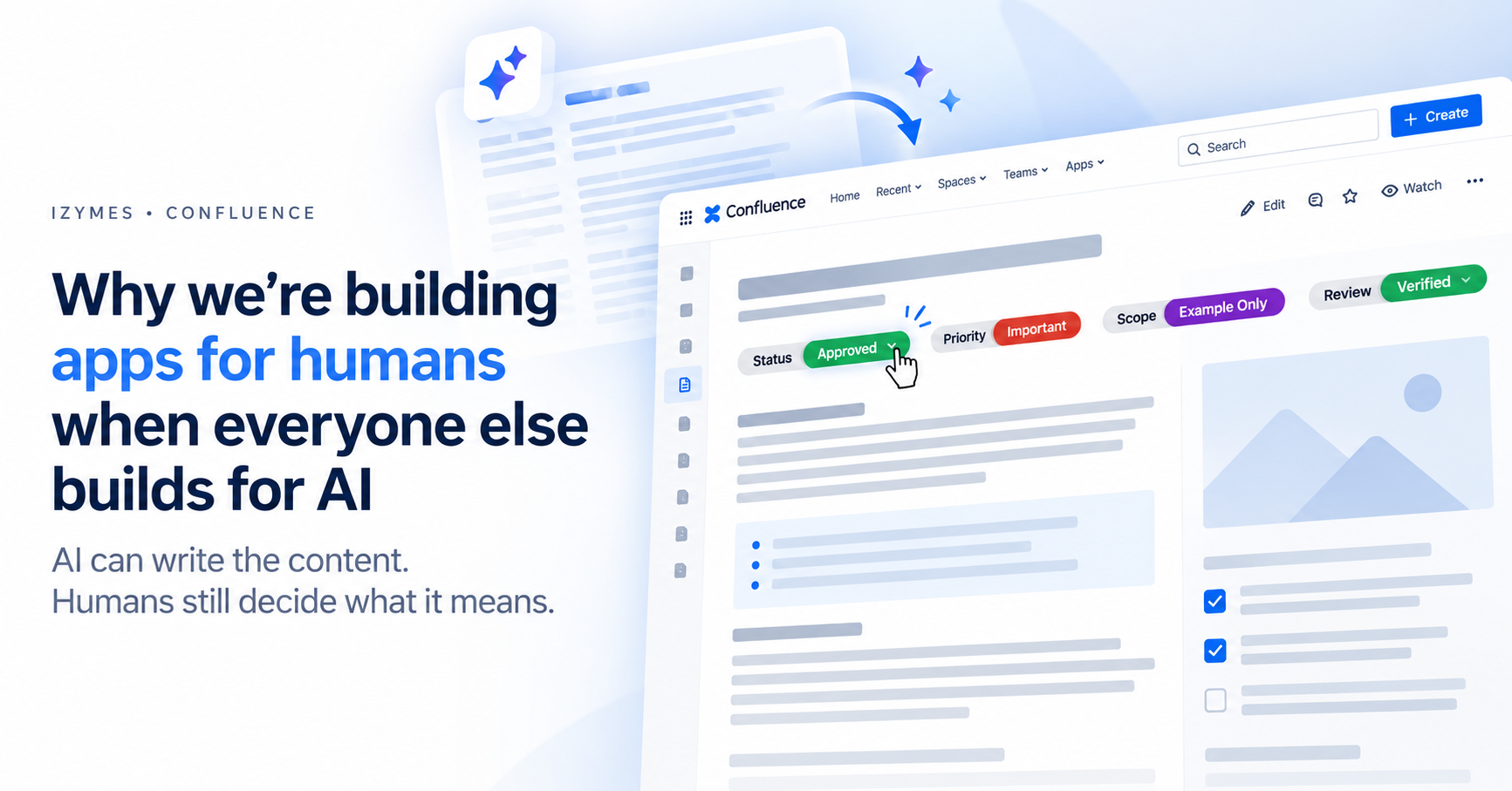
Advanced Content Status & Labels lets users update pill values directly from a dropdown without opening the page editor. The current Atlassian Marketplace listing also describes real-time tracking, so status information can remain useful in collaborative workflows rather than behaving like static decoration.
That interaction design matters because a status system becomes less useful the moment people stop trusting whether its values are current.
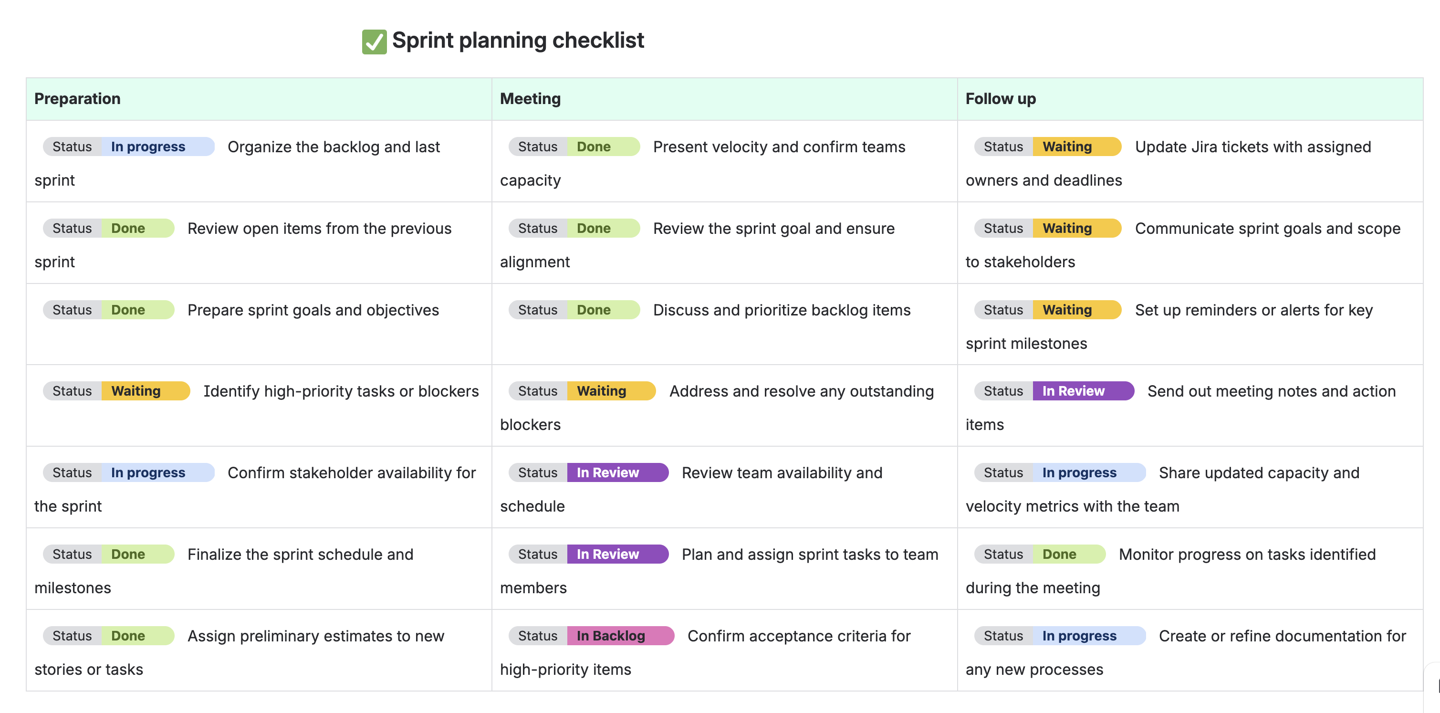
Pill values can be updated directly from the page, reducing the friction involved in keeping status information current.
Structured Labels Become More Valuable When You Can Search Them
Once status information is organised into consistent categories and values, it can do more than make an individual page easier to scan.
Advanced Status Labels Search can find pages containing specific categories and values and can combine multiple criteria in the same search.
That makes questions such as these practical:
Which pages are Status = In Review?
Which items are Priority = Critical?
Which pages are both Department = Legal and Status = Awaiting Approval?
This is where a well-managed taxonomy starts to compound in value.
The same labels used to communicate status on an individual page can also help teams locate work, identify items that need attention and track related content across a larger Confluence environment.
Everyone still understands the organisation-wide categories, but each team gets the additional detail it needs locally.
That is the important difference between standardising the language that should be shared and standardising every workflow regardless of context.
A shared global taxonomy can coexist with space-specific categories for marketing, compliance, IT and other teams.
When You May Not Need Advanced Status Labels
Not every Confluence site needs a dedicated status-label app.
Native Confluence content statuses may be enough if:
you only need one simple lifecycle status per page;
different spaces can manage those statuses independently;
you do not need multiple structured categories such as Priority, Department or Approval Stage;
you do not need one shared global category/value taxonomy inherited across spaces;
you do not need to search pages using combinations of structured status-label categories and values.
Advanced Content Status & Labels becomes more useful when the problem has moved from:
How do we display a status?
to:
How do we govern, update and search structured status information across many Confluence spaces?
The objective is not to add process for the sake of process. It is to introduce structure when the scale of the Confluence environment has made that structure genuinely useful.
Global Standards and Local Flexibility Work Better Together
As Confluence grows, status inconsistency rarely arrives as one obvious failure. It accumulates gradually as teams create slightly different names, categories and workflows.
The best way to manage status labels in Confluence at enterprise scale is usually to decide deliberately what should be shared and what should stay local.
Use global categories for concepts the organisation needs to interpret consistently. Allow space-level categories where teams genuinely need their own workflow. Control who can create new values. Maintain the taxonomy as workflows change. Make statuses easy to update. And use structured search so those labels remain useful beyond the individual page.
That gives administrators stronger governance without turning Confluence into a rigid one-size-fits-all system.
Want to Build a More Structured Status-Label System in Confluence?


Pingback: AI-Generated Content in Confluence: Human Review Signals | Izymes
October 12, 2026Pingback: Confluence Status Label Use Cases: Small Team vs Enterprise | Izymes
October 13, 2026Pingback: Search Confluence by Status Labels | Izymes
October 13, 2026Pingback: Change a Confluence Status Macro: Native vs Dropdown | Izymes
October 13, 2026