

The 5 Biggest Time Savers in Bitbucket
The 5 Biggest Time Savers in Bitbucket
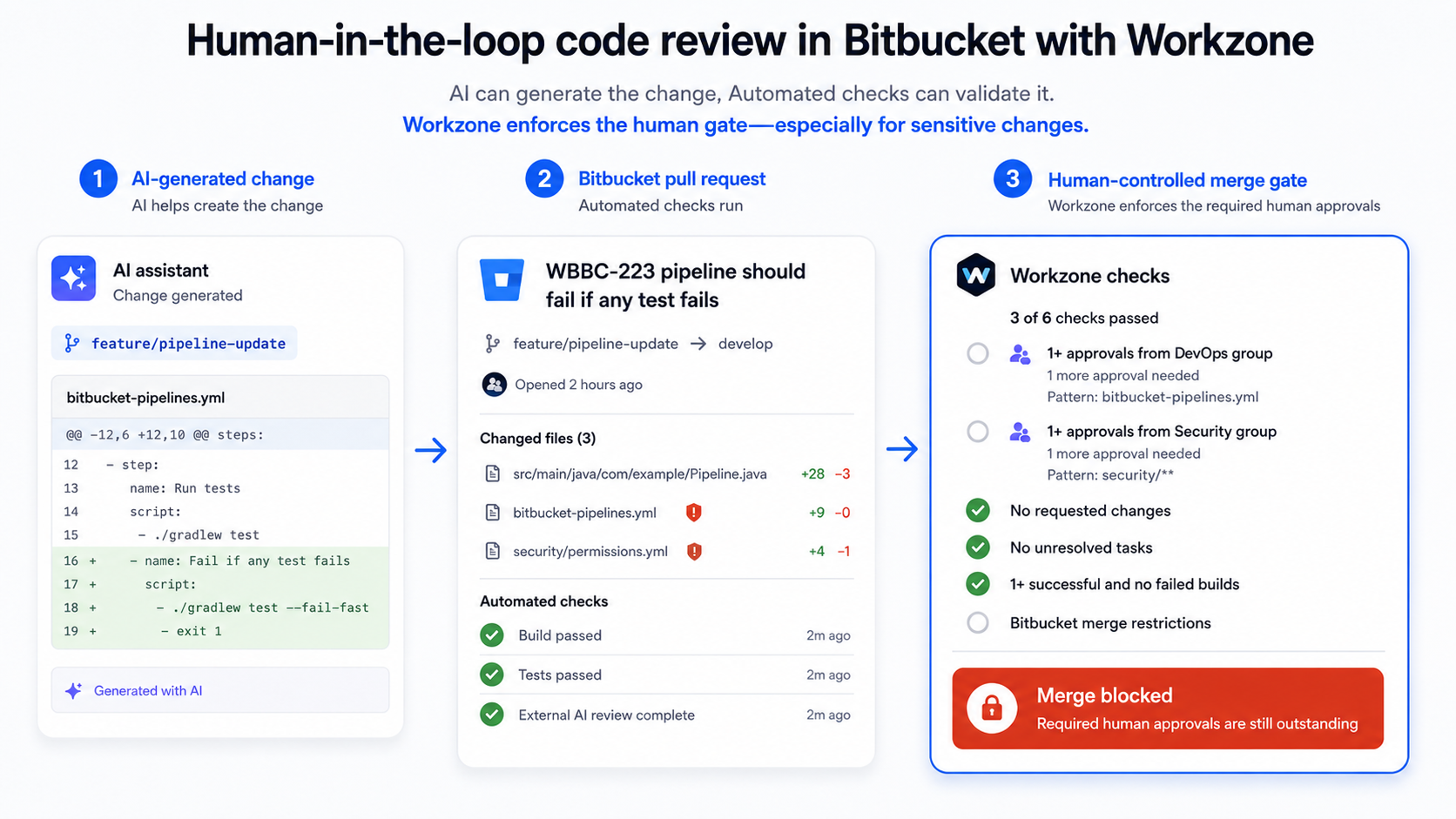
The biggest Bitbucket time savers are the ones that remove repeated coordination without removing the checks that keep code safe: route reviews to the right people, use different policies for different types of changes, automate objective checks and merging, coordinate merge order, and stop pull requests from quietly going stale.
Bitbucket has gained several native capabilities since this article was first published in 2024—including code owners and auto-merge in modern Bitbucket Data Center, and merge queues in Bitbucket Cloud—so some jobs that once needed more custom automation can now start with native functionality.
Workzone, Organizr and Reminders still become useful where teams need more granular reviewer policy, cross-repository coordination, due dates or automated follow-up.
Hosting note: some features below are Cloud-only or Data Center-only. Where that matters, it is called out explicitly.
1. Route Reviews to the People Who Actually Need to See the Change
One of the easiest ways to waste review time is to add the same large group of people to every pull request.
If a change only touches the UI, the database specialist may not need to spend time working out whether the PR concerns them. Reviewer routing should follow the code and the expertise required to assess it.
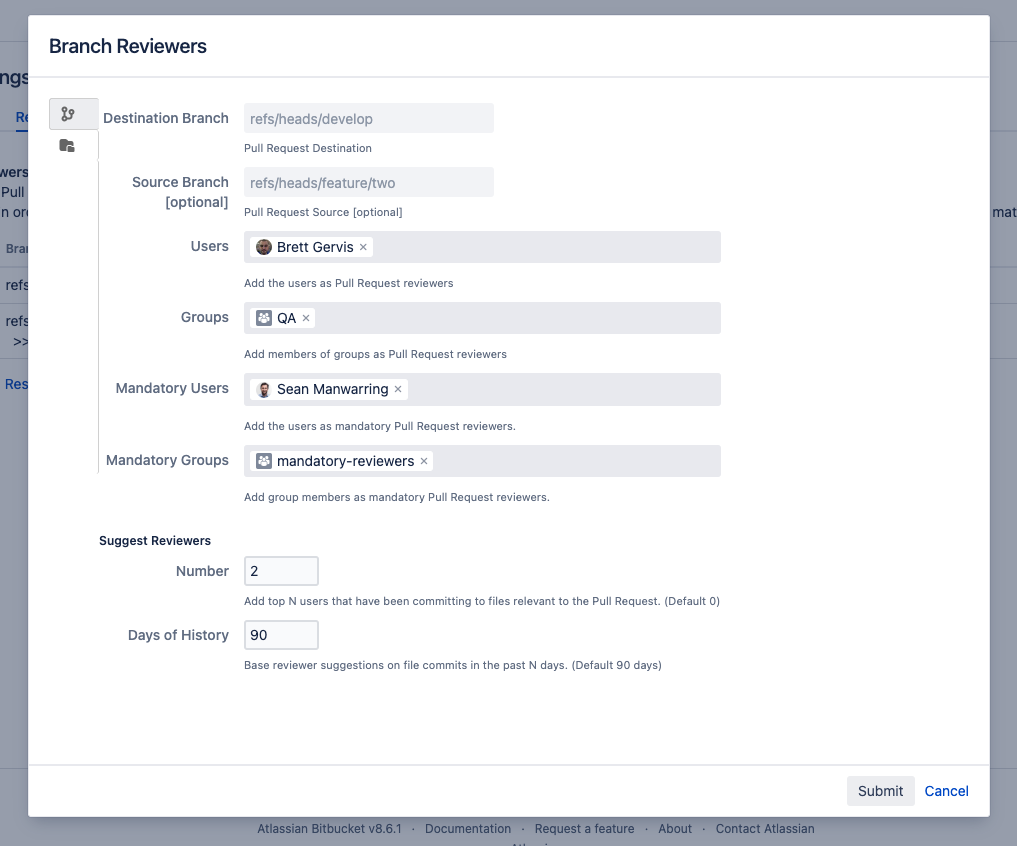
Bitbucket now has native code-owner functionality on both major hosting models:
- Bitbucket Cloud: CODEOWNERS can map changed paths to individuals, workspace groups and repository-managed teams, including reviewer-selection strategies such as
all,randomandleast_busy. - Bitbucket Data Center: modern versions support a
.bitbucket/CODEOWNERSfile that automatically adds people responsible for changed files and directories as reviewers.
That native functionality may already be enough if the requirement is simply:
“When this code changes, request review from the people who own it.”
Workzone reviewer rules add more granular approval policy when required. File or module patterns can be combined with reviewer groups, mandatory reviewers and explicit approval quotas.
For example:
| Changed path | Reviewer group | Required approvals |
|---|---|---|
src/ui/** | UI team | 1 |
src/server/** | Backend team | 2 |
src/test/** | QA team | 1 |
The time saving is not “fewer reviews at any cost”.
It is less irrelevant review work while keeping the right expertise involved.
2. Use Different Review Policies for Different Types of Change
A feature branch, routine bug fix, release PR and production hotfix do not necessarily need identical reviewer and merge rules.
Bitbucket branch permissions and merge checks already let teams apply workflow rules to particular branches or branch patterns.
Workzone can go further by matching source and destination branch patterns to different reviewer and approval configurations.
A practical model might look like this:
| Pull request type | Example | Review approach |
|---|---|---|
| Feature development | feature/* → develop | Relevant code owners plus normal build/test and approval policy |
| Release | develop → release/* | QA/release stakeholders plus release-specific checks |
| Production hotfix | hotfix/* → main | Fast, clearly defined reviewer path with only the checks genuinely required for a safe emergency change |
The original 2024 version of this article suggested making preliminary builds and code-quality checks optional in an emergency lane.
We would not make that recommendation today.
A hotfix workflow should remove unnecessary waiting, not automatically remove the automated checks that might stop an emergency fix from creating a second incident.
The better question is:
“What is the minimum safe set of reviewers and automated checks for this specific class of change?”
Define that policy before the emergency happens.
3. Automate Checks and Merge When the Decision Has Already Been Made
Automation saves time when it removes waiting around a process that is already well understood.
A classic example is a pull request that has all required approvals and tasks completed but is waiting for the final CI build to finish.
There are now several native and Workzone options:
- Bitbucket Cloud: the Allow automatic merge when builds pass merge check can merge a PR when the build succeeds after the other relevant conditions have been completed.
- Bitbucket Data Center 8.15+: native auto-merge can merge a PR automatically when its remaining merge checks pass.
- Workzone Cloud and Data Center: branch configurations can combine auto-merge with Workzone approval quotas, successful builds, mandatory reviewers and other supported merge conditions.
This is a good place to automate because the human decision has already been made.
Nobody gains much from repeatedly refreshing the pull request just to click Merge when the build turns green.
Automate What Is Stable—Not What Is Still Unclear
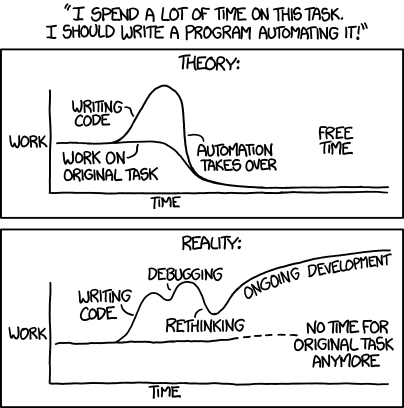
The original article included a useful rule that is still worth keeping:
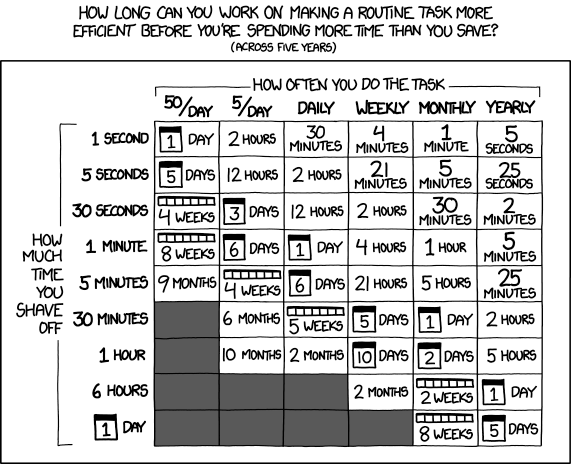
do not spend days automating a five-minute task that happens once a month.
Automation pays off when the process is:
- repeated frequently;
- well understood;
- based on objective rules;
- unlikely to need human judgement every time.
4. Stop Manually Coordinating Which Pull Request Merges Next
As repositories and release flows become busier, another source of wasted time appears: people manually coordinating merge order in chat, spreadsheets or release meetings.
Current Bitbucket tooling provides different options depending on hosting model.
Bitbucket Cloud: Merge Queues
Bitbucket Cloud now supports merge queues on paid Standard and Premium plans when Bitbucket Pipelines is enabled.
A merge queue tests the result that would actually land on the target branch and merges queued PRs in order when their configured queue builds pass.
This can reduce the cycle of:
PR passes → somebody else merges first → target branch changes → PR needs to be tested again.
For high-traffic branches, that is a major native time saver that did not exist when this article was originally written.
Bitbucket Data Center: Organizr Merge Dependencies
For Bitbucket Data Center environments that need explicit relationships between pull requests, Organizr merge dependencies can enforce the order in which related PRs are merged—including dependencies that span repositories.
For example, a production hotfix can be required to merge before a downstream release or development PR proceeds.
These are different tools for different problems:
a Cloud merge queue manages ordered, tested merging into a target branch; Organizr expresses explicit PR dependencies in Data Center workflows.
5. Prevent Pull Requests From Quietly Going Stale
An open pull request becomes expensive when everyone forgets about it.
The target branch keeps moving, context fades, reviewers move onto other work, and eventually someone has to resolve conflicts or rediscover why the PR existed in the first place.
There are several ways to reduce that cleanup work.
Use Native Cleanup Where It Already Exists
Bitbucket Data Center can automatically decline inactive pull requests.
In current Data Center versions the feature is enabled by default with a four-week inactivity period, and projects or repositories can configure periods such as 1, 2, 4, 8 or 12 weeks.
Bitbucket Cloud can automatically delete the source branch after a successful merge, with repository or project administrators able to set the default behaviour.
Those two features solve different cleanup problems, but both reduce manual repository housekeeping.
Add Deadlines and Visibility When the PR Still Matters
For Bitbucket Data Center, Organizr can add labels and due dates to pull requests and filter them across the entire instance.
That allows a release manager to find, for example:
- PRs labelled URGENT;
- PRs assigned to the next release;
- PRs approaching a due date;
- overdue PRs spread across multiple repositories.
Automate the Chase for Overdue Reviews
Reminders for Bitbucket is also a Data Center app.
It can notify reviewers who have not approved a pull request within a configured period and can alert stakeholders such as team leads or managers.
The useful distinction is:
- Organizr: make priority and deadlines visible and searchable;
- Reminders: automatically follow up when reviews are overdue;
- native Data Center auto-decline: clean up PRs that have genuinely become inactive.
The goal is not to automatically close every old PR.
It is to distinguish between work that needs attention and work that is genuinely abandoned.
Which Bitbucket Time Saver Should You Start With?
| If your bottleneck is… | Start here |
|---|---|
| Too many irrelevant reviewers | Native code owners; Workzone when you also need granular approval quotas or mandatory reviewers |
| One workflow being forced onto every type of PR | Branch-specific permissions/merge checks; Workzone branch configurations for more granular policies |
| People waiting to click Merge after CI succeeds | Native auto-merge or Workzone auto-merge |
| High-traffic branches constantly invalidating ready PRs | Bitbucket Cloud merge queues |
| Complex PR ordering across Data Center repositories | Organizr merge dependencies |
| PRs disappearing into a review backlog | Organizr due dates + Reminders for Bitbucket, with native Data Center auto-decline for genuinely inactive PRs |
The best automation is usually the one aimed at the bottleneck you can actually observe.
Do not automate five parts of the workflow because five tools exist.
Identify where your team repeatedly waits, chases, rechecks or coordinates manually, then remove that specific piece of friction.
Bottom Line
The five biggest Bitbucket time savers are not really individual features.
They are five workflow principles:
- send reviews only to the people whose expertise is needed;
- match the review policy to the risk and type of change;
- automate objective checks and completed decisions;
- coordinate merge order with tooling instead of manual follow-up;
- keep important pull requests visible and clean up the ones that are genuinely stale.
Bitbucket’s native capabilities have improved considerably since this article was first published.
Start there.
Then use Workzone, Organizr or Reminders when your workflow needs a level of reviewer governance, cross-repository coordination or follow-up that native Bitbucket does not provide.
Want to Review Your Current Pull Request Workflow?
For a broader process audit, see Spring Clean Your Bitbucket DevOps Process.
For reviewer and approval automation, see the Workzone reviewer configuration guide. For Data Center pull-request prioritisation, see Organizr global pull-request filtering.
By Sean Manwarring, Head of Marketing at Izymes
Published 6 June 2024 · Updated 13 October 2026