

How to Optimize a Bitbucket Code Review Workflow
How to Optimize a Bitbucket Code Review Workflow
A good Bitbucket code review workflow does three things well: gives reviewers enough context to understand the change, routes the right changes to the right people, and prevents a pull request from merging until the checks that matter have been satisfied.
Bitbucket already provides a strong native foundation through pull requests, inline discussion, pull-request description templates, reviewers, branch permissions and merge checks. On Bitbucket Cloud, CODEOWNERS can automatically add reviewers based on changed paths, while Code Insights can surface build, security, test and code-quality reports inside the review.
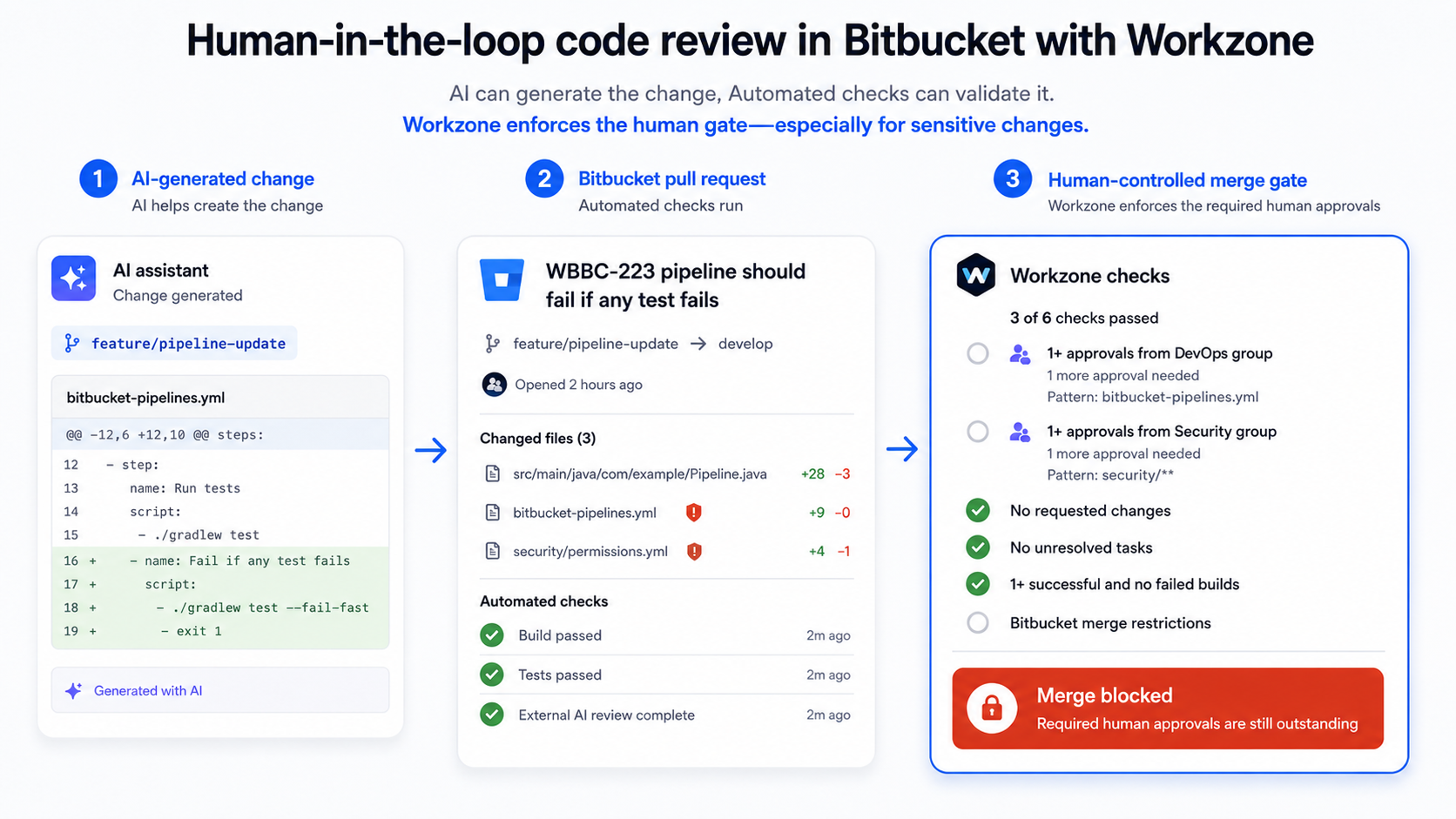
Workzone becomes useful when teams need more granular reviewer and approval policies—for example, different approval quotas for different code areas, mandatory reviewers, reviewer assignment after a successful build, independent-review rules or digitally signed approvals.
Scope note: this article uses several Bitbucket Cloud examples, including CODEOWNERS and Code Insights. Workzone is available for both Bitbucket Cloud and Data Center, but the exact native features and enforcement model differ between hosting types.
Key Takeaways
- Keep pull requests small enough that a reviewer can understand the change without reconstructing the whole feature.
- Use a pull-request template to give reviewers the context, testing evidence and risk information they need before reading the diff.
- Use native CODEOWNERS or reviewer rules to route changes to people who understand the affected code.
- Automate objective checks such as builds, tests and security scans before relying on human reviewers to discover those failures manually.
- Use Workzone when native reviewer assignment and general merge checks are not granular enough for the approval policy you need.
Where Bitbucket Code Reviews Commonly Slow Down
Code review often becomes a bottleneck for reasons that have little to do with the quality of the reviewers.
Typical problems include:
- pull requests that are too large to review confidently;
- descriptions that do not explain why the change exists or how it was tested;
- the same reviewers being added to every pull request regardless of what changed;
- reviews starting before automated checks have passed;
- unclear rules about how many approvals are actually required;
- important feedback being left unresolved because merge criteria are treated as suggestions rather than gates.
The best optimisation is therefore not “review faster at all costs”.
It is to remove avoidable work from the reviewer and make the important review decisions explicit.

1. Give Reviewers Context Before They Read the Diff
A reviewer should not have to infer the purpose of the change from the code alone.
Bitbucket Cloud supports pull-request description templates. A repository can define a standard template so every new pull request prompts the author to provide the information reviewers need.
A useful template might ask for:
- What changed? — a short explanation of the change;
- Why? — the Jira issue, bug or customer problem behind it;
- Risk: — what parts of the system could be affected;
- Testing: — which automated or manual tests were performed;
- Anything unusual? — migrations, breaking changes or rollout considerations.
On Bitbucket Cloud, a repository can also use .bitbucket/pull_request_template.md for a default pull-request description.
The goal is not to make authors complete a long form.
It is to stop reviewers wasting the first part of every review asking basic questions that could have been answered before the pull request was opened.
2. Keep Pull Requests Small and Focused
A 50-line change and a 2,000-line change do not create the same review problem.
As a pull request grows, reviewers have to hold more context in their head, the number of possible interactions between changes increases, and feedback becomes harder to resolve cleanly.
Where possible:
- separate refactoring from behavioural changes;
- avoid mixing unrelated fixes into the same pull request;
- split large features into independently understandable steps;
- make the pull-request title and description match the actual scope.
Small does not mean artificially splitting a change until each pull request loses meaning.
The aim is a unit of change that a reviewer can understand and evaluate confidently.
3. Route the Change to the Right Reviewer
Not every developer is equally qualified to review every part of a codebase.
On Bitbucket Cloud, native CODEOWNERS can map repository paths to individuals, workspace groups or repository-managed teams so relevant reviewers are automatically requested when those files change.
That is a good starting point when the requirement is:
“If this code changes, make sure the people who own it are included in the review.”
Do not confuse knowledge sharing with random reviewer assignment.
Rotating reviewers can be useful for spreading knowledge, but high-risk or specialist areas should still involve people who understand the code and its consequences.
If you need a more detailed comparison of native CODEOWNERS and Workzone, see Workzone vs Bitbucket CODEOWNERS.
4. Move Objective Checks Out of the Human Review
A human reviewer should spend time on things that require judgement: architecture, maintainability, security implications, correctness and whether the implementation makes sense.
They should not have to manually discover that the build fails or a static-analysis tool has already found a known problem.
Bitbucket Cloud’s Code Insights can surface reports and annotations from Pipelines and third-party integrations inside the pull request.
Examples include:
- build status;
- unit-test results;
- code-coverage information;
- static-analysis findings;
- security scan results.
Code Insights does not magically analyse the code by itself. The reports come from the tools and integrations that generate them.
The useful workflow is:
Automate repeatable checks first, then ask humans to review what still requires human judgement.
5. Make Merge Requirements Explicit
Bitbucket Cloud provides native merge checks for conditions such as minimum approvals, successful builds, no unresolved tasks and no outstanding requested changes.
On Bitbucket Cloud Premium, those native checks can be made blocking. On non-Premium plans they can still surface unresolved conditions, but they do not provide the same required enforcement.
This is an important step in a mature review workflow because the team is no longer relying on somebody to remember:
“Are we actually allowed to merge this yet?”
The merge state answers the question.
Where Workzone Adds More Granular Review Governance
Native Bitbucket controls are enough for many teams.
Workzone becomes relevant when the policy needs to be more specific than a general approval count or automatic reviewer assignment.
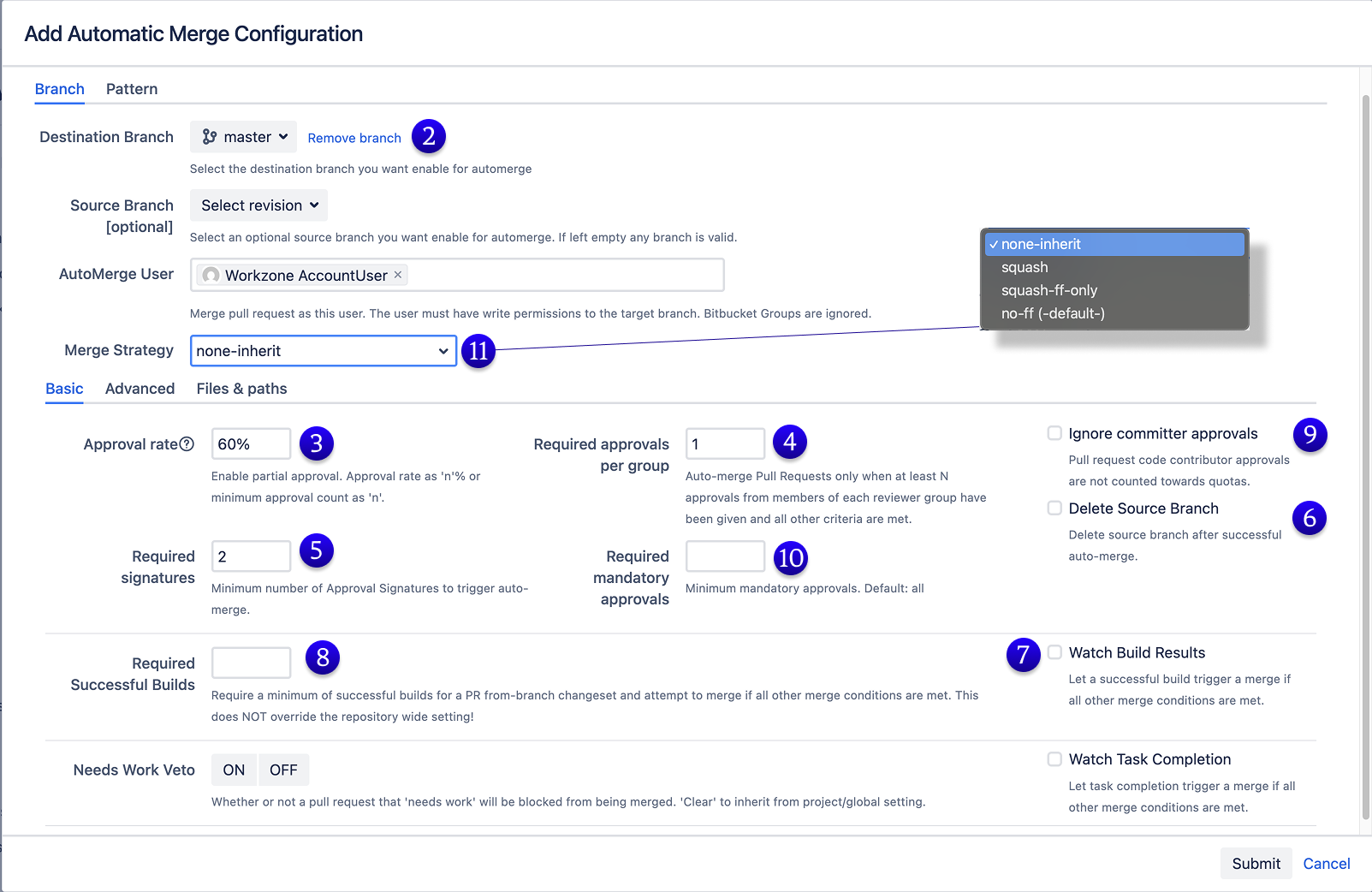
With Workzone reviewer and approval rules, teams can configure:
- reviewers and reviewer groups by source/target branch;
- file or module patterns so reviewer rules apply only when relevant code changes;
- absolute or percentage-based approval quotas;
- mandatory reviewers;
- reviewers added only after a successful build;
- approvals from committers excluded from the Workzone quota where independent review is required.
For example:
| Changed code | Reviewer rule | Approval requirement |
|---|---|---|
src/ui/** | UI team | 1 approval |
src/main/** | Backend team | 2 approvals |
src/test/** | QA team | 1 approval |
This keeps specialist reviewers focused on the code they actually own while allowing the approval policy to follow the same file/module rule.
6. Treat Review Feedback as Part of the Workflow
Inline comments are most useful when they are specific and actionable.
A good review comment explains the problem and, where useful, why it matters.
Avoid comments that simply express a preference without distinguishing between:
- a defect or security concern;
- a maintainability problem;
- a required team standard;
- an optional suggestion.
This makes it much easier for the author to understand which feedback must be resolved before merge and which feedback is simply worth considering.
Bitbucket’s pull-request tasks and requested-change state can also be incorporated into merge policy so unresolved review feedback is not accidentally ignored.
7. Balance Expertise With Knowledge Sharing
The original version of this article recommended rotating reviewers, and the principle is still useful—but it needs context.
Reviewer rotation works well when it spreads knowledge without removing the people accountable for important code.
A practical model is:
- keep an appropriate owner or specialist involved where risk demands it;
- add another reviewer when you deliberately want to spread knowledge;
- avoid routing every PR to the same senior developer merely because they are the safest choice;
- watch for reviewers whose queue is becoming a delivery bottleneck.
That creates broader code ownership without sacrificing the quality of reviews on sensitive areas.
8. Use Digital Signatures Only Where the Process Requires Them
Some regulated or audit-sensitive development processes require stronger evidence of who approved a change.
Workzone digital signatures can require reviewers to sign their pull-request approval with a personal signature token and can include signed approvals in the configured merge requirements.
This can help implement and evidence a software change-control requirement.
It does not mean that installing Workzone automatically makes an organisation compliant with CFR 21 Part 11, ISO 9001 or another regulatory framework. Compliance depends on the organisation’s broader policies, procedures and operation of those controls.
A Practical Bitbucket Code Review Workflow
For many teams, a strong workflow looks something like this:
- Author creates a focused pull request with enough context and testing information for the reviewer.
- Relevant reviewers are assigned using CODEOWNERS, default reviewers or Workzone reviewer rules.
- Automated checks run for builds, tests, security and code quality.
- Human reviewers assess the change and leave specific feedback.
- The author responds and updates the pull request until the required feedback is resolved.
- Approval and merge conditions are evaluated rather than relying on somebody to remember them manually.
- The pull request merges only when the policy appropriate to that code and branch has been satisfied.
The exact tooling can vary.
The important part is that objective checks, human review and merge governance each have a clear role.
When You May Not Need Workzone
You may not need an additional app if:
- native Bitbucket reviewer assignment already sends changes to the right people;
- a general minimum approval requirement is sufficient;
- native merge checks provide all the enforcement your team needs;
- your repositories are small enough that reviewer routing is straightforward.
Use Workzone when it closes a specific gap in the review policy—not simply because more automation is possible.
Make Code Review Easier to Do Well
The best code-review workflow does not try to replace human judgement.
It removes the repetitive work around that judgement.
Give reviewers context. Keep the change understandable. Route it to people with the right expertise. Let automated tools catch repeatable failures. Make merge requirements explicit.
Then the reviewer can spend more time on the question that matters:
“Should this change become part of our codebase?”
Want More Control Over Your Bitbucket Review Workflow?
See the Workzone reviewer and approval configuration for examples of file/module reviewers, approval quotas and independent-review rules.
For a deeper look at higher-risk code, see How to Protect Critical Code in Bitbucket in the Age of AI.
By Sean Manwarring, Head of Marketing at Izymes
Published 25 July 2024· Updated 13 October 2026

Pingback: Review Pull Requests After the Build Passes | Bitbucket Workzone
October 13, 2026Pingback: Git Rebase vs Cherry-Pick: When to Use Each | Izymes
October 19, 2026Pingback: Agile Pull Request Workflow: Shift Left Early | Izymes
October 19, 2026