


How to Secure a Bitbucket Development Process with Jira and Pull Request Controls
How to Secure a Bitbucket Development Process with Jira and Pull Request Controls
To secure a Bitbucket development process, teams need controls at more than one point in the software-change lifecycle: validate that work is linked to the right Jira context, protect important branches, require the appropriate reviewers and build results, and prevent a pull request from merging until the organisation’s defined conditions have been met.
Software change control is the set of technical and procedural rules that makes a code change traceable, reviewed, tested and authorised before it reaches a protected branch or production environment.
Bitbucket already provides an important native foundation through branch permissions, pull requests and merge checks. Where teams need Jira-specific process validation or more granular pull-request governance, Jira Hooks for Bitbucket and Workzone can add controls at different points in the workflow.
Key Takeaways
- Start with native Bitbucket branch permissions and merge controls before adding more tooling.
- Use Jira-linked validation where the code change must be tied to a valid issue, status, field value or naming rule.
- Use pull-request governance where the right reviewer, approval quota, build result or signature must be present before merge.
- Local Git hooks are useful for early feedback, but controls that can be bypassed locally should not be your only enforcement point.
- No app makes an organisation compliant by itself; the value is in technically enforcing and evidencing the controls your policies actually require.
Why Secure the Software Development Process?
The larger the team and the more complex the codebase, the easier it becomes for process gaps to appear:
- commits are not linked to the Jira work that explains why the change exists;
- code reaches a protected branch without the intended review;
- the wrong reviewer is assigned because ownership is unclear;
- a Jira issue says “To Do” while the associated code is already moving toward release;
- build failures, review tasks or requested changes are treated as reminders rather than actual gates;
- audit evidence has to be reconstructed after the fact.
The goal is not to add as many checks as possible. It is to make the controls that matter consistent and difficult to bypass accidentally.
For example, if your process says that security-sensitive changes must be reviewed by the responsible team before merging, that requirement is stronger when the reviewer rule is enforced by the workflow than when it exists only in a handbook or pull-request template.
This is especially relevant for regulated or audit-sensitive environments, but the same principle applies to any team that wants predictable change control.
Start with Bitbucket’s Native Security and Workflow Controls
Before installing an app, use the controls Bitbucket already gives you.
Native branch permissions can restrict who may write or merge to protected branches and can require changes to arrive through pull requests. Bitbucket merge checks can evaluate conditions such as minimum approvals, successful builds, unresolved tasks and requested changes.
On Bitbucket Cloud, non-Premium plans can surface unresolved merge checks as warnings. Premium can make those native checks blocking so a pull request cannot merge while the required conditions remain unresolved.
Bitbucket Cloud also supports custom Forge merge checks. Third-party apps can provide specialised validation, while Premium controls whether those checks can be marked as required and enforced more broadly at workspace or project level.
If those native controls already implement the policy you need, keep the workflow simple.
Three Control Points in a Secure Bitbucket Development Process
A useful way to design software change control is to think about when a rule should be evaluated.
| Control point | Typical question | Example control |
|---|---|---|
| Commit / local development | Is the developer creating a change that follows our basic conventions? | Check for a Jira issue key, branch naming rule or commit-message convention before the change leaves the developer’s machine. |
| Push / central repository | Should this change be allowed into the shared repository in its current state? | Validate Jira context, issue status, assignee or other process rules before accepting the change where the hosting model supports server-side enforcement. |
| Pull request / merge | Is this change reviewed, tested, traceable and authorised to enter the target branch? | Require the appropriate reviewers, approvals, build results, resolved review tasks, Jira checks or digital signatures before merge. |
The closer a check is to the developer, the faster the feedback. The closer it is to the protected merge point, the stronger it becomes as a governance control.
That is why mature workflows often use both: early feedback for developer convenience and enforceable gates for important policy.
Jira Hooks for Bitbucket: Validate the Jira Context Behind a Code Change
Jira Hooks for Bitbucket, developed by DevOpsSystems GmbH, focuses on the relationship between a Bitbucket change and the Jira work item behind it.
Typical validation rules can check whether:
- a valid Jira issue key is associated with the change;
- the issue belongs to the expected project or issue type;
- the Jira issue is in an allowed workflow state;
- required Jira fields are populated;
- a branch or commit follows the expected naming convention;
- a JQL condition matches before the change progresses.
That is useful when your process depends on more than “did someone review the code?”
For example, a release policy might say that code can only merge when the linked Jira issue has reached Ready for Merge. Another workflow might require every pull request to link to an issue with a Fix Version, an assigned owner or a particular custom field.
Cloud Capability Has Changed Since This Article Was First Published
The original 2025 version of this article described Jira Hooks for Bitbucket Cloud as supporting only merge checks.
Current DevOpsSystems Cloud documentation now describes commit checks, push checks and merge checks.
For local commit and push validation, DevOpsSystems provides Git hooks that send commit and branch information to a centrally configured validation API, so the rule logic remains managed in Jira Hooks rather than duplicated in every local script.
Local validation is valuable because developers receive feedback before a pull request exists. But local hooks can still be modified or bypassed by someone with control of their development environment, so they should be treated as an early-feedback layer rather than the only governance control for high-risk workflows.
For Bitbucket Cloud pull requests, Jira Hooks uses Bitbucket’s custom merge-check framework. Atlassian controls the enforcement model: a custom merge check can run on Standard, but making it required so it blocks merge requires Bitbucket Premium.
Workzone: Enforce Who Reviews and When a Pull Request Can Merge
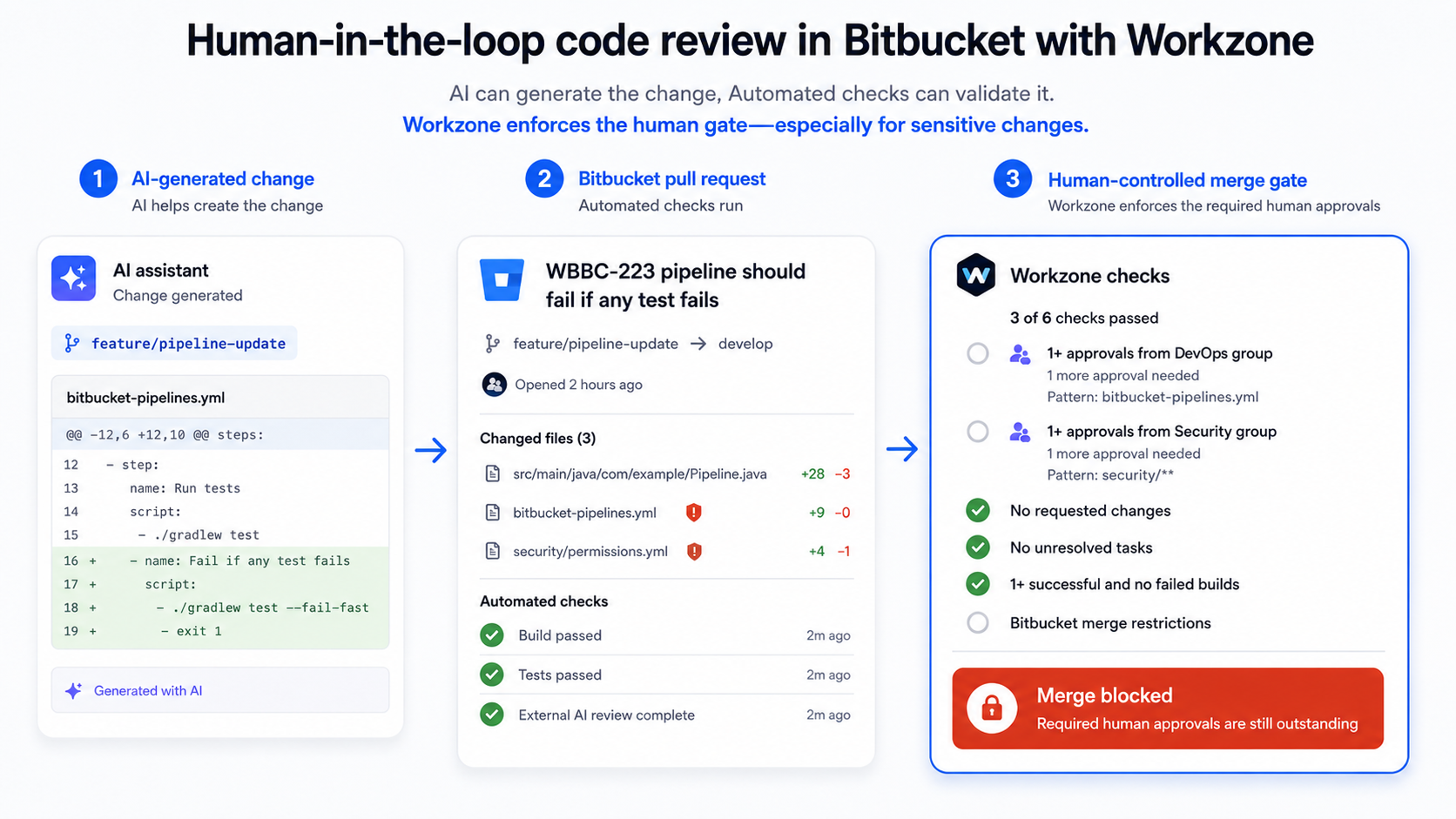
Workzone: PullRequest Workflow focuses on pull-request reviewers, approvals and merge governance.
With Workzone reviewer and approval rules, teams can configure:
- reviewers and reviewer groups for particular branches;
- file or module patterns so specialised reviewers are added only when relevant code changes;
- absolute or percentage-based approval quotas;
- mandatory reviewers or groups;
- reviewer assignment only after a successful build;
- independent-review rules that exclude approvals from people who contributed commits.
Workzone’s merge conditions can also evaluate successful builds, unresolved tasks, requested changes and required reviewer approvals before allowing its configured merge workflow to proceed.
For processes requiring stronger approval evidence, Workzone digital signatures can require signed pull-request approvals and record signing information in the pull-request history.
A practical implementation detail matters here: if Workzone is intended to be the enforcing merge path, Izymes recommends using Bitbucket branch permissions so ordinary users cannot simply bypass the Workzone workflow by merging directly to the protected target branch.
How Jira Hooks and Workzone Fit Together
The two apps solve different questions.
| Question | Jira Hooks for Bitbucket | Workzone |
|---|---|---|
| Is this code change linked to the right Jira work? | Yes — validates issue keys, Jira state, JQL and related process context. | Not its primary purpose. |
| Are the right people reviewing this pull request? | Not its primary purpose. | Yes — reviewer users/groups, file/module rules and quotas. |
| Has the required review policy been satisfied? | Can validate Jira-related merge conditions. | Yes — approval quotas, mandatory reviewers and independent-review controls. |
| Have builds/tasks/review conditions been satisfied? | Focused primarily on Jira/process validation. | Yes — Workzone merge conditions can include build, task and review requirements. |
| Do we need signed approval evidence? | Not its primary purpose. | Yes — Workzone supports digitally signed PR approvals. |
Used together, the workflow can answer both:
“Is this the right change for the right Jira work?”
and:
“Has the right person reviewed and authorised it to merge?”
A Practical End-to-End Example
Imagine a developer working on a change linked to PROJ-456.
- Local development: an early validation check confirms the branch or commit contains the expected Jira issue key.
- Jira process validation: Jira Hooks checks that
PROJ-456exists and satisfies the configured Jira rules. - Pull request created: Workzone sees that the change touches
src/auth/**and adds the responsible security/backend reviewers. - Automated checks: the configured build or security scan must pass.
- Review: the required approval quota must be met by eligible reviewers.
- Merge validation: Jira Hooks confirms the Jira-side conditions required for the merge are still valid.
- Merge: the change can proceed only after the configured technical and review conditions have been satisfied.
The result is not “security because two apps were installed.”
The result is a workflow where the organisation’s actual change-control policy has been translated into technical checks at the appropriate points.
Compliance Is Not Something You Install
This distinction is important.
Tools such as Jira Hooks and Workzone can help implement controls used in environments working toward frameworks or regulatory requirements such as SOC 2, ISO 27001, SOX or FDA 21 CFR Part 11.
They can help teams:
- make reviewer requirements enforceable;
- maintain traceability between code and work items;
- record approvals and signatures;
- reduce reliance on manual evidence collection;
- show that defined technical controls actually operated.
But an app does not make an organisation compliant by itself.
Compliance depends on the organisation’s complete policies, risk assessment, procedures, access controls, evidence, training and operation of those controls.
The more defensible claim is:
These tools can help enforce and evidence software change-control requirements inside Bitbucket.
That is also more useful to an auditor than a generic claim that a product is “compliant.”
How Izymes Applies the Same Principle in Its Own Development Process
Izymes uses the same general principle internally: important development controls should be part of the workflow rather than dependent on memory.
Our published Security Practices describe a process where code changes are submitted through Bitbucket Cloud pull requests, Workzone adds reviewers and groups based on the change, the configured approval quota must be met, and an automated Snyk security check must pass before Workzone merges the pull request.
That does not mean every organisation should copy our exact configuration.
It demonstrates the broader design principle:
Automate repeatable checks, require accountable human review where judgement matters, and make the merge point enforce the policy.
For a deeper look at risk-based reviewer rules, see How to Protect Critical Code in Bitbucket in the Age of AI.
Cloud and Data Center Are Not Identical
Both Jira Hooks for Bitbucket and Workzone are available for Bitbucket Cloud and Bitbucket Data Center, but the enforcement model is not identical across hosting types.
Bitbucket Data Center supports server-side extension points that can reject certain push or merge operations directly.
Bitbucket Cloud increasingly uses Atlassian’s Forge and custom merge-check framework. For third-party custom merge checks, Atlassian currently reserves required/blocking enforcement for Bitbucket Premium.
Workzone Cloud uses its own reviewer and merge-governance model, while some Workzone Data Center capabilities and advanced merge conditions are not identical in Cloud.
So if a requirement is compliance-sensitive, do not assume a configuration transfers one-for-one between Cloud and Data Center. Validate the exact control and enforcement mechanism for the hosting model you use.
When You May Not Need Both Apps
Not every Bitbucket team needs this full combination.
You may not need Jira Hooks if your process does not depend on Jira status, fields, JQL or issue-link validation.
You may not need Workzone if Bitbucket’s native branch permissions, reviewer configuration and merge checks already enforce the review policy you require.
You may not need either app if your workflow is simple and native Bitbucket controls already provide the traceability and governance your organisation needs.
The purpose of adding tooling should be to close a clearly identified control gap—not to make the workflow look more sophisticated.
Build Security and Traceability Into the Workflow
A secure software development process is easier to operate when developers do not have to remember a separate compliance procedure for every change.
Start with native Bitbucket controls. Identify which Jira context must be valid before a change progresses. Decide which code areas require particular reviewers. Define the build, review and approval conditions that should be true before protected branches accept new code.
Then automate those requirements at the point where they can be checked reliably.
That is the practical way to secure a Bitbucket development process: not by adding as many gates as possible, but by turning the right policies into clear, repeatable and auditable controls.
Want to Strengthen Your Bitbucket Change-Control Workflow?
Explore Jira Hooks for Bitbucket for Jira-linked validation and Workzone reviewer and approval configuration for more granular pull-request governance.
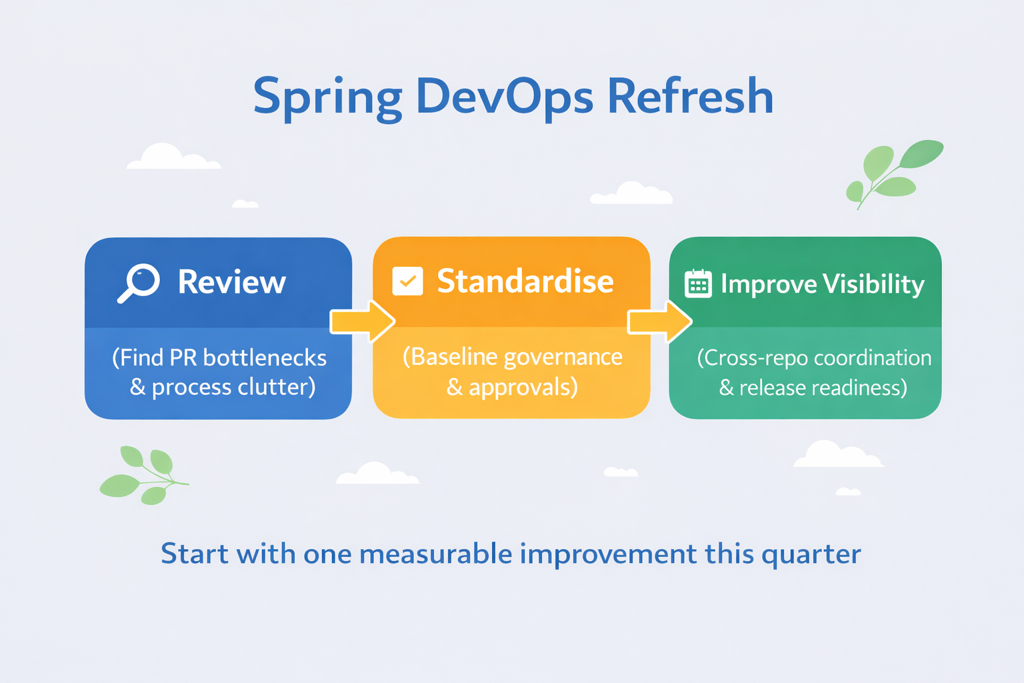
If you are reviewing the workflow more broadly, our guide to improving a Bitbucket DevOps process provides a practical starting point for identifying unnecessary friction and control gaps.
By Sean Manwarring, Head of Marketing at Izymes
Published 10 August 2025 · Updated 13 October 2026
Pingback: 21 CFR Part 11 Digital Signatures in Bitbucket | Workzone
October 13, 2026